Establish the Connection Using the EDS Generated Profile
Perform the following steps to establish a network connection with your In-Sight vision system.
-
Open the RSLogix 5000 and load the project of the PLC.
Note: The PLC must be Offline. -
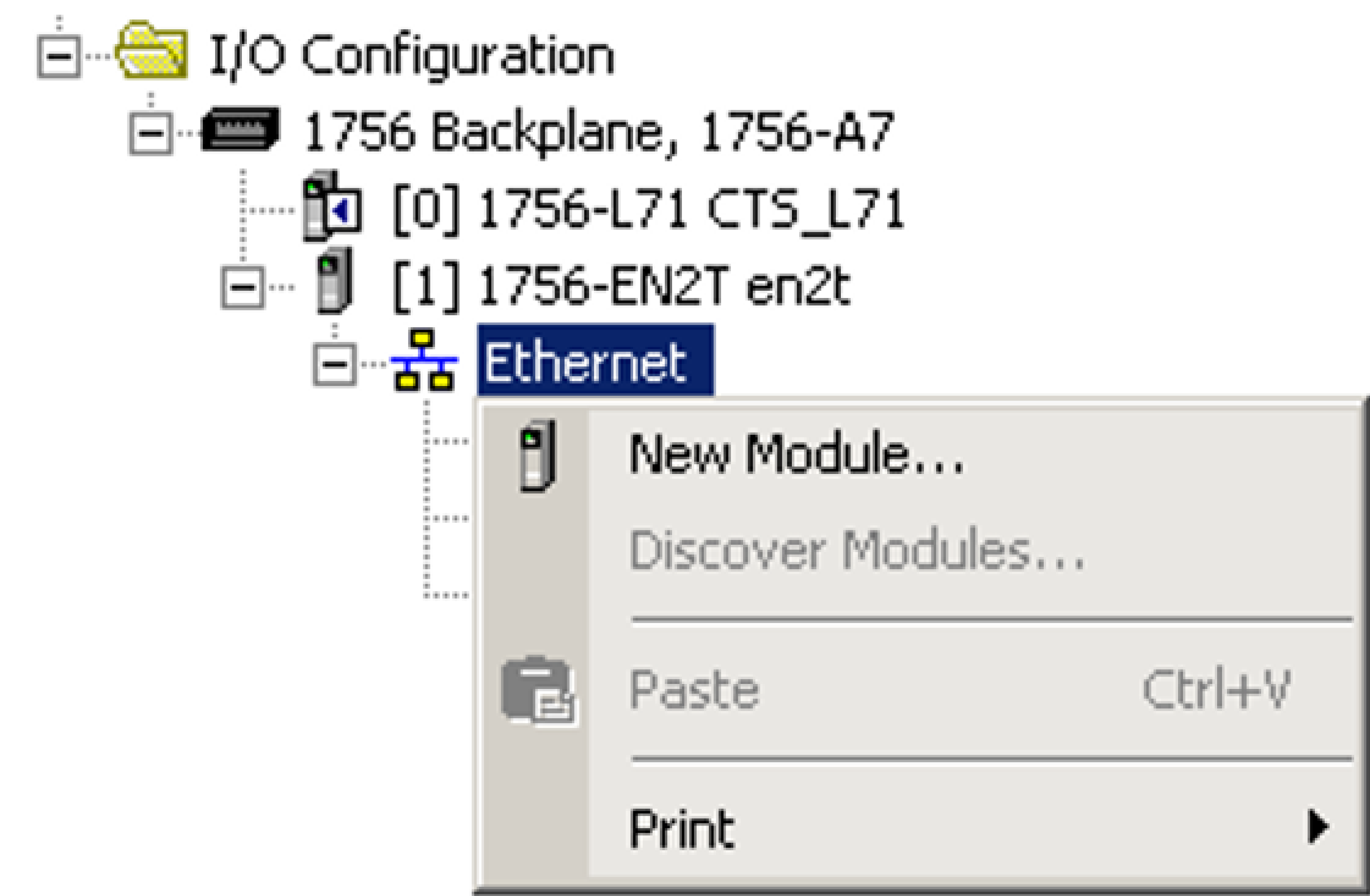
Add a connection to your Ethernet Communications Card. Under the I/O Configuration node, select the Ethernet Node under the Ethernet Module, right-click on the icon and select New Module from the menu.
-
In the Select Module Type dialog, select the type of In-Sight vision system that you connect to the PLC and click Create.
Note: After loading the new EDS files, new module types show up and you must select the appropriate module.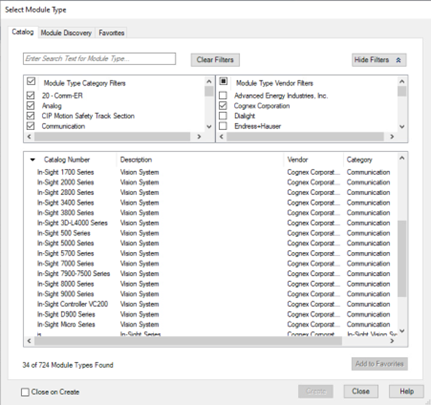
-
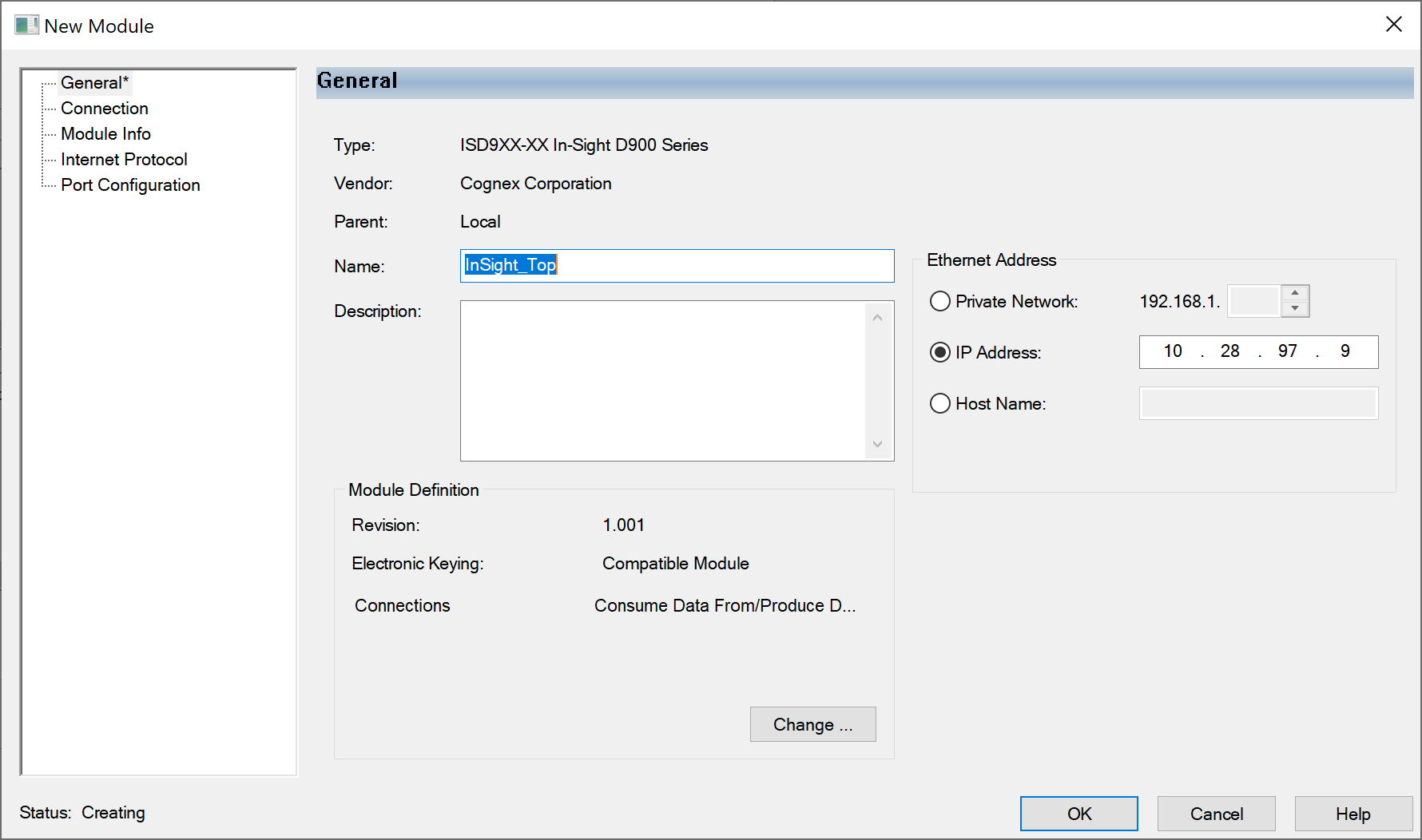
In the New Module dialog, enter the name and IP address of the In-Sight vision system.
-
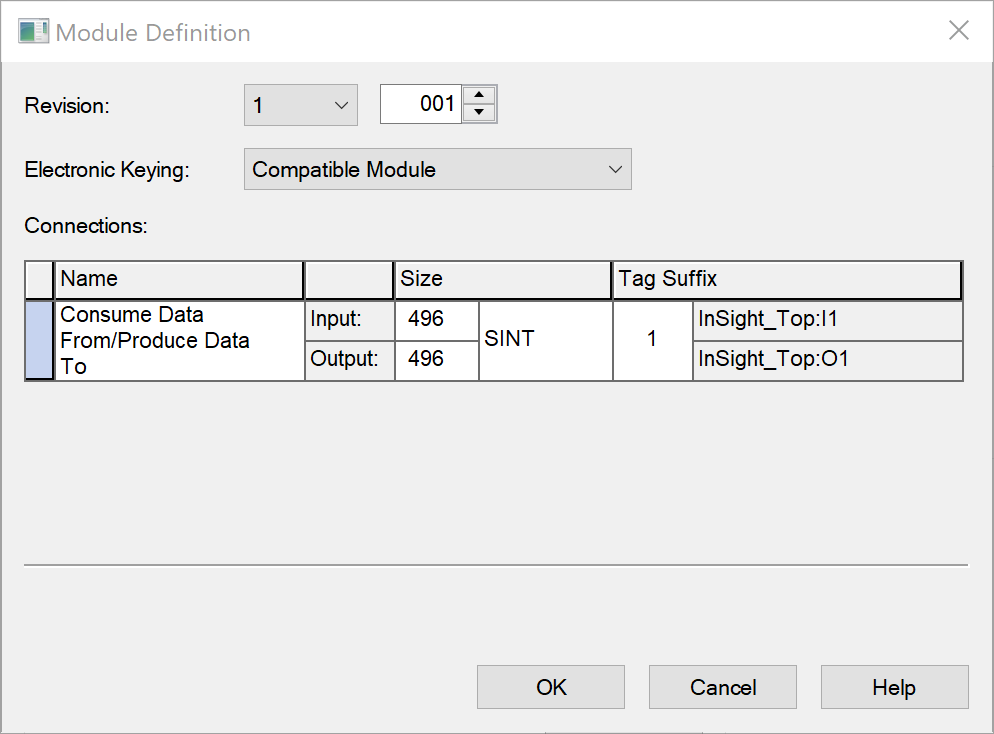
Click the Change... button to open the Module Definition dialog and configure electronic keying and the size of the connection.
-
After adding the vision system to the RSLogix project, you can use the L5X rung import file to create structured data for the connection. By default, the L5X rung import file is installed in the following directory: C:\Program Files\Cognex\In-Sight\In-Sight Vision Suite Editors\In-Sight\In-Sight 23.3.0\FFP\RSLogix
Within the MainProgram, right-click on an empty rung and select the Import Rungs... option. Navigate to the CopyRung.L5X file, and click the Import... button.
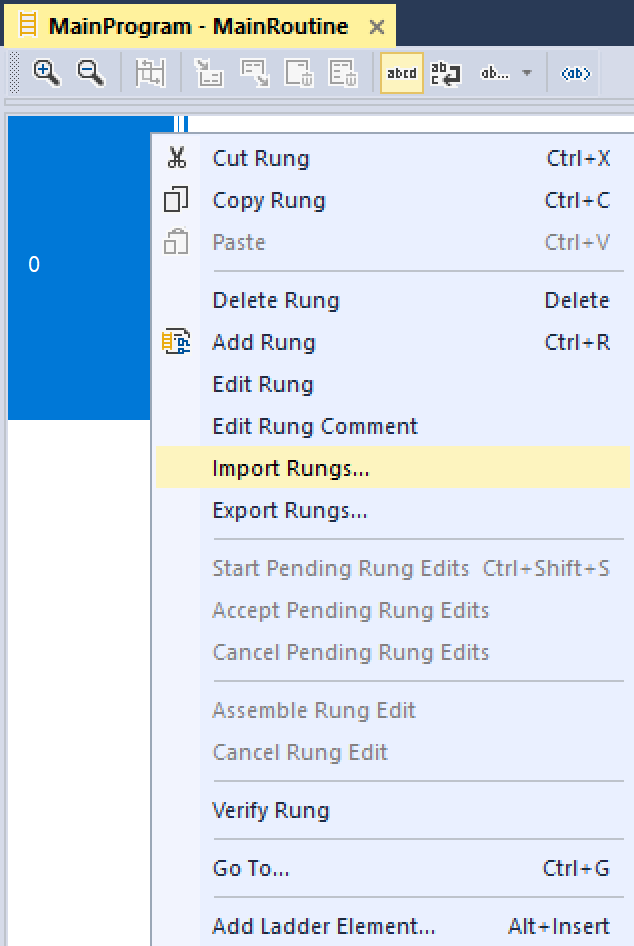
-
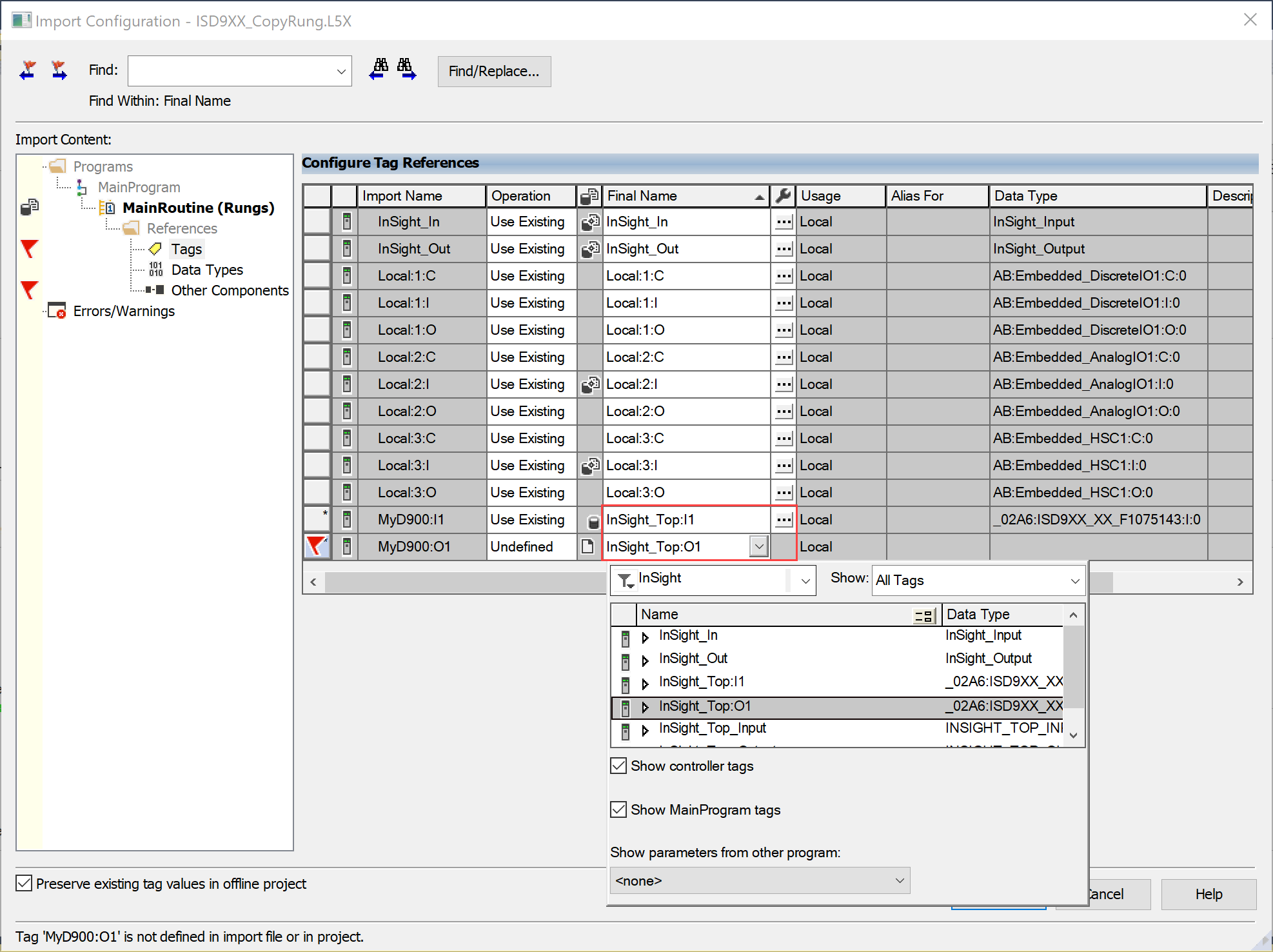
In the Import Configuration dialog, select Tags and change the names of the created tags to match the configuration.
Make sure you set the names of InSight_1:I1 and InSight_1:O1 tags to the connection controller tags in your project that match the name given to the In-Sight connection above.
-
Click the OK button to close the Import Configuration dialog.
A rung is added to the project, which includes the copy instructions for copying the data between the generic connection data and the structured data types included in the imported rung file.

When writing your ladder program, reference the elements in the structured data variables; the copy rung above automatically moves the data to and from the structured data instances to the EtherNet/IP connection.