Serial Configuration
The Serial Configuration utility allows you to configure the serial port of the vision system.
To configure the serial port of the vision system:
- Launch In-Sight Vision Suite if it is not already running.
-
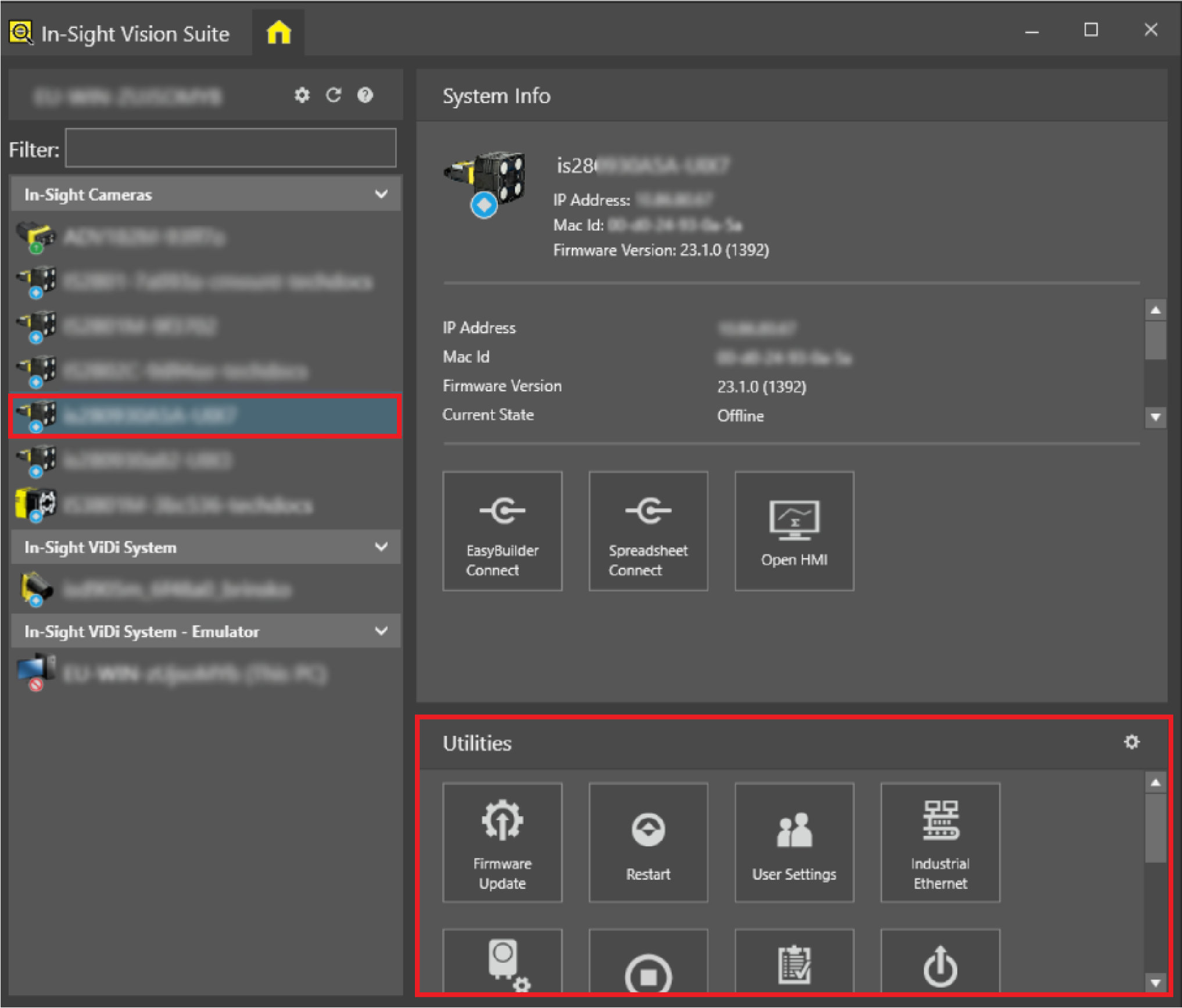
Left-click the device you want to configure on the In-Sight® Device Pane on the left. The list of Utilities applicable to the selected vision system then appears at the bottom of the window.
-
Click the Serial Configuration button to open the configuration window.
-
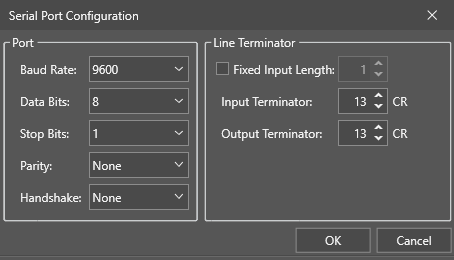
Configure the serial port.
-
Click OK.
Serial Port Options
|
|
|---|---|
| Item | Description |
| Baud Rate |
Determines the baud rate of the port. You can choose from the following baud rate values:
|
| Data Bits |
Determines the data bits of the port. You can choose 7 or 8 as data bits. The default value is 8. |
| Stop Bits |
Determines the stop bits of the port. You can choose 1 or 2. The default value is 1. |
| Parity |
Determines the parity of the port. You can choose from the following:
|
| Handshake |
Determines the handshake protocol. You can choose from the following handshake protocols:
|
| Fixed Input Length | Enables the fixed input length for the line terminator. The default value is 1. The maximum value is 255. |
| Input Terminator | Determines the input terminator value for the line terminator. The default value is 13. The maximum value is 255. |
| Output Terminator | Determines the output terminator value for the line terminator. The default value is 13. The maximum value is 255. |