Fixture
In some applications the feature of interest can appear in slightly different positions and rotations between images. For example, the following image shows how the string that appears within the search region of the first image does not completely appear within the search region of the other two images:
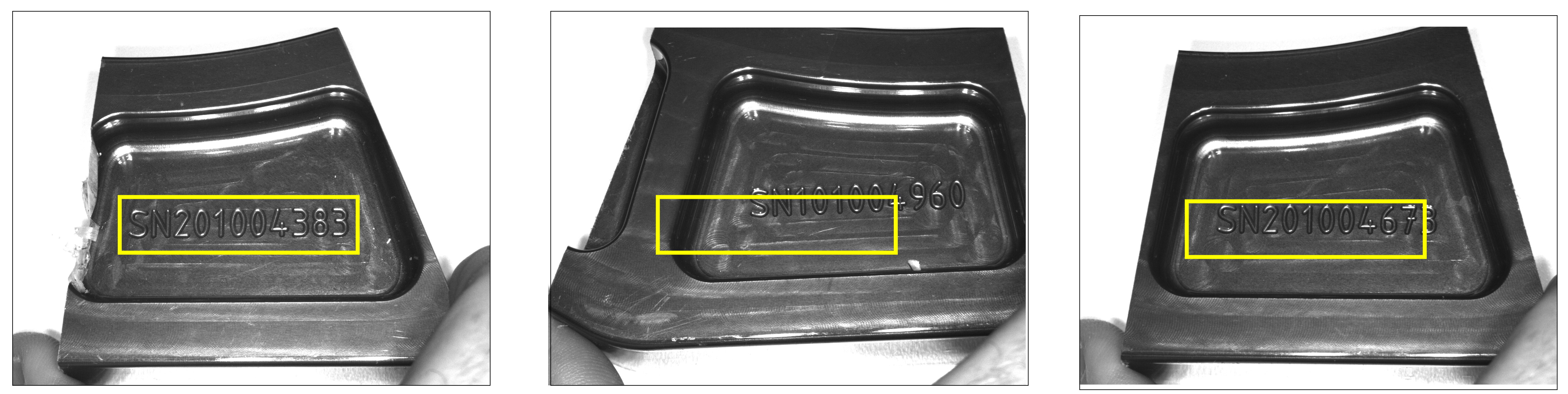
In-Sight supports the Fixture A fixture is a coordinate location on the image that keeps the tool in the place determined by the fixture. structure to create a new coordinate system based on a reliable feature found in every acquired image. Vision tools you add to this new coordinate system analyze the correct portions of the image regardless of how the object under inspection shifts position or rotates.
By adding a Fixture structure to the previous images, the search region can reliably enclose the string you want to identify with an Edge AI Read tool:
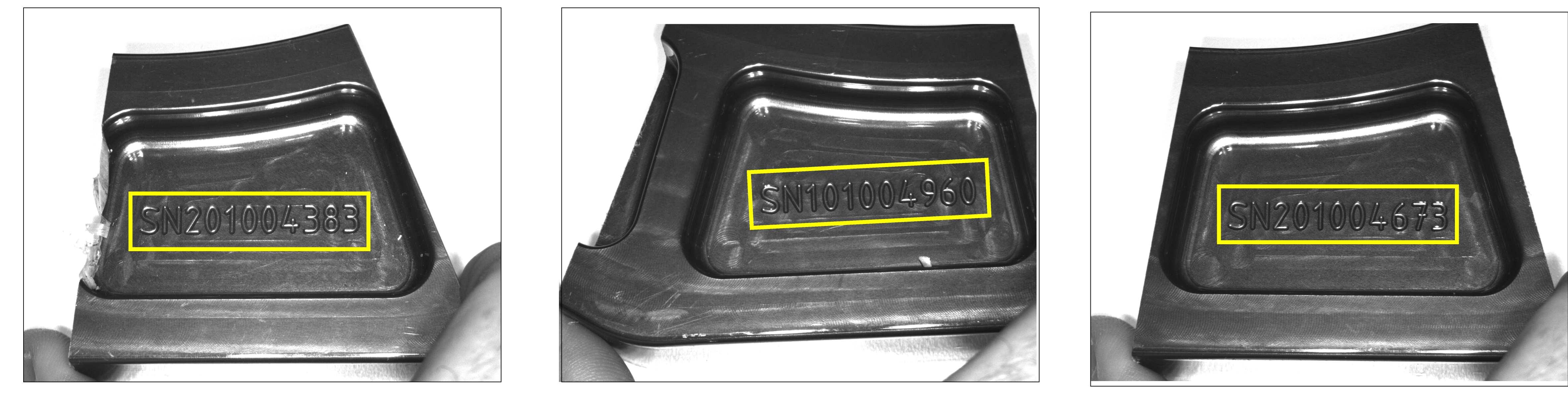
 Inputs
The Fixture function Functions are tools that are available in Spreadsheet for processing and analyzing acquisitions or other results. You can add functions to your Spreadsheet job to create tool chains and produce results for specific applications. has the following syntax:
Fixture(Image, X, Y, Theta, Show)
See the table for a description of the available parameters.
| Parameter | Description | ||||||
|
Image |
This argument must reference a spreadsheet cell that contains a valid Image data structure. By default, the cell referenced is cell |
||||||
|
Fixture |
Specifies the image coordinate system in which the fixture is defined.
|
||||||
|
Show |
Specifies the display mode for the Fixture point graphical overlay on the image.
|
Outputs
|
Returns |
A Fixture data structure, or #ERR if any of the input parameters are invalid. |
||||||||||||
|
Results |
When Fixture is initially inserted into a cell, the following Structures Vision Data Access functions are automatically inserted into the spreadsheet to create a result table:
|