Annulus
Creates a fixtured Annulus structure.
 Inputs
The Annulus function Functions are tools that are available in Spreadsheet for processing and analyzing acquisitions or other results. You can add functions to your Spreadsheet job to create tool chains and produce results for specific applications. has the following syntax:
Annulus(Image, X, Y, Theta, X, Y, InnerRadius, OuterRadius, Show)
| Parameter | Description | ||||||||
|
Image |
This argument must reference a spreadsheet cell that contains a valid Image data structure. By default, the cell referenced is cell |
||||||||
|
Specifies the image coordinate system in which the annulus is defined.
|
|||||||||
|
Annulus |
Specifies the size and position of the annulus.
|
||||||||
|
Note: Define parameters for the Annulus within the bounds of the image, or the function returns #ERR.
|
|||||||||
|
Show |
Specifies the display mode for the annulus graphic overlay on the image.
|
||||||||
Outputs
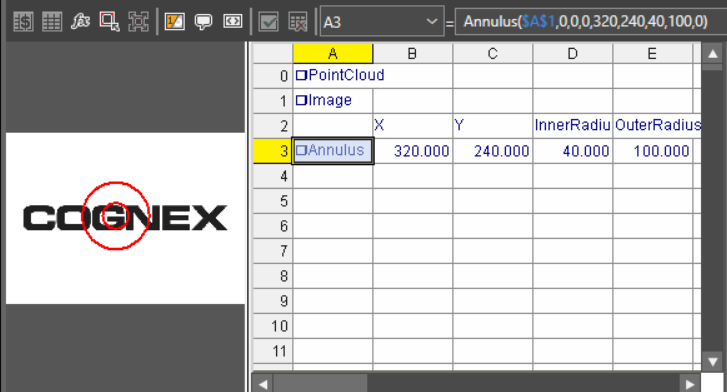
|
Returns |
An Annulus data structure, or #ERR if any of the input parameters are invalid. |
|||||||||||||||
|
Results |
Inserting an Annulus into a cell generates a result table in the spreadsheet with the following Structures Vision Data Access functions
|