Fixture3D
The Fixture3D function Functions are tools that are available in Spreadsheet for processing and analyzing acquisitions or other results. You can add functions to your Spreadsheet job to create tool chains and produce results for specific applications. allows you to set up fixturing coordinates that can be used by other 3D Vision Tools.
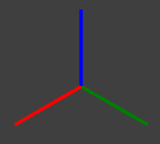
It returns a Fixture3D structure containing the configured fixture A fixture is a coordinate location on the image that keeps the tool in the place determined by the fixture. coordinates.
 Inputs
The Fixture3D function has the following syntax:
Fixture3D(PointCloud A point cloud is a 3D structure that consists of the data points collected by a 3D vision system during acquisition.,Fixture3D,Show)
| Parameter | Description | ||||||||||||
|
PointCloud |
Reference to a cell containing a point cloud A point cloud is a 3D structure that consists of the data points collected by a 3D vision system during acquisition.. The default value is $A$0. |
||||||||||||
| Fixture3D |
Specifies the point cloud coordinate system in which the 3D fixture is defined. It is offset from the PointCloud origin in the following format with the following arguments: {X, Y, Z, Rotation, Tilt, TiltDirection}
Note: The Fixture3D parameter is only available if you set External Fixture to 0.
Note: You can use the Fixture3D parameter to set the ROI fixture.
|
||||||||||||
| Show |
Selects the type of graphics to overlay on the image.
|
Outputs
|
Returns |
A Fixture3D structure containing the parameters of the configured fixture coordinates, or #ERR if any parameter has been configured incorrectly. |
||||||||||||||
|
Results |
When initially inserted into a cell, the following functions are automatically inserted into the spreadsheet to create a result table.
|
Vision Data Access functions
The following Structures 3D Vision Data Access functions are automatically inserted into the spreadsheet to create the result table:
| Function | Description |
| GetRotation(Fixture3D) | Returns the rotation of the Z-axis in degrees, also known as the in-plane rotation. |
| GetTilt(Fixture3D) | Returns the tilt angle of the Fixture3D structure in degrees on the Z-axis. |
| GetTiltDirection(Fixture3D) | Returns the tilt direction angle of the specified Fixture3D structure in degrees. The angle is measured in the X-Y plane of the original reference coordinate system, and specifies the direction for the projection of the tilted Z-axis onto that plane. |
| GetX(Fixture3D) | Returns the X-axis coordinate of the fixture's center point. |
| GetY(Fixture3D) | Returns the Y-axis coordinate of the fixture's center point. |
| GetZ(Fixture3D) | Returns the Z-axis coordinate of the fixture's center point. |