Vision System Mounting Options
In-Sight Vision Suite VGR Vision-Guided Robotics is an In-Sight Spreadsheet feature that uses machine vision to guide robot motion through Robotics String Functions and VGR commands. functions support both robot-mounted vision system and stationary vision system configurations. The appropriate configuration depends on the application layout, workspace constraints, and accuracy requirements.
Robot-Mounted Vision System
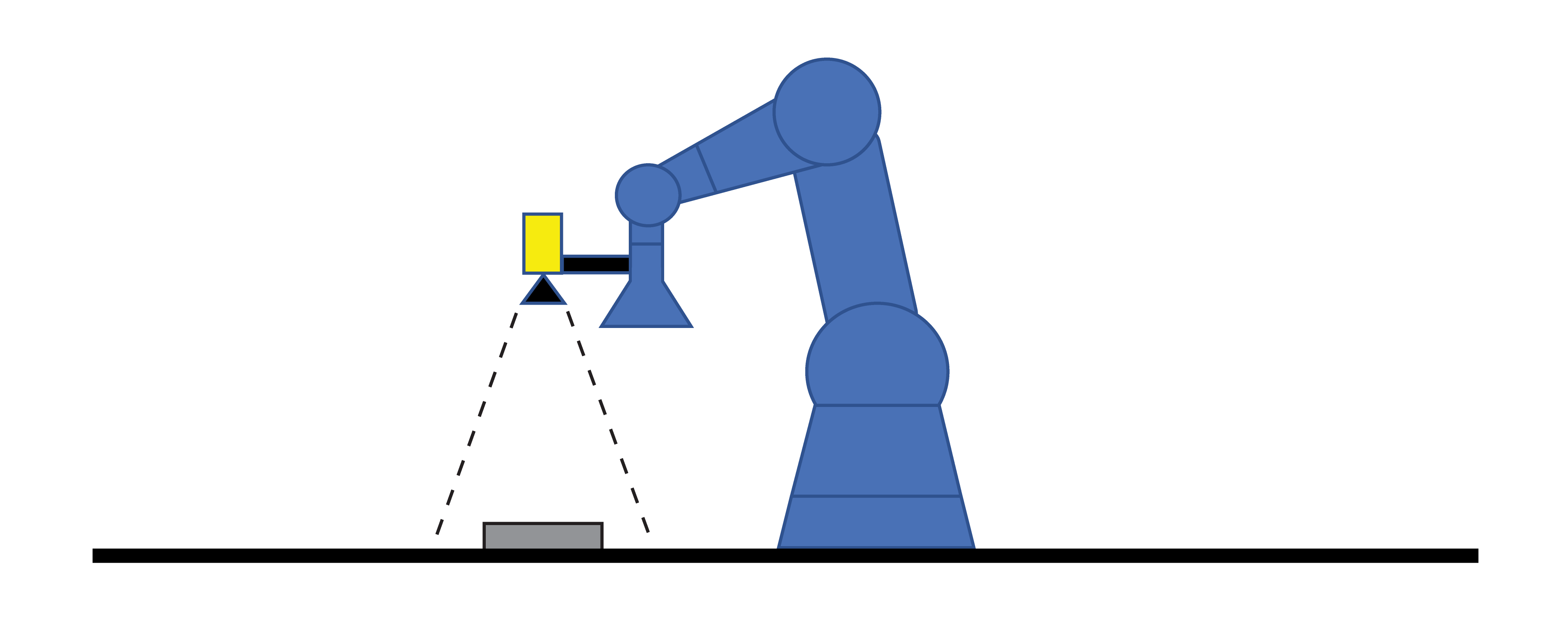
In a robot-mounted vision system configuration, the vision system is attached to the robot end effector, and moves in coordination with the robot.
-
Mount the vision system securely to the robot hand or flange. For six-axis robots, the vision system is typically mounted on the sixth axis.
-
Use a rigid mounting stay to reduce vision system vibration during robot motion.
-
Ensure that the stay is long enough to prevent the robot hand or gripper from obstructing the vision system field of view (FOV).
Oversized grippers or insufficient mounting clearance can cause the robot hand to block the vision system view. Increasing the stay length can resolve this, but excessive length can introduce vibration that negatively affects alignment accuracy.
Stationary Vision System
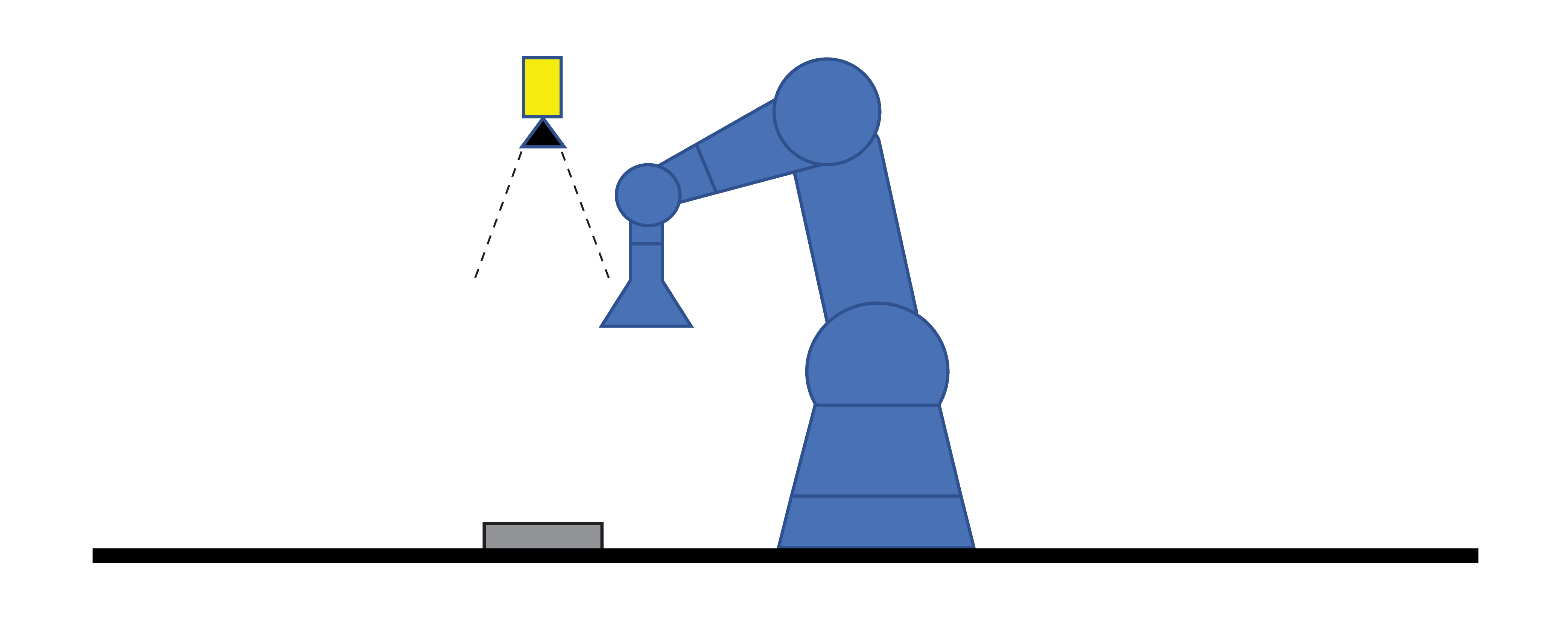
In a stationary vision system configuration, the vision system is fixed to a rigid frame within the robot cell.
-
Mount the vision system outside the moving area of the robot, including the robot arm, end effector, and picked part.
-
Ensure that the vision system FOV fully covers the area where target parts are presented.
-
The vision system mounting structure must be rigid to minimize vibration and ensure stable image acquisition Acquisition is the process or result of the vision system acquiring a new image..
Because the robot must travel from its current position to the vision system field of view, stationary vision system setups typically require a longer working distance, which can affect alignment accuracy if not properly configured.