Image Calibration for VGR
Image calibration is used to convert pixel-based image measurements into real-world coordinates. This is typically performed using a grid (checkerboard) calibration target and is optional for VGR Vision-Guided Robotics is an In-Sight Spreadsheet feature that uses machine vision to guide robot motion through Robotics String Functions and VGR commands. applications.
Checkerboard calibration is recommended when images exhibit noticeable lens distortion, which is common when using:
-
Wide-angle lenses
-
Short working distances
-
Large fields of view (FOV)
In these cases, image calibration removes distortion from the image and improves alignment accuracy. When using checkerboard calibration, perform the calibration before training any feature finder tools.
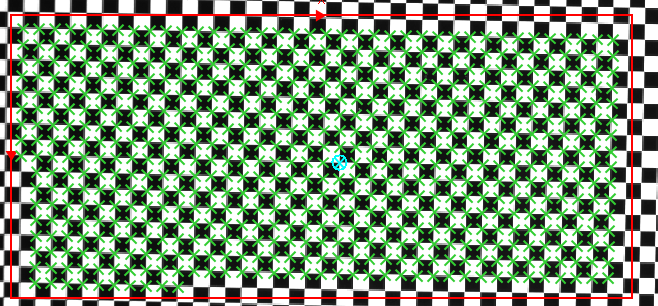
Image calibration is required when:
-
Lens distortion affects feature location accuracy
-
Measurements or alignment results must be expressed in calibrated units
-
The application relies on accurate scale or geometric correction
Image calibration is performed using the CalibrateGrid function Functions are tools that are available in Spreadsheet for processing and analyzing acquisitions or other results. You can add functions to your Spreadsheet job to create tool chains and produce results for specific applications.. In the sample VGR jobs provided with the installer, the CalibrateGrid function is disabled by default. Enable and configure the CalibrateGrid function only if image calibration is required for your application. Otherwise, no additional configuration is necessary.
Image calibration applies only to the vision system, and does not establish any relationship with the robot.
-
For detailed instructions on performing grid (checkerboard) calibration, see CalibrateGrid.
-
Applying checkerboard calibration at runtime introduces additional processing time. The impact on cycle time depends on the vision system model and image resolution.