Identify
The Identify utility helps you to find an In-Sight vision system by making the LEDs of the vision system flash continuously.
Perform the following steps to find a vision system using this utility:
-
Launch In-Sight Vision Suite if it is not already running.
-
Left-click the vision system you want to configure on the In-Sight® Device Pane on the left. The list of Utilities applicable to the selected vision system then appears at the bottom of the window.
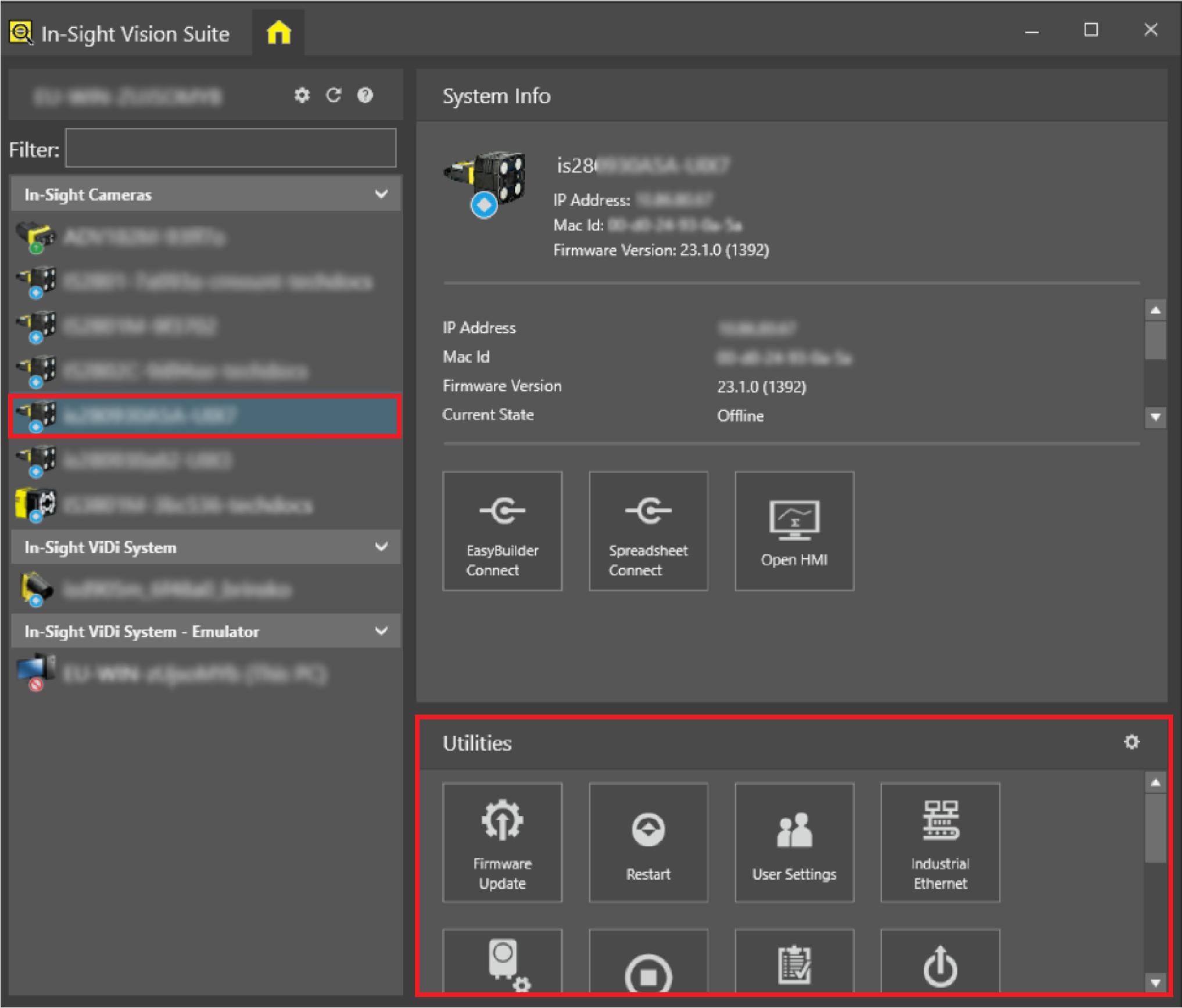
-
Click Identify in the Utility list.
As a result, the LEDs of the vision system start to flash. At the same time, a dialog appears that lets you cancel this utility.
-
Find your vision system.
-
Click Cancel when you no longer need this utility.