Annulus
Creates a fixtured Annulus structure.
 Inputs
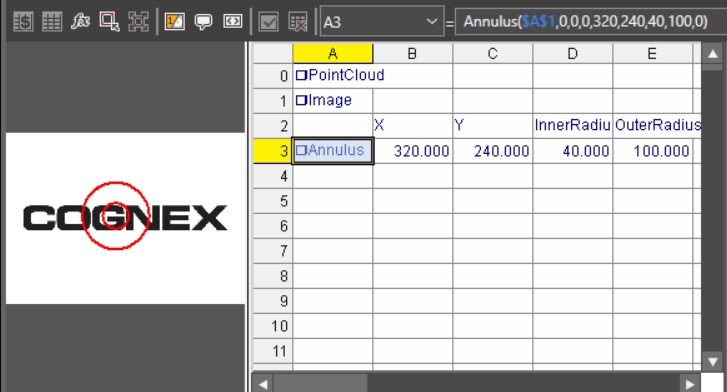
The Annulus function Functions are tools that are available in Spreadsheet for processing and analyzing acquisitions or other results. You can add functions to your Spreadsheet job to create tool chains and produce results for specific applications. has the following syntax:
Annulus(Image, X, Y, Theta, X, Y, InnerRadius, OuterRadius, Show)
See the table for a description of the available parameters.
| Parameter | Description | ||||||||
|
Image |
This argument must reference a spreadsheet cell that contains a valid Image data structure. By default, the cell referenced is cell |
||||||||
|
Specifies the image coordinate system in which the annulus is defined.
|
|||||||||
|
Annulus |
Specifies the size and position of the annulus.
|
||||||||
|
Note: The Fixture
and Annulus parameters must be defined within the bounds of the image. Otherwise, the function returns #ERR.
|
|||||||||
|
Show |
Specifies the display mode for the annulus graphic overlay on the image.
|
||||||||
Outputs
|
Returns |
An Annulus data structure, or #ERR if any of the input parameters are invalid. |
|||||||||||||||
|
Results |
When Annulus is initially inserted into a cell, a result table is created in the spreadsheet with the following Structures Vision Data Access functions
|