Establish the Connection Using the Add-On Profile
The Add-On Profile (AOP) establishes an implicit messaging connection between a single ControlLogix PLC A Programmable Logic Controller is a ruggedized computer that you can use for automating processes or even an entire production line. and an In-Sight vision system.
To establish a connection using the AOP:
-
Open RSLogix 5000 and load the PLC project.
Note: The PLC must be Offline to add connections in RSLogix 5000. -
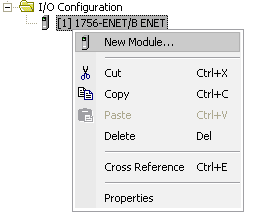
Under the I/O Configuration node, select the Ethernet Node under the Ethernet Module, right-click on the icon and select New Module from the menu:
-
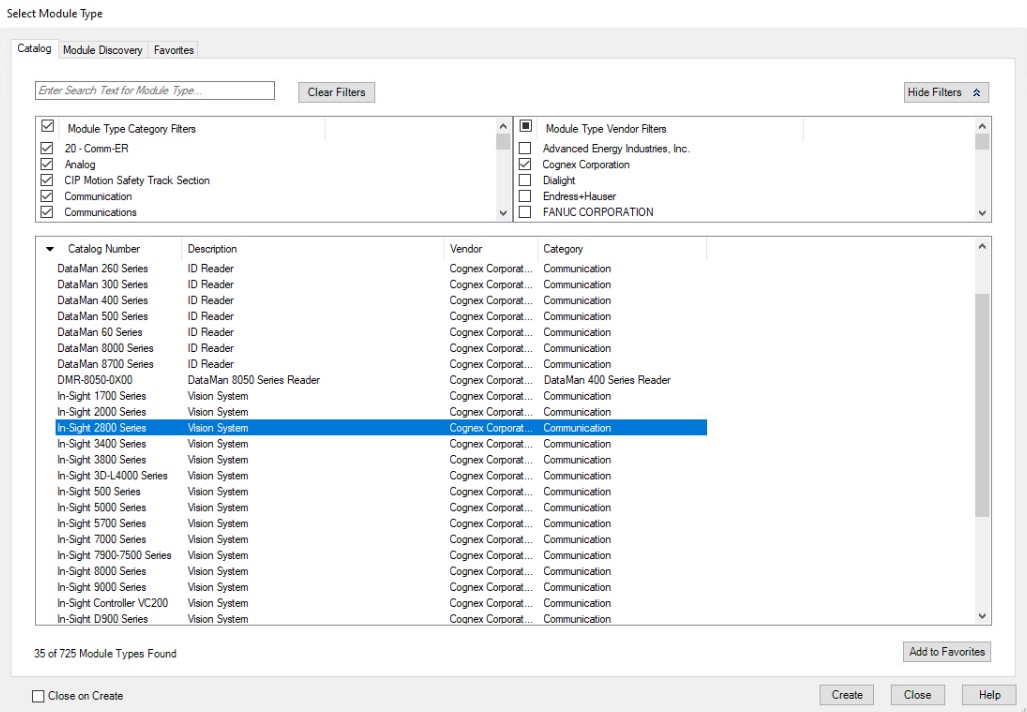
When the Select Module Type dialog appears, select your model of In-Sight Vision System from the list and click Create. This option appears once the AOP is installed.
The New Module dialog appears.
-
In the General tab, configure the following:
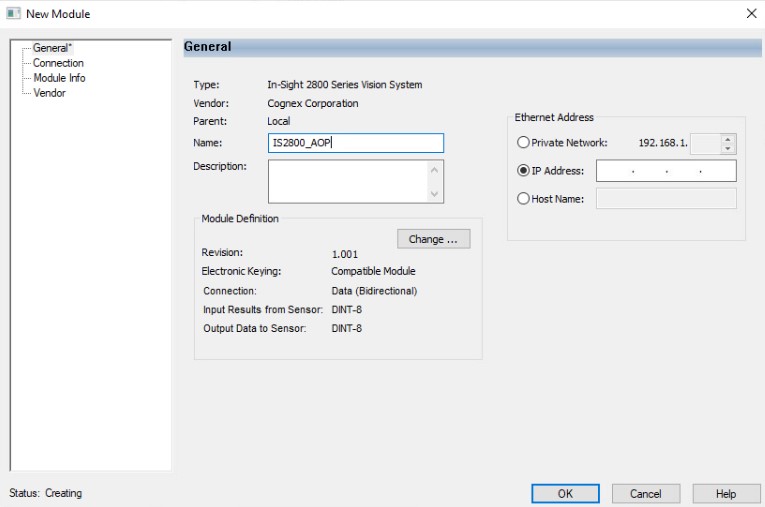
- Name: Specifies the name of the generic EtherNet/IP device. The tags created in RSLogix 5000 are based on this name. Cognex recommends that you use the name of the In-Sight vision system to maintain consistency.
- IP Address: Specifies the IP address of the In-Sight vision system.
- Host Name: Specifies the host name, use this setting if there is a Domain Name Server (DNS) on the network.
-
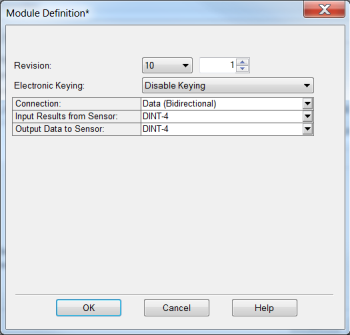
Click Change and set the amount and type of data to be transferred between the In-Sight Vision System and the PLC.
-
Optional: To disable electronic keying, select 10 for Revision and select Disable Keying in the same dialog, then click OK.
-
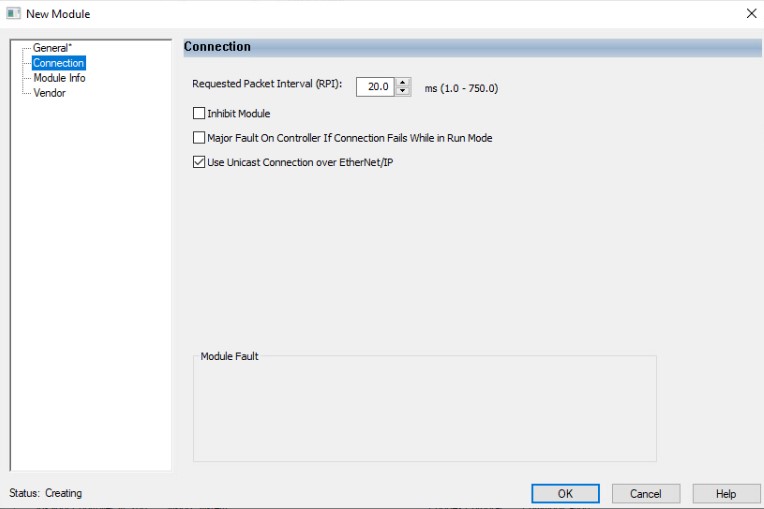
Go to the Connection tab on the left side of the New Module dialog. Configure the following fields:
-
Requested Packet Interval (RPI): specifies the amount of time, in milliseconds, between data exchanges across an implicit messaging connection. In-Sight vision systems support cyclic connections with cyclic times ranging from 2–8000 ms.
Note: For best results, Cognex recommends that you set the RPI time to no more than half the time between when the In-Sight vision system completes the job A job is a user-configured program in In-Sight 3D Spreadsheet consisting of functions and designed for specific applications. You can create and edit jobs using the In-Sight 3D Spreadsheet interface, and load them on a vision system for deployment in a live environment. execution and when the PLC requires the data. - Major Fault On Controller If Connection Fails While in Run Mode: Checking this box causes the controller to generate a major fault when the connection fails.
-
Inhibit Module: Checking this box prevents the PLC from attempting to establish a connection with an In-Sight vision system.
Note: If the In-Sight vision system appears to be stuck in "Standby" mode, then inhibiting and re-enabling the module can cause the module to become operational again.
-
-
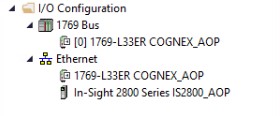
After adding the module to ControlLogix, the I/O tree should appear as follows:
-
RSLogix 5000 creates tags that map to the input and output data of the In-Sight vision system.
You can see the following tags depending on the name given to the generic EtherNet/IP device:
-
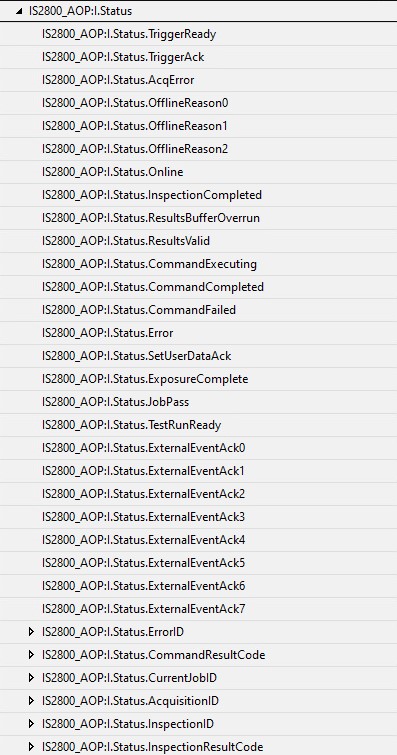
 IS2800_AOP:I Scheduled Input
The following data is sent from the vision system to the PLC:
-
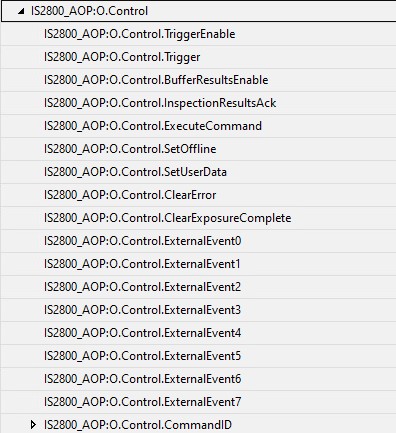
IS2800_AOP:O
Scheduled Output
The following data is sent to the vision system from the EtherNet/IP client:
-