License Configuration
The License Configuration utility allows you to update the existing product license of your In-Sight vision system, allowing you to renew or upgrade the available tools in In-Sight.
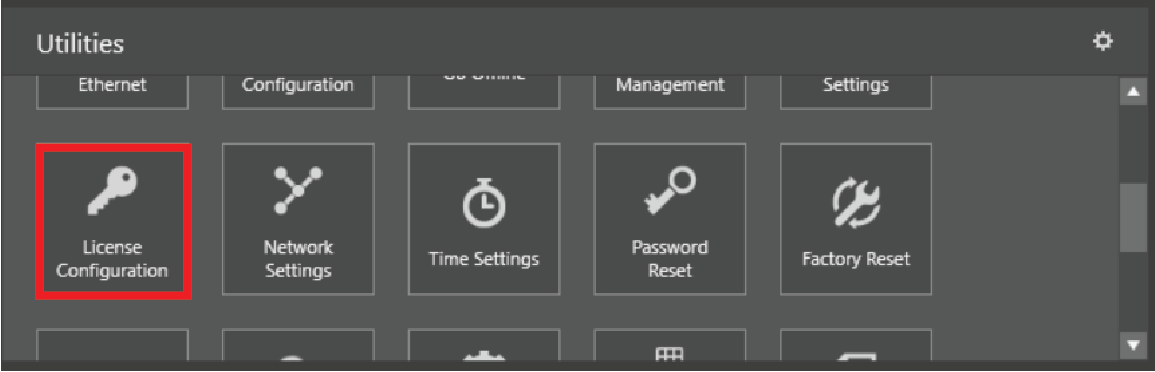
Click License Configuration on the Utilities ribbon.
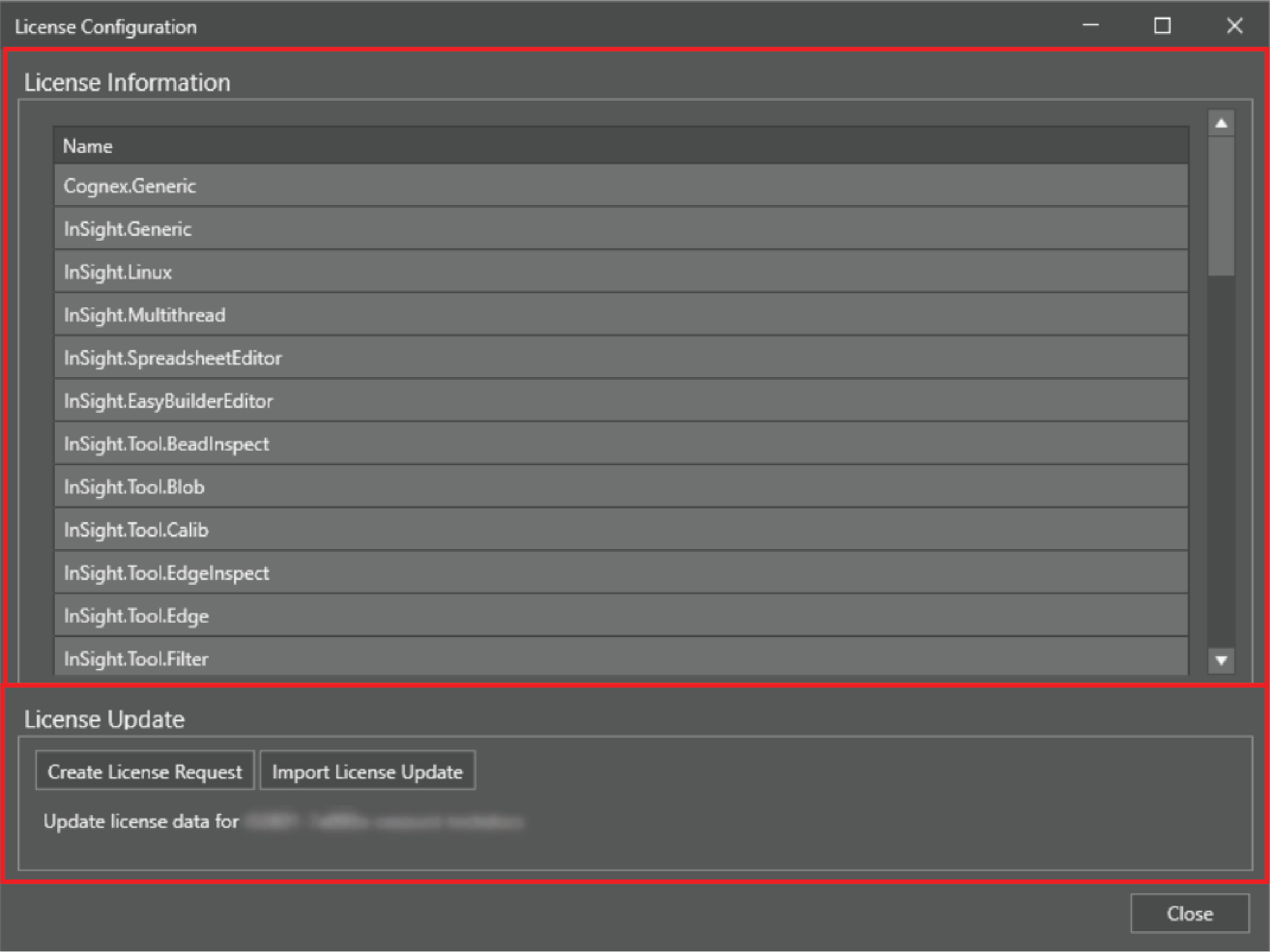
The License Configuration dialog has two main parts:
- The License Information section, indicating the name of the licensed features.
- The License Update section, allowing you to change the current license of your vision system by generating a license update request, sending it to Cognex Support, and then updating your vision system with a license update file.
 To upgrade your Cognex license:
- Make sure you have a MyCognex account at the Cognex Support Site.
- Create a license request and send it to Cognex Support.
- Once your order has been processed, create a license request file for the upgrade or renewal. To do so, first launch In-Sight Vision Suite.
-
Select the vision system you want to configure from the list of vision systems on the left. The list of utilities applicable to the selected vision system then appears in the Utilities pane at the bottom of the window.
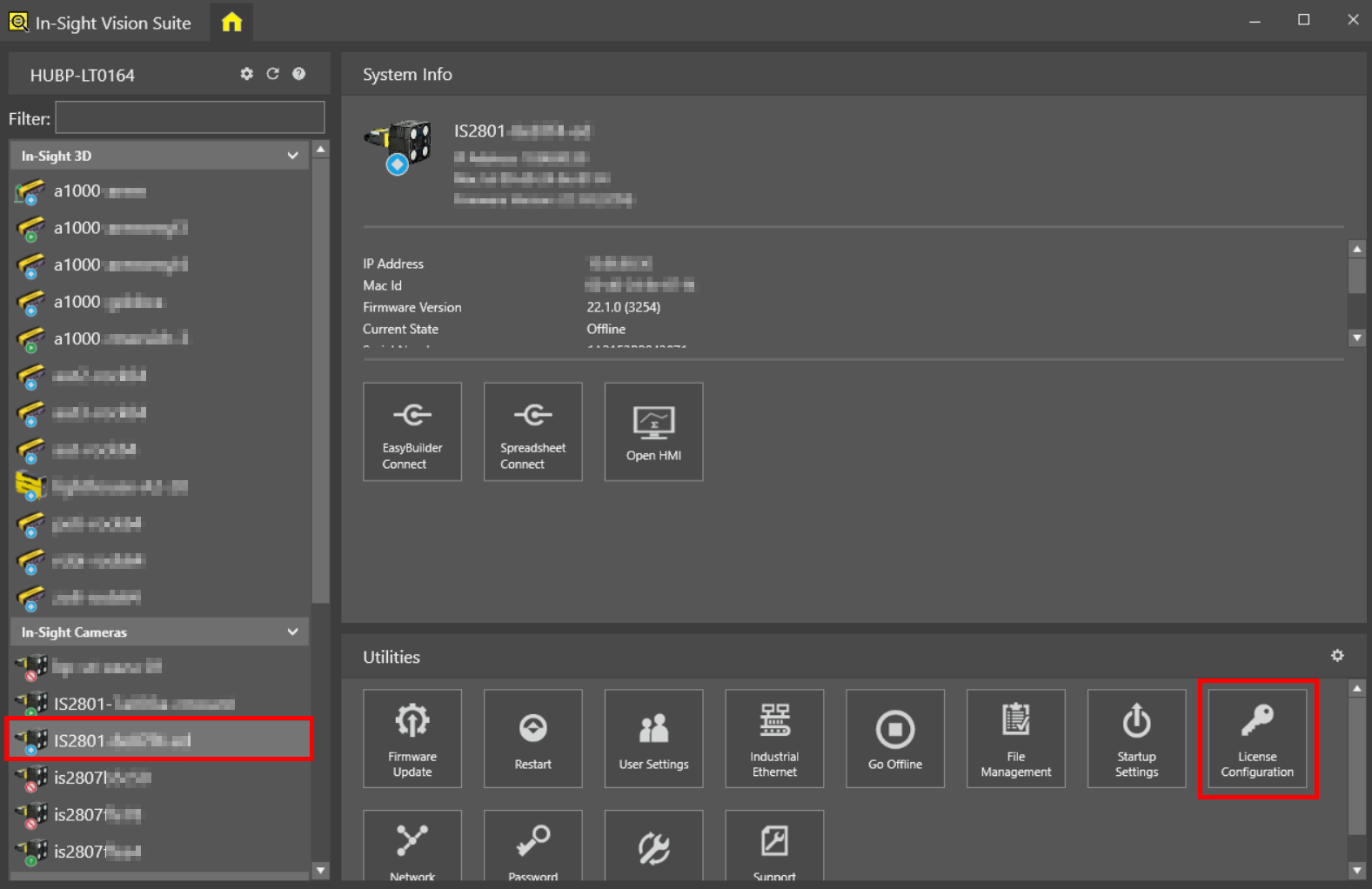
- Click the License Configuration button to start the utility.
-
Click the Create License Request button to generate an upgrade request file. A pop-up window then appears as shown below, prompting you to restart the vision system.
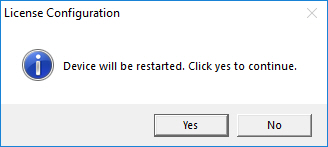
Click Yes to reboot the vision system and start generating the request.
-
The vision system cannot be used while the request is being generated. The state of the process will be indicated in the utility. If you wish to cancel the process during this time, click Stop waiting and cancel.

-
Once In-Sight Vision Suite collects all Cognex license data and generates the license request, the Save License Upgrade Request File window appears. Browse a directory, and click Save to save the license request file.
Note:- Default license request file directory: <X>:\Users\<UserName>\Documents\In-Sight Vision Suite
- Default license request file name: [Device_MAC_Address].WibuCmRaC
- Send the generated license request file to Cognex Support, and follow their instructions.
- Once your license upgrade request has been processed by Cognex Support, you will receive a License Update File with a *.WibuCmRaU extension. Save this update file on your PC.
-
Click the Import License Update button of the utility to apply the license update file. A pop-up window then appears, prompting you to restart the vision system.
Click Yes to start the license upgrade.
- The Select License Update File window appears. Browse the license update file you received from Cognex Support, and click Open.
- The vision system then reboots and applies the license upgrade. Once reboot is complete and the upgrade has been completed successfully, the vision system is ready to use with the enhanced functionality. If the upgrade has failed, contact Cognex Support.