Reset (Reboot)
Resets the In-Sight vision system. This command is similar to physically cycling power on the vision system.
Reset (Reboot) Inputs
Syntax: RT
Reset (Reboot) Outputs
The Reset (Reboot) command only returns a status code in case of failure:
| Status Codes | Description |
|---|---|
| -6 |
User does not have Full Access to execute the command. |
Reset System Example
To reset the In-Sight vision system, issue the following command: RT
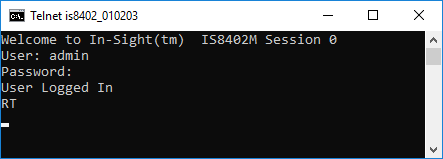
The In-Sight vision system is successfully reset and no status code is returned.