TransWorldToPixel
Converts a point from real-world units (mm) to pixel coordinates.
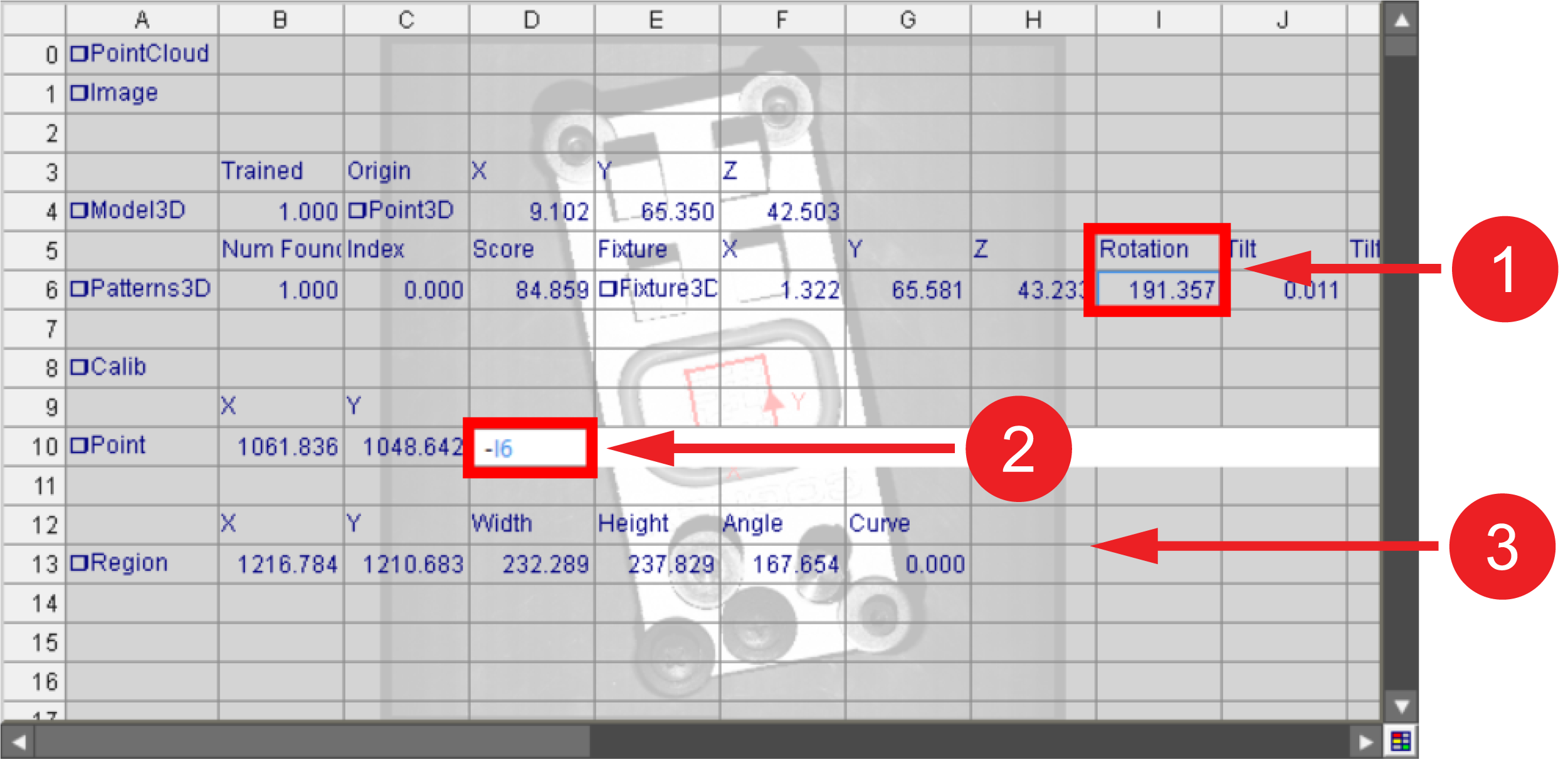
The Y-axis in 2D is the inverse of the Y-axis in 3D. When converting a fixture A fixture is a coordinate location on the image that keeps the tool in the place determined by the fixture. with the TransWorldToPixel function Functions are tools that are available in Spreadsheet for processing and analyzing acquisitions or other results. You can add functions to your Spreadsheet job to create tool chains and produce results for specific applications., add a third getter that references the angle or rotation of the 3D tool, then add a negative sign (-) to the reference. Use this getter with 2D functions to ensure that the orientation of the fixture is correct.
|
|
|---|---|
| Number | Meaning |
| 1 | Original 3D rotation value. |
| 2 | New getter added to the TransWorldtoPixel function, referencing the additive inverse of the original rotation value. |
| 3 | 2D function using the newly created getter. |
 Inputs
| Parameter | Description | ||||
| Image |
Reference to a cell containing an Image structure. Default = $A$0. |
||||
|
Calib |
A reference to a spreadsheet cell containing a valid Calib data structure. |
||||
|
Point |
Specifies the coordinates of the point.
|
||||
|
Show |
Specifies the display mode for the TransWorldToPixel graphic overlay on the image.
|
Outputs
|
Returns |
A Point data structure containing the transformed point, or #ERR if any of the input parameters are invalid. |
|||||||||
|
Results |
When the function is initially inserted into a cell, a result table is created in the spreadsheet using the following Structures Vision Data Access functions:
|