Train the TrainPatMaxRedLine Function
The TrainPatMaxRedLine function Functions are tools that are available in Spreadsheet for processing and analyzing acquisitions or other results. You can add functions to your Spreadsheet job to create tool chains and produce results for specific applications. extracts and trains a pattern from a greyscale image using PatMax RedLine algorithms.
This is a sample process. For all available options, see TrainPatMaxRedLine.
- Open your image of the part on which you wish to train the TrainPatMaxRedLine function.
-
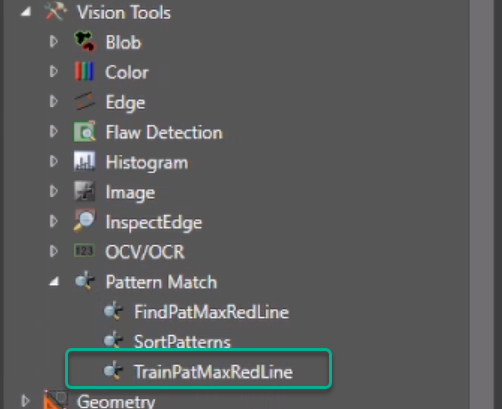
Select TrainPatMaxRedLine from Vision Tools in the Toolbox, on the right side of the screen.
-
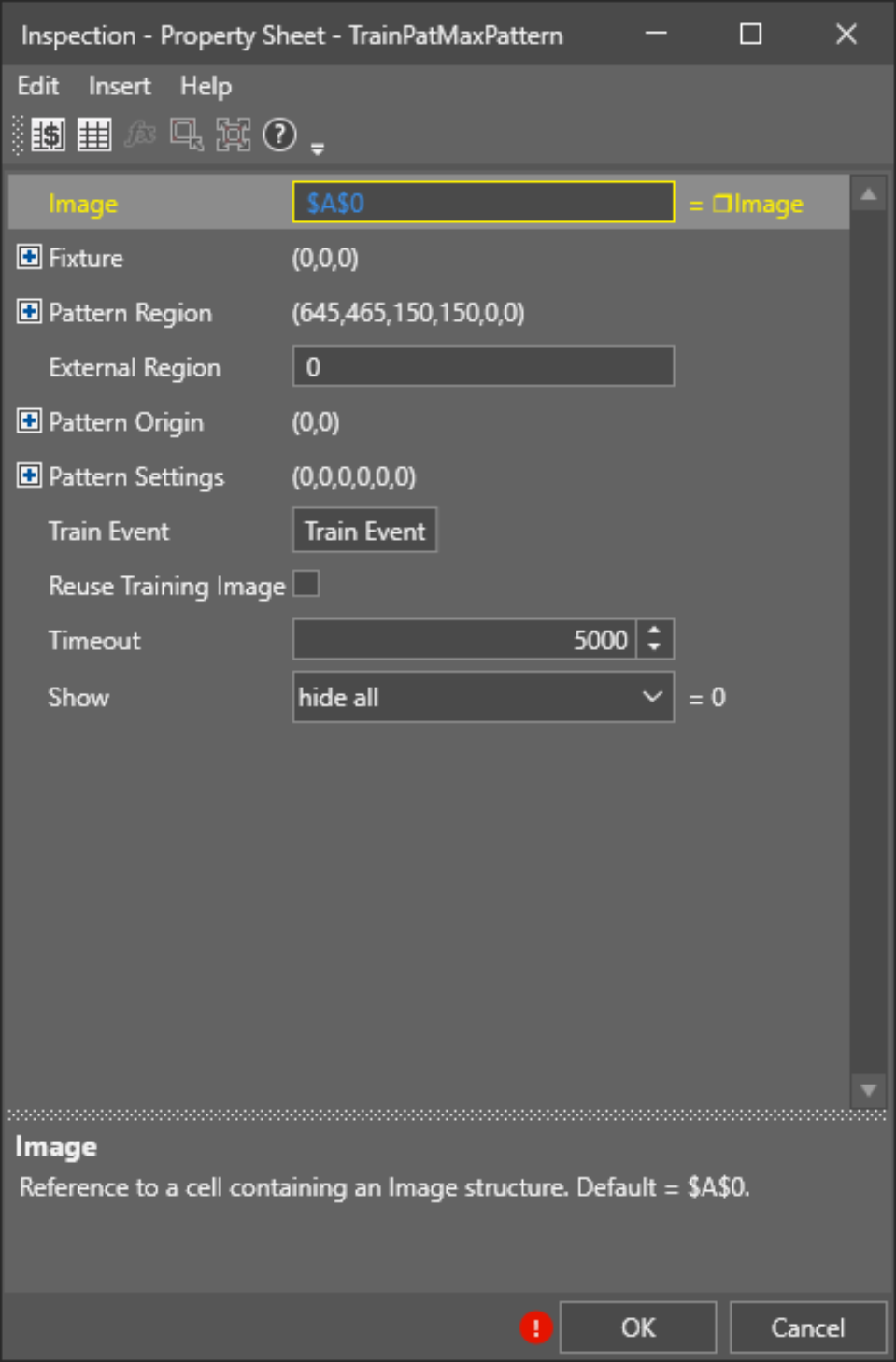
Drag and drop the function to the selected cell of the Spreadsheet. The Property Sheet opens up.
-
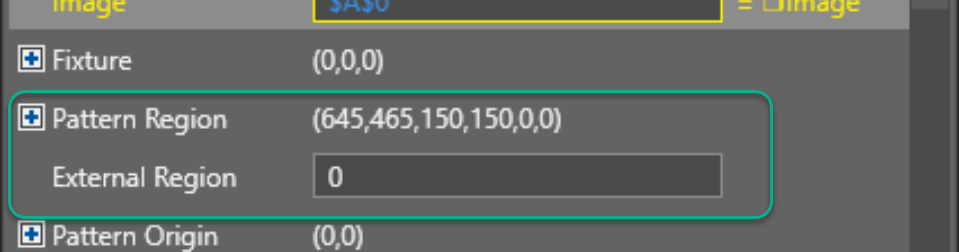
Double-click the Pattern Region option.
-
Select the unique section of the part which you would like to train.
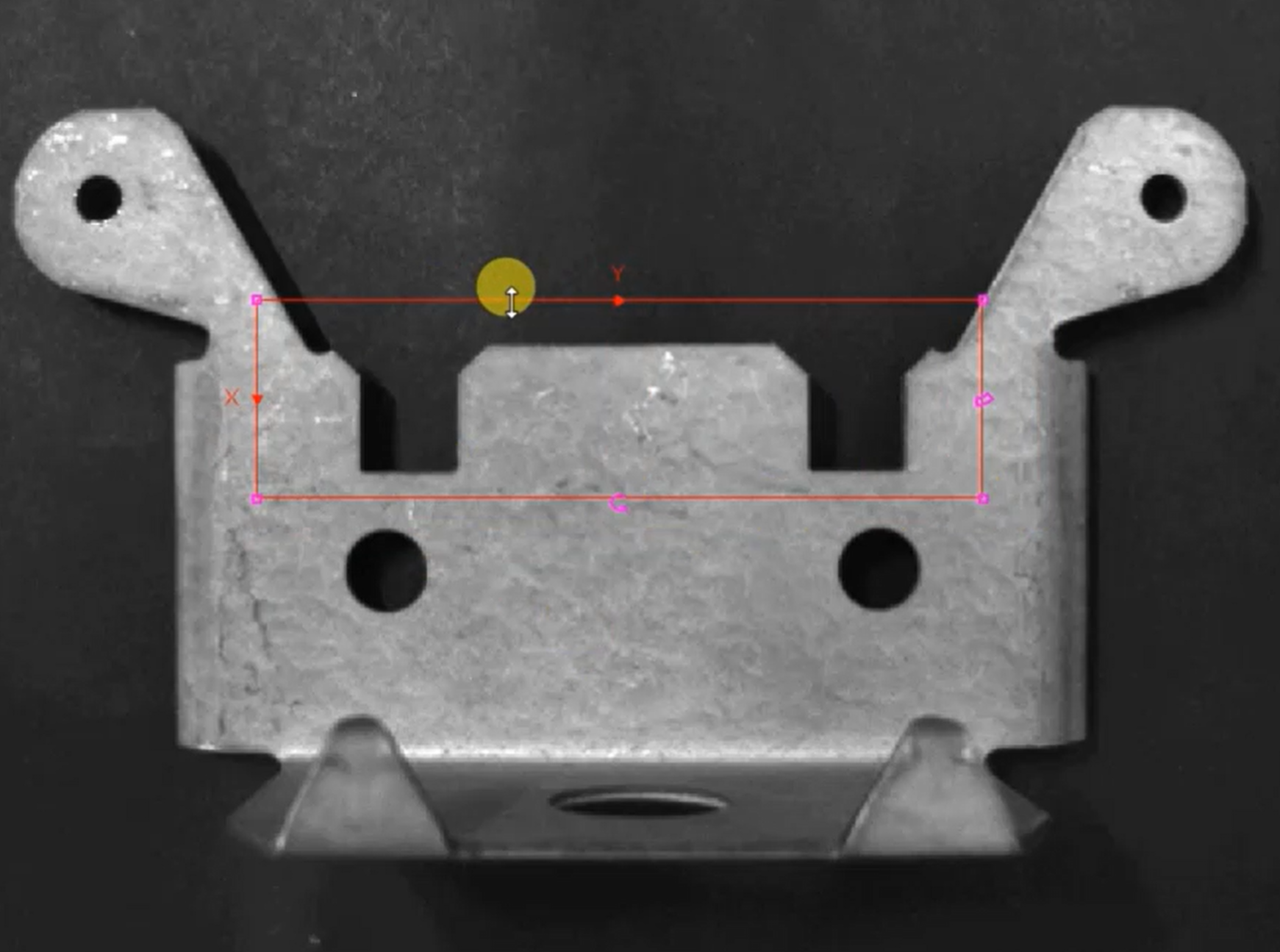 Note: The software indicates the trained part with a green outline.
 - Click OK.
- To re-train the TrainPatMaxRedLine, set the system to Offline state and repeat Steps 4-6.