Discrete I/O Settings
The
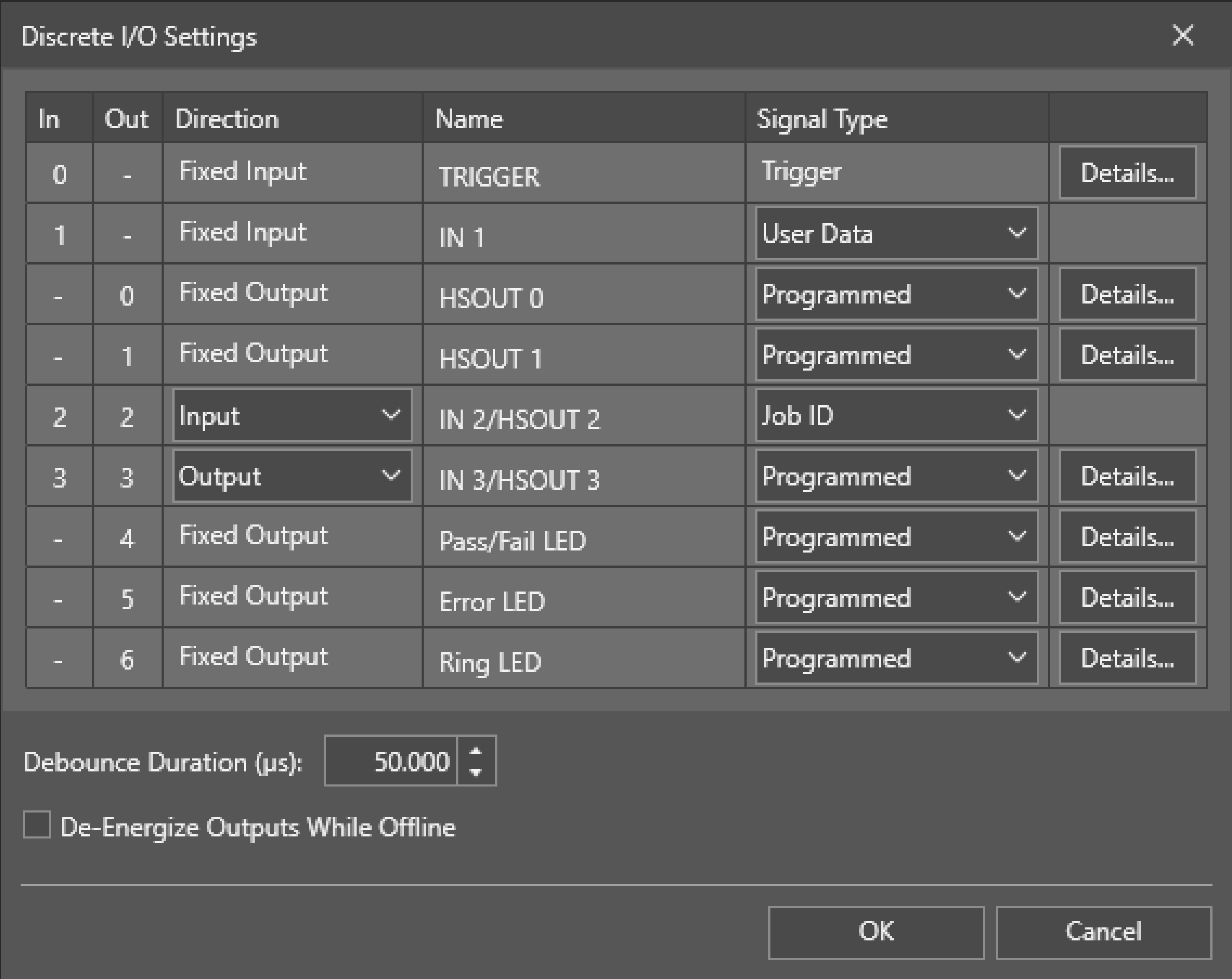
Use the data line table to configure each input/output line.
Debounce Duration (µs) specifies the amount of time for all input lines in microseconds by which the device delays the recognition of a valid input signal. This does not apply to the TRIGGER line.
Check the De-Energize Outputs While Offline checkbox to de-energize the outputs when the vision system is Offline.
You can configure the following input and output lines for the vision system:
- Trigger: fixed trigger input line.
- IN1: fixed configurable input line.
- OUT0: fixed configurable output line.
- OUT1: fixed configurable output line.
- INOUT2: configurable input/output line.
- INOUT3: configurable input/output line.
- Pass/Fail LED: fixed configurable output line for the Pass/Fail LED. This LED is called ReadLED on In-Sight 8900 vision systems.
- Error LED: fixed configurable output line for the Error LED.
- Ring LED: fixed configurable output line for the Ring LED.
 To configure the trigger line:
-
Click
-
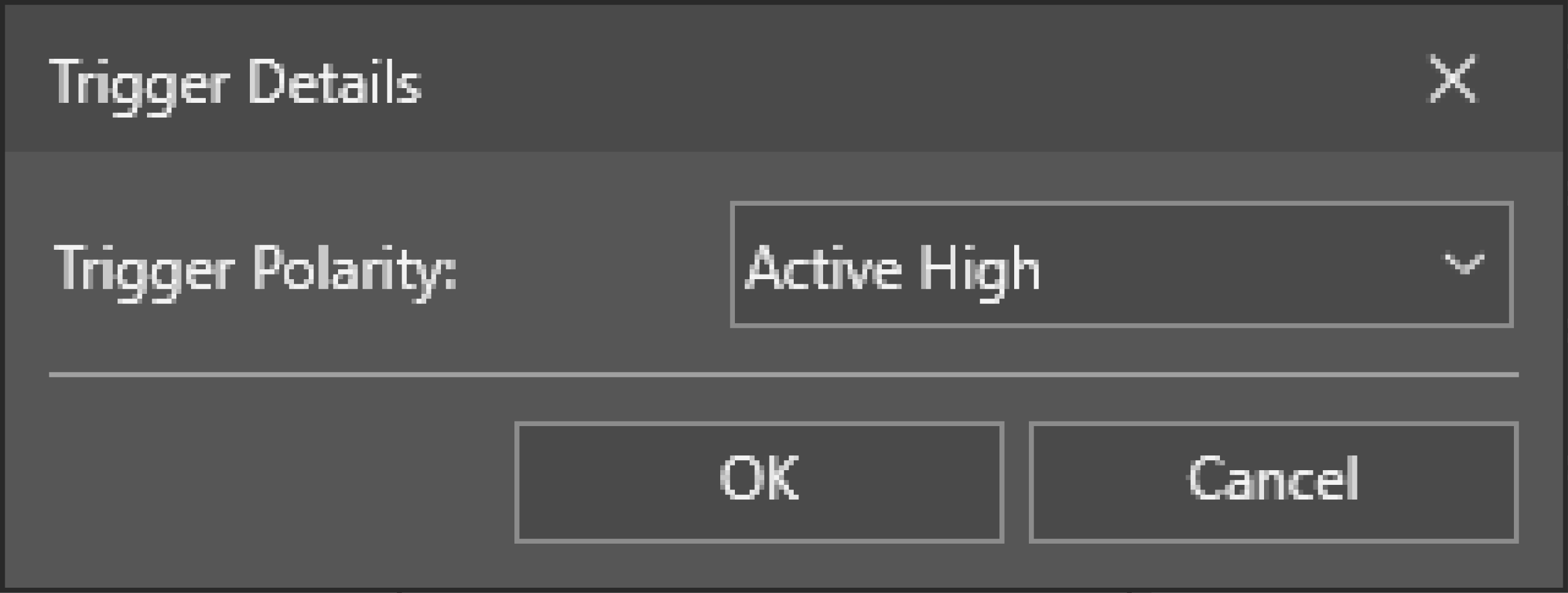
Adjust the Trigger Polarity of the trigger line.
-
Active High: The vision system initiates image acquisition Acquisition is the process or result of the vision system acquiring a new image. when it receives a HIGH signal on the trigger line.
-
Active Low: The vision system initiates image acquisition when it receives a LOW signal on the trigger line.
-
To configure the input lines:
You can configure the following input lines:
- IN1
- INOUT2
- INOUT3
- If you want to use the INOUT 2 or INOUT3 line as an input line, open the dropdown in the Direction column for the line you are configuring, and select Input.
-
In the Signal Type column of the line you are configuring, open the dropdown and select a signal type:
Signal Type Description User Data General purpose input line.
Event Triggers an event. To update the spreadsheet, the spreadsheet must contain an Event structure with its Trigger parameter set to this discrete input line number.
Parallel Job A job is a user-configured program in In-Sight Spreadsheet consisting of functions and designed for specific applications. You can create and edit jobs using the In-Sight Spreadsheet interface, and load them on a vision system for deployment in a live environment. Load To load jobs using the Job ID signal type on another input line, use the Parallel Job Load signal type. When a Parallel Job Load input line is HIGH (1), the device loads the job defined by the Job ID input lines. Job ID Use the Job ID signal type if you have another input line set up for Parallel Job Load.
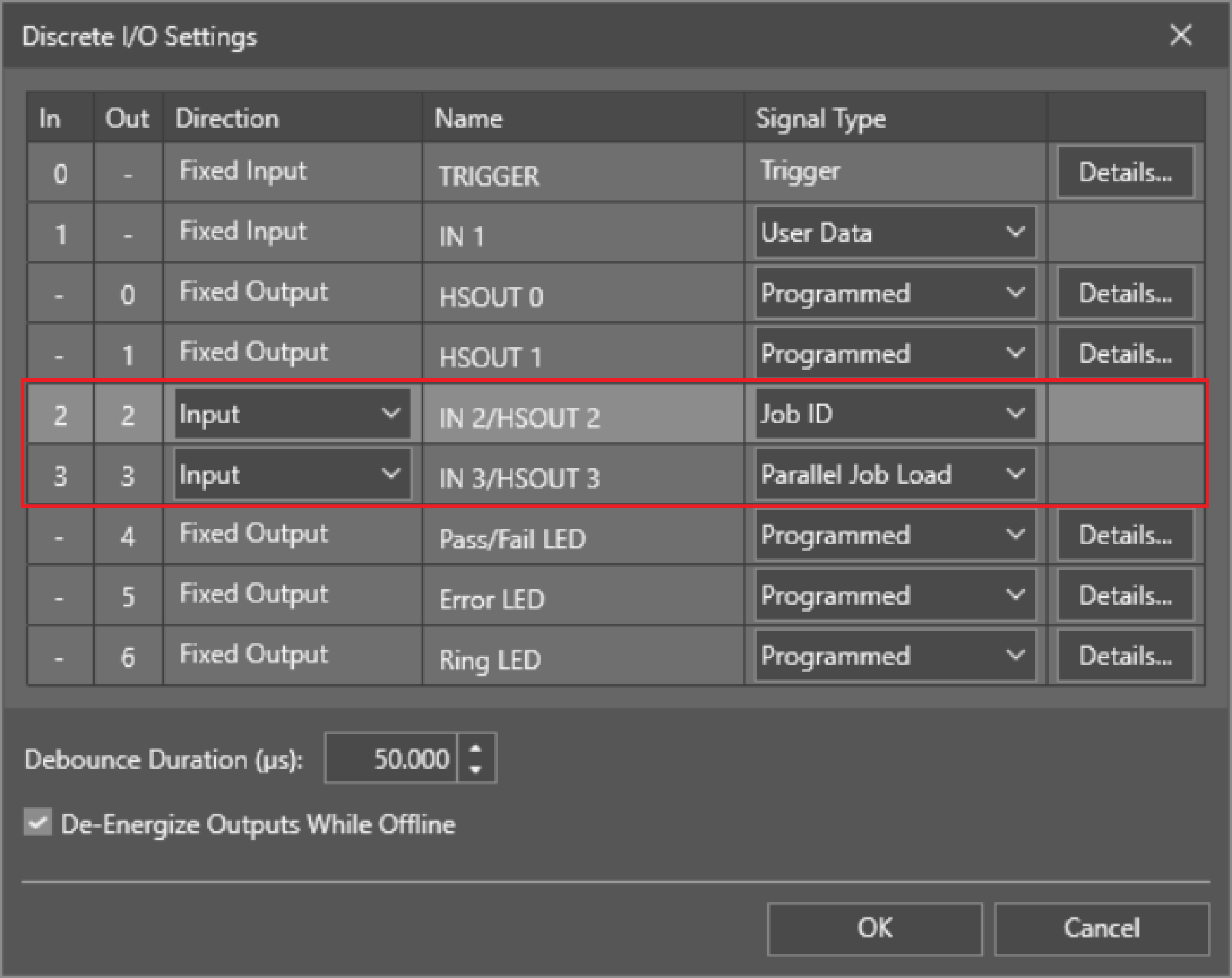
The Job ID input line can either be LOW (0) or HIGH (1), and defines the job file using a binary matrix. You can combine multiple Job ID input lines with a Parallel Job Load line to increase the number of jobs that you can potentially load.
Online Use the Online signal type to force the vision system Offline or Online (0 = Offline, 1 = Online). You can only use the Online signal type on one input line at a time. -
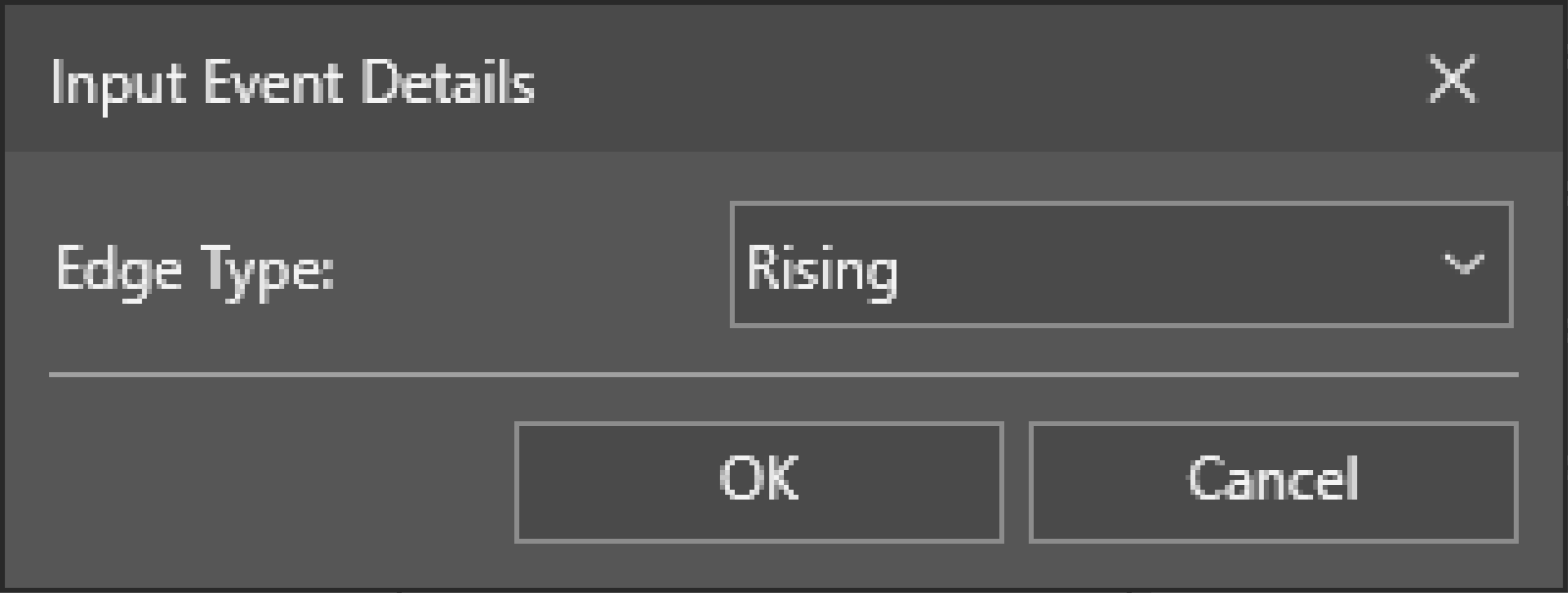
Click the Details... button to configure additional settings for input lines with Event as the Signal Type:
When using events, you can configure the Edge Type to be Rising, Falling, or Both.
To configure the output lines:
- To use the INOUT2 or INOUT3 line as an output line, open the dropdown in the Direction column, and select Ouput.
-
In the Signal Type column for the line you are configuring, open the dropdown and select a signal type
Signal Type Description Settings Programmed Enables a WriteDiscrete function in the spreadsheet to control the state of this output line.
Either pulsed or steady-state.
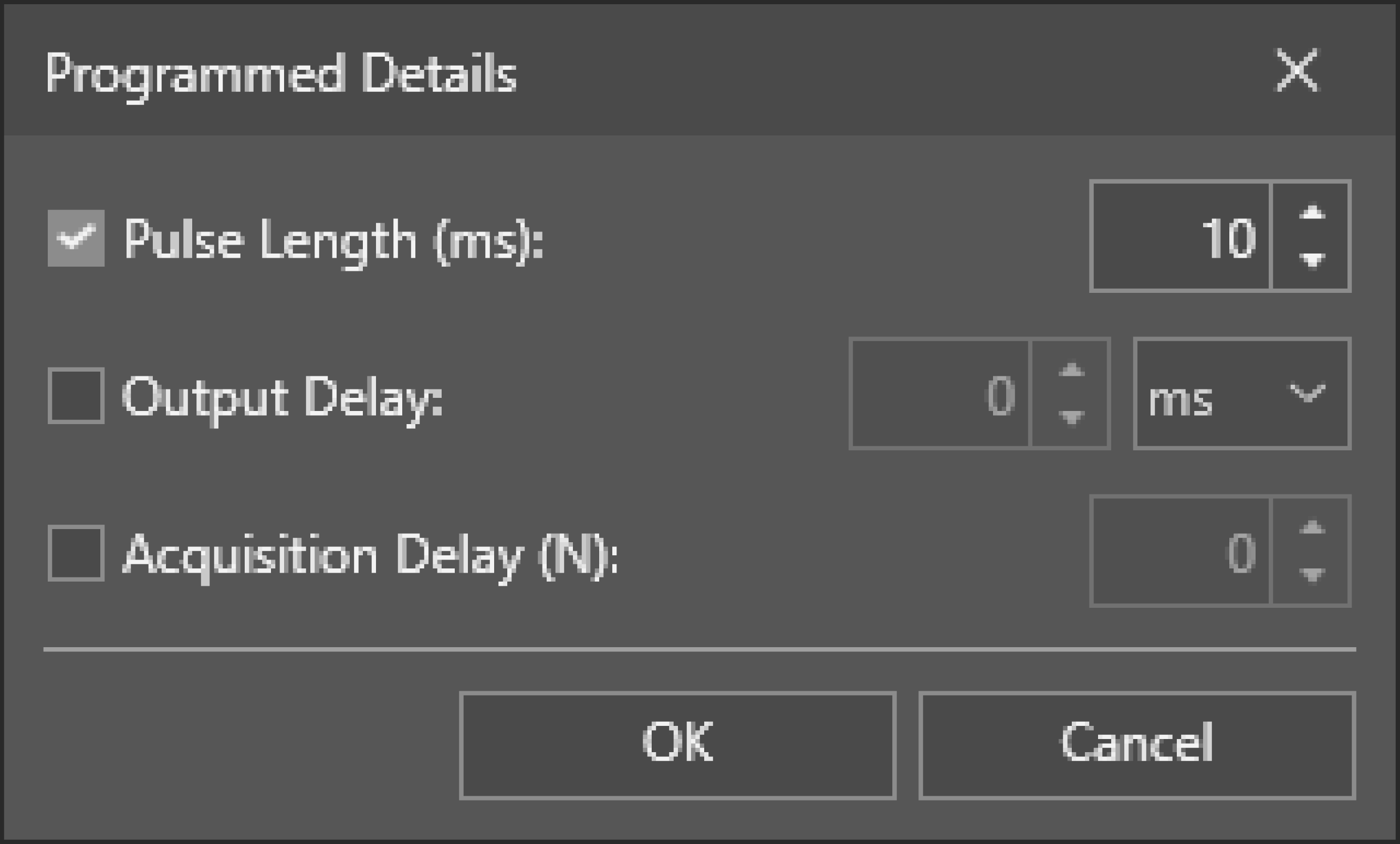
Adjust the timing parameters:
-
Adjust the Pulse Length (ms) parameter to change the length of a pulse on the selected line.
-
To enable output delay, check the Output Delay checkbox and define the delay in ms. The output delay counts from the moment the vision system receives the trigger.
For example, if you set Output delay to 100 ms and your overall job time is 80 ms, the output delay is 20 ms. However, if the inspection time exceeds 100 ms, the vision system sets the output signal immediately after the inspection completes.
-
Check the Acquisition Delay checkbox to delay the output by the defined number of acquisition pulses after a signal pulse is received by an output Line. If Acquisition Delay is 0, the In-Sight vision system updates the output line immediately after evaluating the WriteDiscrete function. If Acquisition Delay is greater than 0, the output Line is always pulsed.
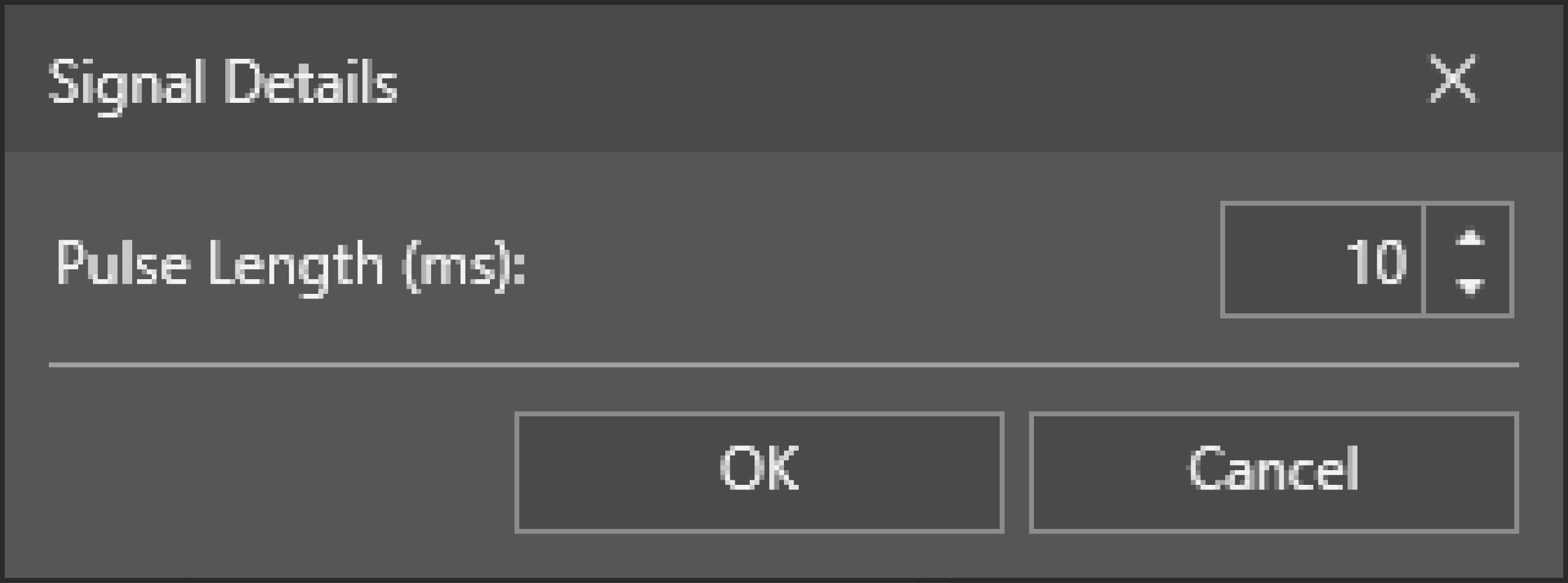
High Forces the output to HIGH (1). N/A Low Forces the output to LOW (0). Acquisition Start Transmits a signal when a vision system acquisition starts. Always pulsed. Adjust the Pulse Length (ms) parameter to change the length of a pulse on the selected line.
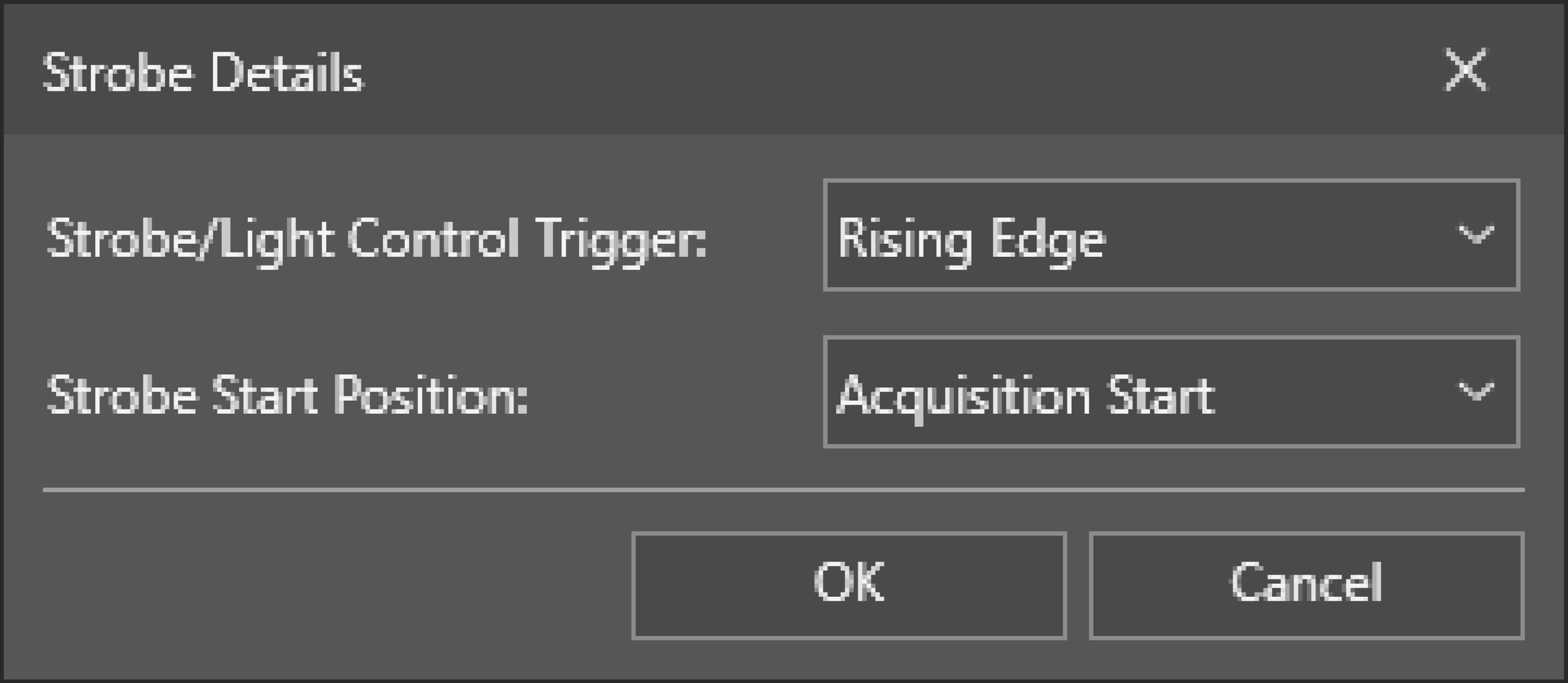
Acquisition End Transmits a signal when a vision system acquisition is complete. Always pulsed. Acquisition Missed Transmits a signal if the vision system receives a trigger signal and cannot run the acquisition, or when a new acquisition starts if no image buffer is available. Always pulsed. Strobe Uses the rising or falling edge of the signal to trigger a strobe. You can set the starting point of the signal to trigger the light at the start of the image acquisition, or if the light needs precharge time, when receiving the trigger input. You can set trigger to acquisition delay in the Advanced Image settings. Configure when the illumination strobes. Adjust the Strobe/Light Control Trigger to occur on the Rising Edge or Falling Edge of the signal. The default setting is Rising Edge.
You can also set the Strobe Start Position to coincide with the Acquisition Start or the Trigger signal. The default setting is Acquisition Start.
Job Completed Transmits a signal when a job is complete. Always pulsed. Adjust the Pulse Length (ms) parameter to change the length of a pulse on the selected line.
Online HIGH (1) when the vision system is Online, LOW (0) when the vision system is Offline. N/A Busy HIGH (1) when the vision system is running a job or responding to user input, LOW (0) when the vision system is idle. Job Load OK Transmits a signal when a job loads successfully. Always pulsed. Adjust the Pulse Length (ms) parameter to change the length of a pulse on the selected line.
Job Load Fail Transmits a signal when a job fails to load. Always pulsed. -
-
Configure the LED lines to customize the behavior of the LEDs on the vision system. When the selected line detects a signal, the corresponding LED lights up for the duration of the Pulse Length, after the time specified with Acquisition Delay passes.
For the Pass/Fail and Ring LED lines, configure the color with the Tri-color LED dropdown. Activate the LED by sending a Boolean signal to the selected line:
Tri-color LED LED Color Low Signal High Signal Off/Green OFF GREEN Off/Red OFF RED Red/Green RED GREEN Off/Red/Green RED GREEN Note: If you select the Red/Green option, the Pulse Length and Acquisition Delay options are automatically disabled for the selected LED line.
To load a job:
To load a job through discrete inputs, you have to set one of the inputs to Parallel Job Load and one or maximum two Inputs to Job ID.
The Job ID lines are based on binary numbers. One single line set to Job ID can represent the values consisting of 0 or 1. Multiple lines set to Job ID can represent more values based on the binary number system. For example, 000=0, 001=1, 011=3. The In-Sight vision system translates the binary value into a decimal value which you can use to load a job. See the following table for the decimal to binary conversion:
| Decimal | Binary |
|---|---|
| 0 | 0 |
| 1 | 1 |
| 2 | 10 |
| 3 | 11 |
The following example shows how to load a job through Inputs/Outputs:
-
The example below represents three available inputs. Set Input 1 to Parallel Job Load and Input 2 and Input 3 to Job ID.
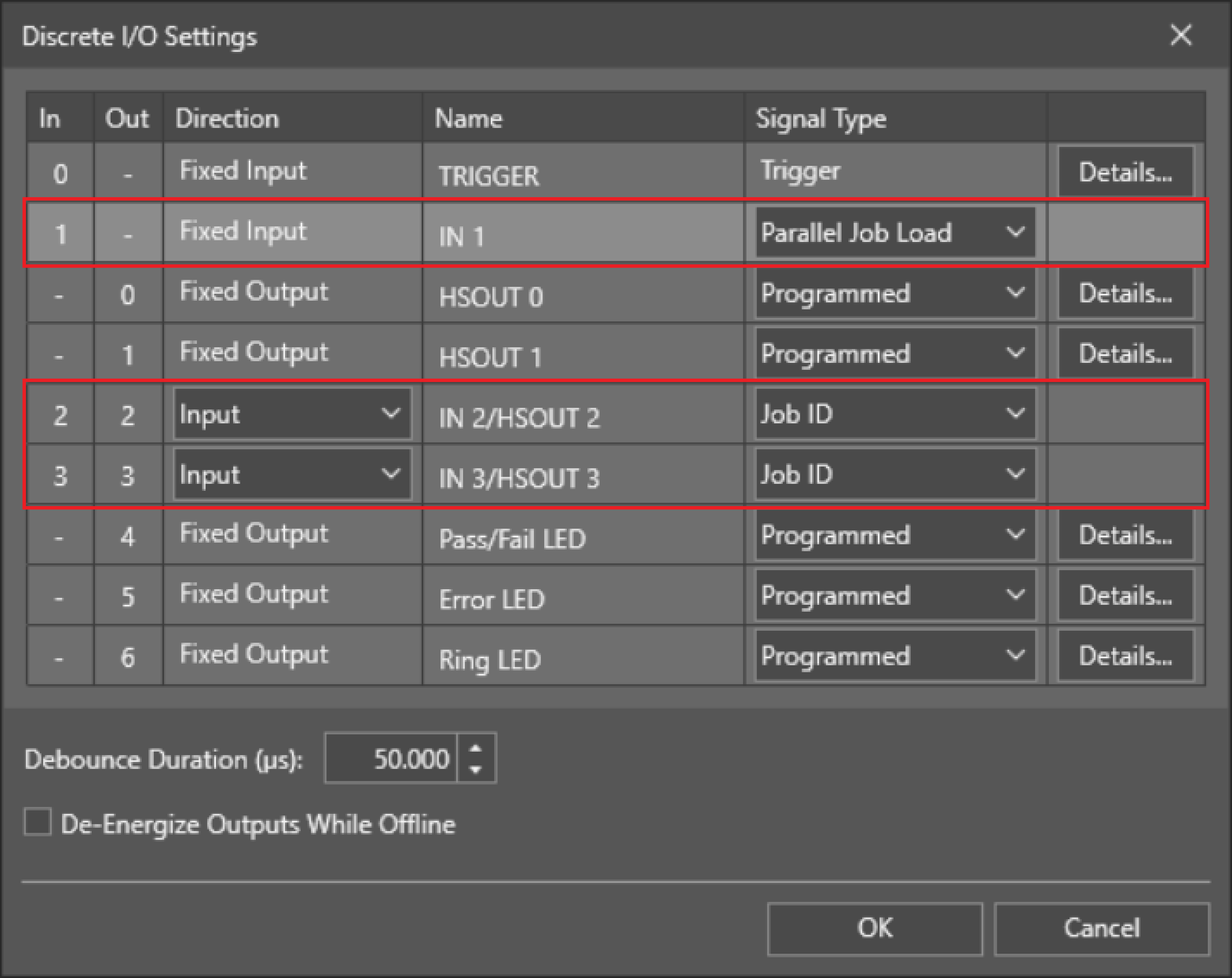 Note: The Job ID bit is a binary coded number. The lowest line number is the least significant bit (LSB). Job ID lines must be next to each other.
 - To load the job Test.jobx by discrete inputs you have to save the job with a numerical prefix on the vision system. For example, to load a job by the binary number “11” you have to save the job as 3Test.jobx.
-
Based on the image above, to load 3Test.jobx, set the vision system Inputs 2 and 3 to high by your PLC A Programmable Logic Controller is a ruggedized computer that you can use for automating processes or even an entire production line. and keep them high. Then set the Input 1 Parallel Job Load to high to read the Job ID Inputs and load the job.
- Now you can set all Job ID and Job Load Inputs back to low.