Image Result Viewer
The Image Result Viewer is a web interface similar to WebHMI The operator interface through which the operator interacts with the vision system. that allows the operator to see the latest result image the vision system captures. The Image Result Viewer is supported on older platforms that WebHMI does not support.
The Image Result Viewer shows the latest result image and overlay graphics:
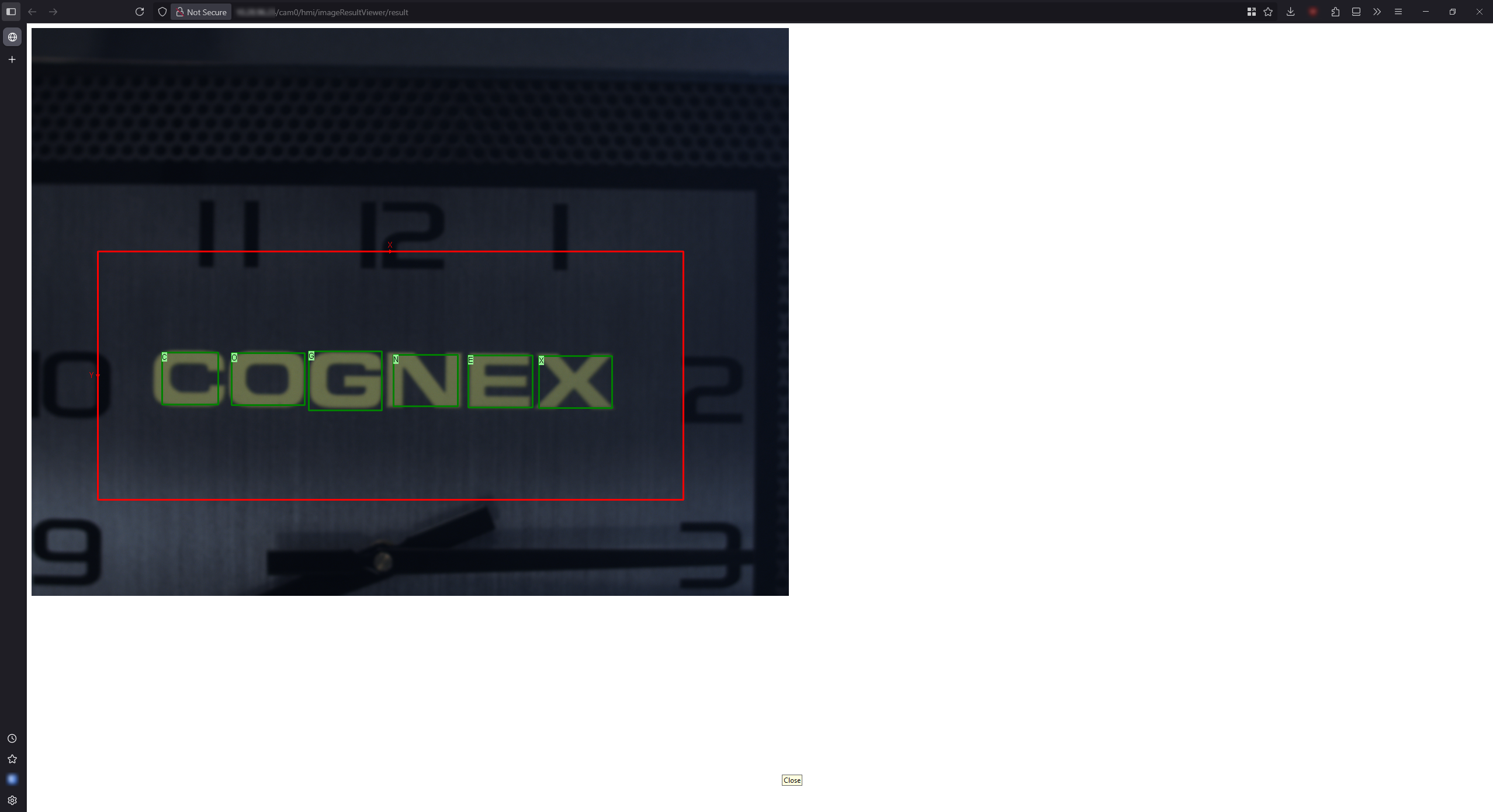
To access the Image Result Viewer:
-
Open the HMI Settings dialog in the the In-Sight Vision Suite interface.
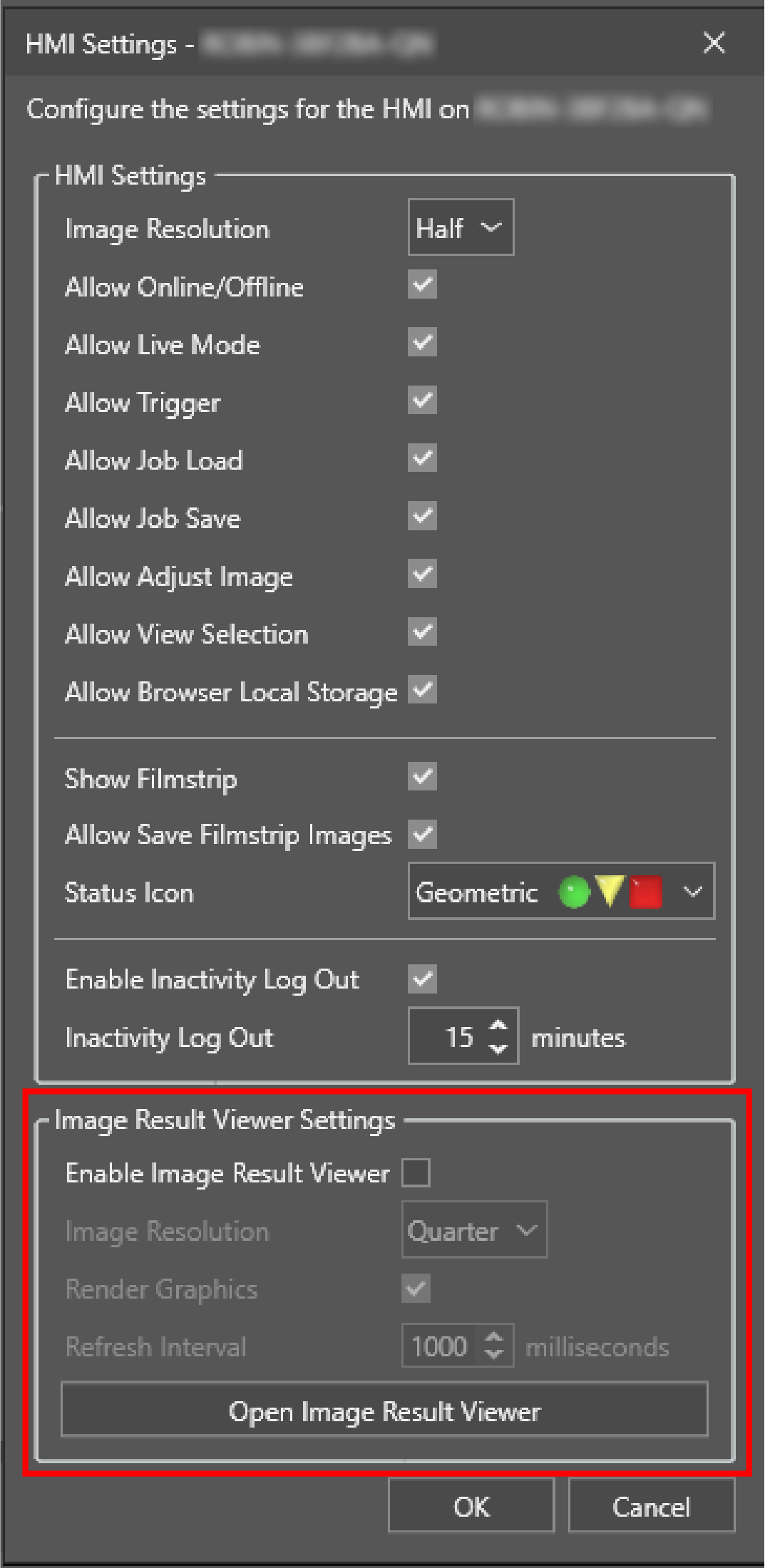
-
Check the Enable Image Result Viewer checkbox.
-
Customize the settings:
-
Set the Image Resolution to the desired value.
-
If you want to enable overlay graphics, check the Render Graphics checkbox.
-
-
Set the Refresh Interval.
Note: Cognex recommends setting the Refresh Interval lower than the trigger rate to avoid missing result images. -
Click OK to save the settings.
-
Open the Image Result Viewer with one of the following methods:
-
Navigate to the following address in your browser:
<vision system IP address>/cam0/hmi/imageResultViewer/result
-
Open the HMI Settings dialog again and click Open Image Result Viewer.
If you clicked Open Image Result Viewer before clicking OK in step 5, refresh the website to load the Image Result Viewer.
-