Firmware Update
The Firmware Update utility helps you through the firmware update process.
To update the firmware of a device:
-
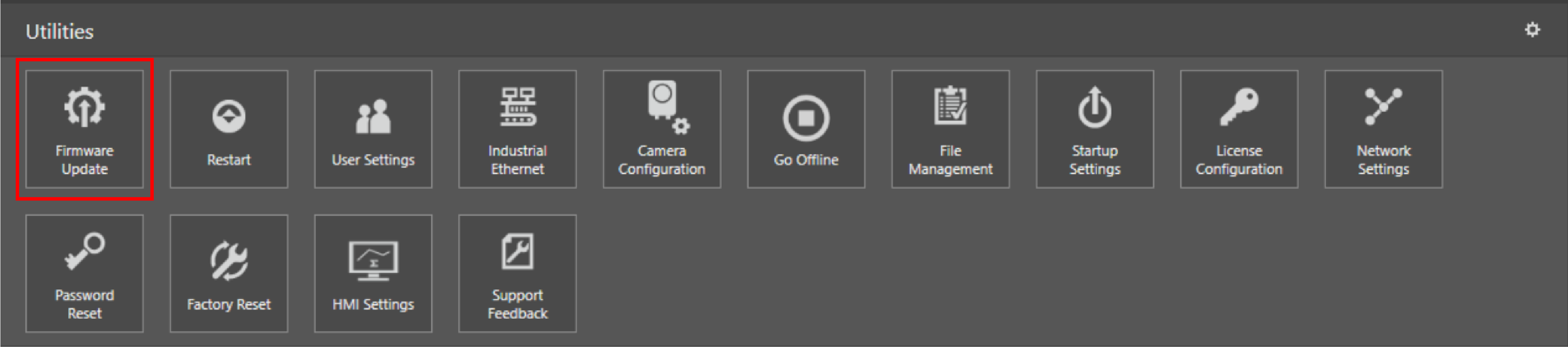
Click Firmware Update on the Utilities ribbon.
-
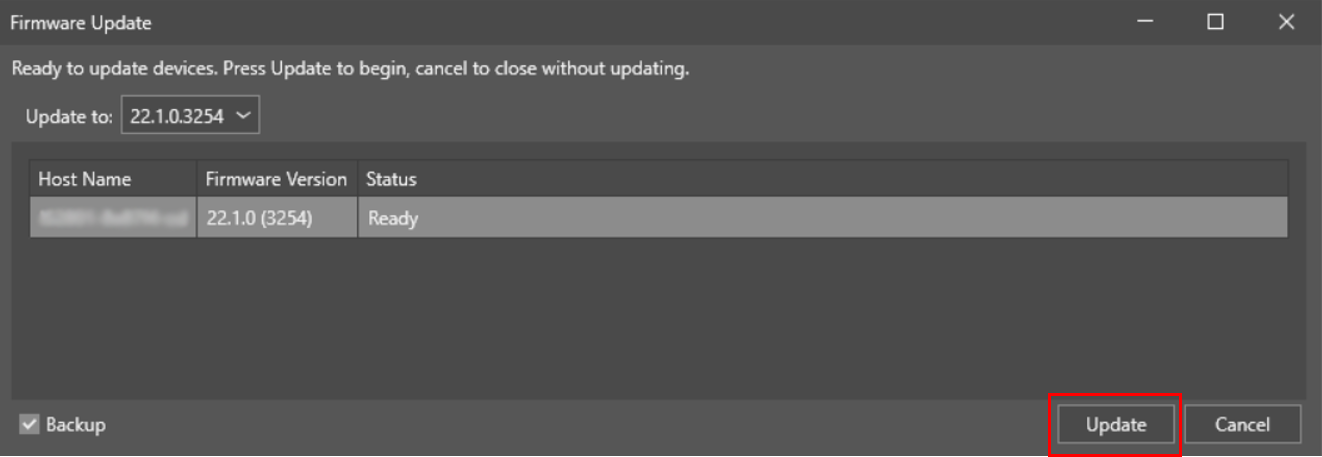
The Firmware Update pane notifies you if there are available firmware updates. Click Update to install the firmware update.
-
You can track the status of the update on the Firmware Update pane while the update is ongoing.
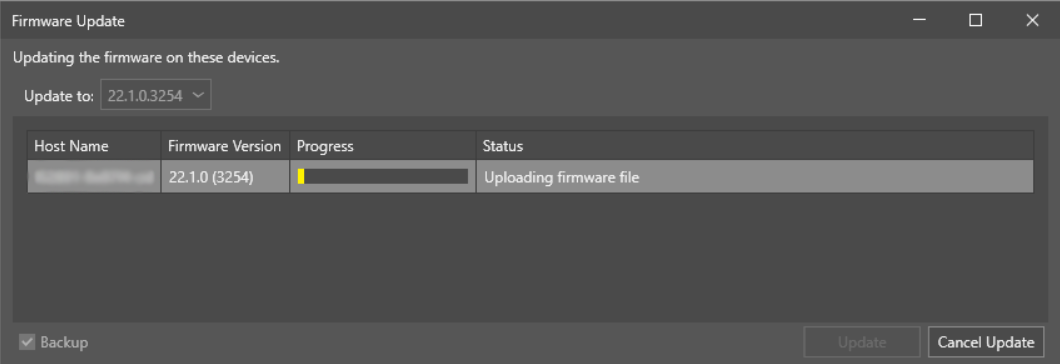
Once the update completes, In-Sight Vision Suite restarts the updated device.
-
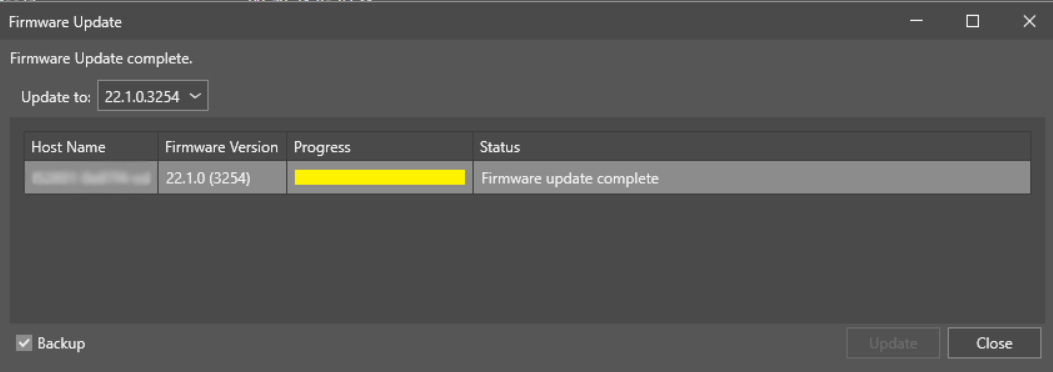
When the device restarts and the firmware update is complete, the Firmware Update pane displays the process as complete.
-
Click Close. In-Sight Vision Suite refreshes the list of available devices, including the updated device. You can now proceed with your work.