Serial Configuration
The Serial Configuration utility allows you to configure the serial port of the vision system.
To configure the serial port of the vision system:
- Launch In-Sight Vision Suite if it is not already running.
-
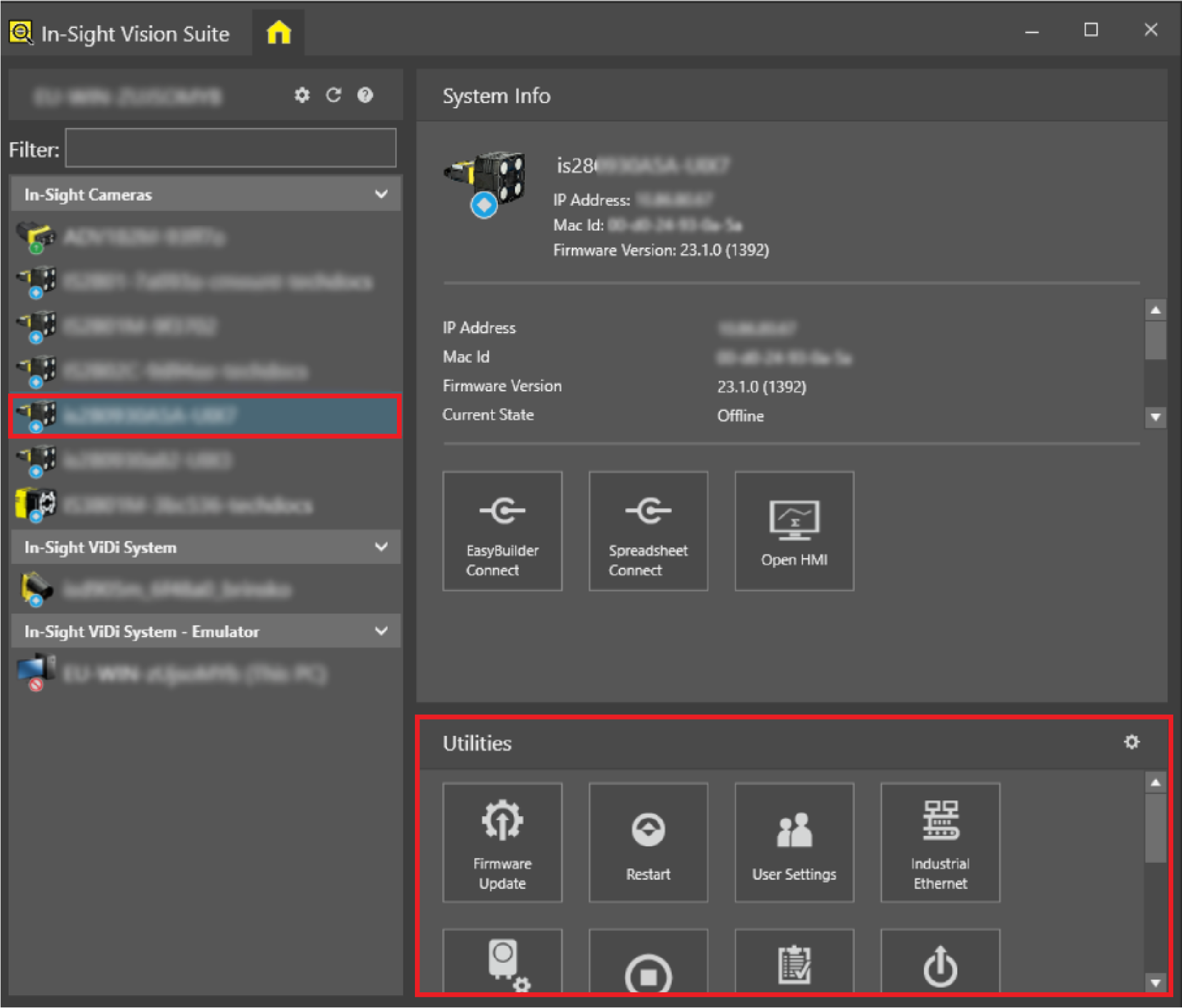
Left-click the device you want to configure on the In-Sight® Device Pane on the left. The list of Utilities applicable to the selected vision system then appears at the bottom of the window.
-
Click the Serial Configuration button to open the configuration window.
-
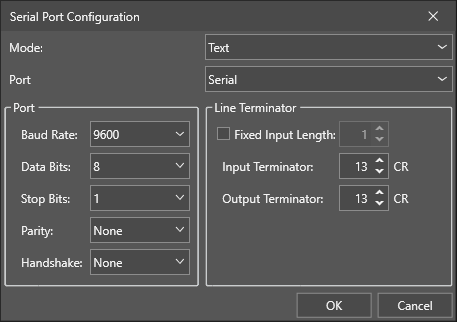
Configure the serial port.
-
Click OK.
Serial Port Options
|
|||||||||
|---|---|---|---|---|---|---|---|---|---|
| Item | Description | ||||||||
| Mode |
Determines the mode of the serial port configuration. You must restart the vision system after changing the selected Mode. You do not need to restart after changing the Port and Line Terminator settings within the same mode. You can choose from the following modes to configure the serial line:
Note: In the External Autofocus and the Off modes, the Port and Line Terminator settings are not applicable. Selecting this mode disables the ReadSerial and WriteSerial Spreadsheet functions. The tools return #ERR.
|
||||||||
| Port |
Determines the port you use. You can choose from the following:
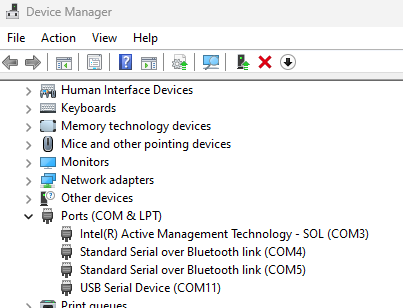
You can only use the Virtual COM in Text and Native Mode. In Virtual COM mode, you can only configure the Line Terminator values. The remaining Port settings are automatically negotiated between the host and the vision system. You can view the virtual COM port you created in the Device Manager in Windows:
|
||||||||
| Baud Rate |
Determines the baud rate of the port. You can choose from the following baud rate values:
|
||||||||
| Data Bits |
Determines the data bits of the port. You can choose 7 or 8 as data bits. The default value is 8. |
||||||||
| Stop Bits |
Determines the stop bits of the port. You can choose 1 or 2. The default value is 1. |
||||||||
| Parity |
Determines the parity of the port. You can choose from the following:
|
||||||||
| Handshake |
Determines the handshake protocol. You can choose from the following handshake protocols:
|
||||||||
| Fixed Input Length | Enables the fixed input length for the line terminator. The default value is 1. The maximum value is 255. | ||||||||
| Input Terminator | Determines the input terminator value for the line terminator. The default value is 13. The maximum value is 255. | ||||||||
| Output Terminator | Determines the output terminator value for the line terminator. The default value is 13. The maximum value is 255. | ||||||||