Set Up HTTPS Connection with Cognex Network Server Certificates
If you are using a Cognex Network Server (CNS) on the network to create a CA and generate the trusted certificates, then perform the following steps to set up the HTTPS connection for the WebHMI for your job on an In-Sight device.
-
Left-click the device you want to configure on the In-Sight® Device Pane on the left. The list of Utilities applicable to the selected vision system then appears at the bottom of the window. Click the Secure Connection button to launch the application.
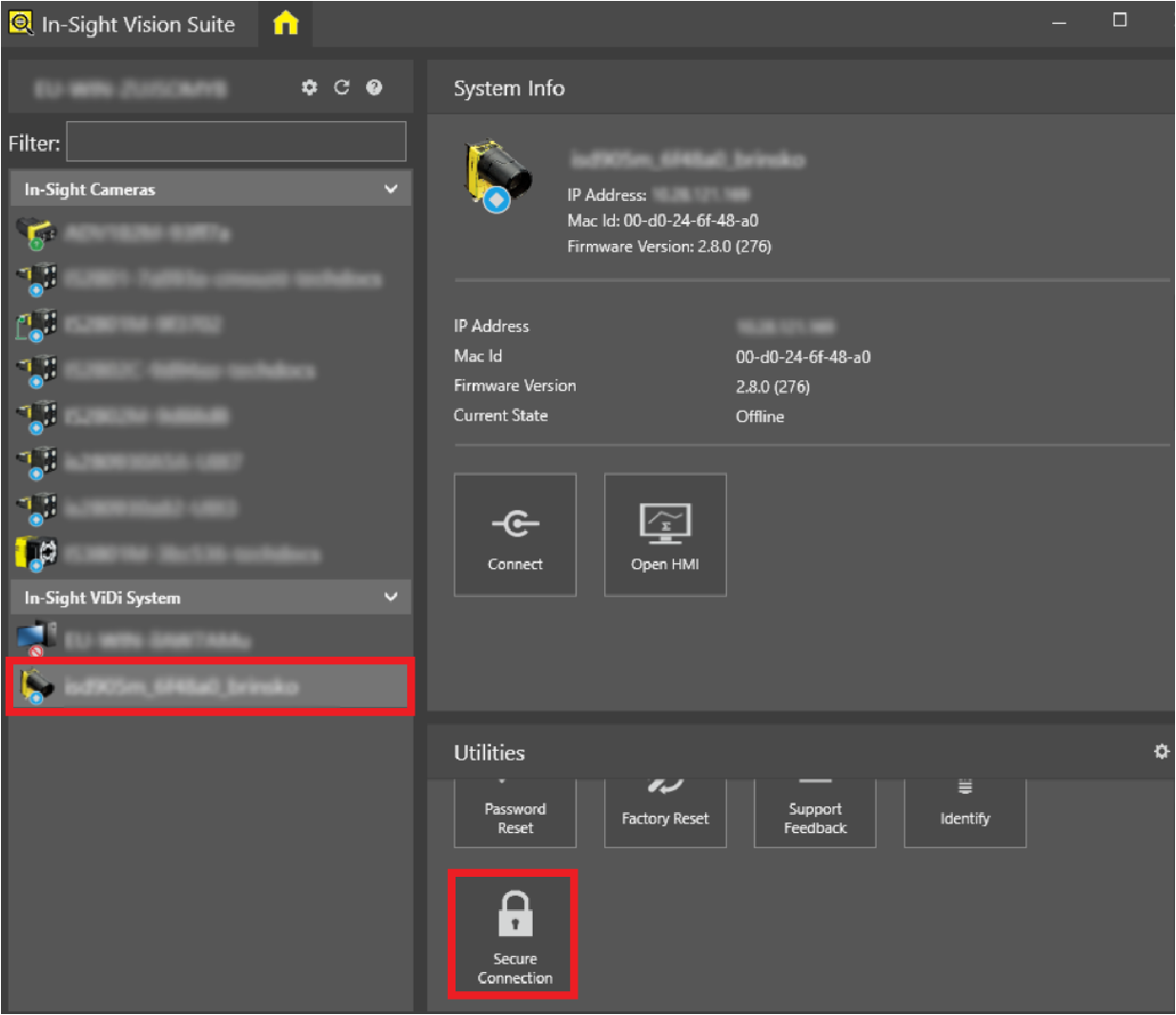
The Configure Secure Connection dialog appears.
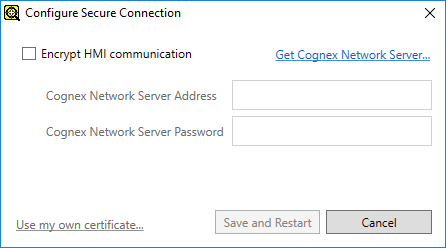
-
Check the Encypt HMI Communication checkbox to enable the available settings, then configure them as follows:
-
Cognex Network Server Address: The host name or IP address of the CNS used for authentication.
Tip: If the Cognex Network Server Manager is installed on the PC running In-Sight Vision Suite, then check the host name or the IP address of the server in the Server Identification tab. If it is not, then contact your network administrator for the server information. -
Cognex Network Server Password: The adminserver password of the CNS deployed on the network.
Tip: If the Cognex Network Server Manager is installed on the PC running In-Sight Vision Suite, you can use the Service Control tab of the application to configure the adminserver password. If it is not, then contact your network administrator for the password.
-
-
Once both textboxes are filled, click Save and Restart to apply the changes, install the certificates, and restart the In-Sight device.
Note: This step may require elevated operating system privileges. Successful CA deployment is indicated with a command prompt window popping up and then disappearing.
The storage location of the authentication information depends on the product type:
- In case of using In-Sight ViDi PC, the CA information is stored in an encrypted format on the PC running the In-Sight ViDi PC application.
- In case of using an In-Sight vision system (such as a D900 series vision system), the CA information is stored on the In-Sight device.