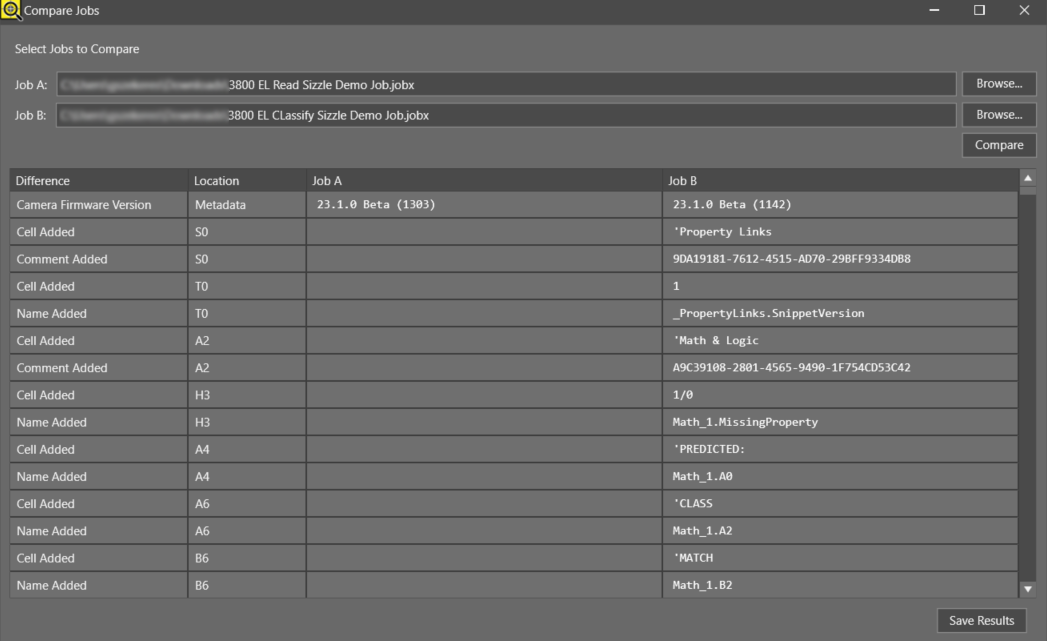
Compare Jobs
In-Sight Vision Suite allows you to compare two job files and view a report showing their differences.
Difference Types
The report can show the following differences between two jobs:
| Difference Type | Description |
|---|---|
| Camera Firmware Version | The firmware version of the vision system used to create the job is different. |
| Camera Model | The vision system used to create the jobs is different. |
| Cell Added | A cell is present in Job B but not in Job A. |
| Cell State | The cell state is different or if conditional, references different cells. |
| Cell Removed | A cell is present in Job A but not in Job B. |
| Comment | The comments in a cell are different. |
| Comment Added | A comment is present in Job B but not in Job A. |
| Comment Removed | A comment is present in Job A but not in Job B. |
| Expression | Cell expression is different in one job from the other. |
| Job Format Version | The job formats are different versions. |
| Name | Cell names are different. |
| Name Added | Cell name is present in Job B but not in Job A. |
| Name Removed | Cell name is present in Job A but not in Job B. |
| Tool Data |
The underlying data for tools are different in a cell. |
| Value | The value output by a cell is different. |
The report can display various differences, which can be categorized according to the following locations:
| Location | Description |
| AcqSettings | Acquisition settings for 2D area scan In-Sight vision systems. |
| PerDeviceAcqSettings | Specialized acquisition settings for specific In-Sight models. |
| JobSettings | General settings for an In-Sight job. |
| JobValidationSet | Job Validation settings including image setup and job tests. |
Using the Compare Jobs Feature
To compare two jobs:
-
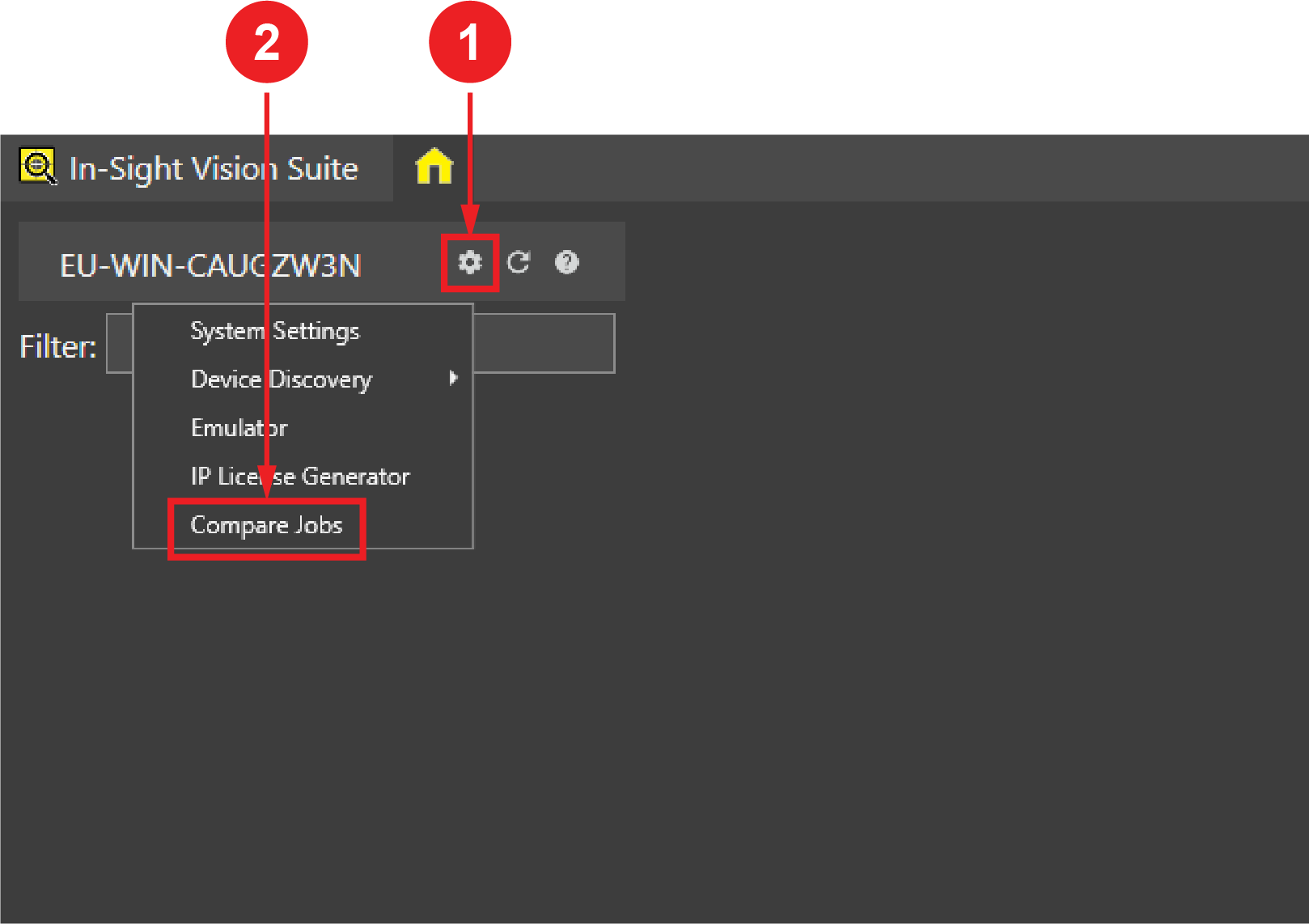
Open the System Settings dropdown menu by clicking on the cogwheel icon at the top of the device list, and click Compare Jobs.
-
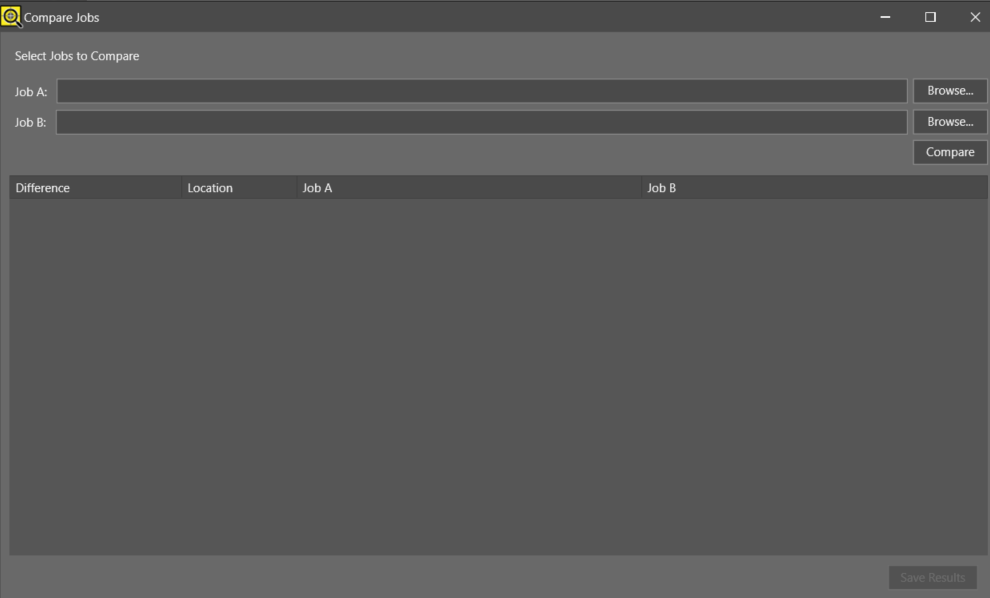
In the Compare Jobs window, click the Browse button next to the Job fields (Job A and Job B) to select the jobs you want to compare.
-
Click the Compare button. The Compare Jobs window displays the differences between the two jobs.