Setting up the In-Sight Vision System
The first step of configuring communication between the In-Sight vision system and the PLC unit is enabling PROFINET communication on the vision system:
-
Launch In-Sight Vision Suite.
- Select the vision system on the Device Pane on the left. The available utilities then appear at the bottom of the window.
-
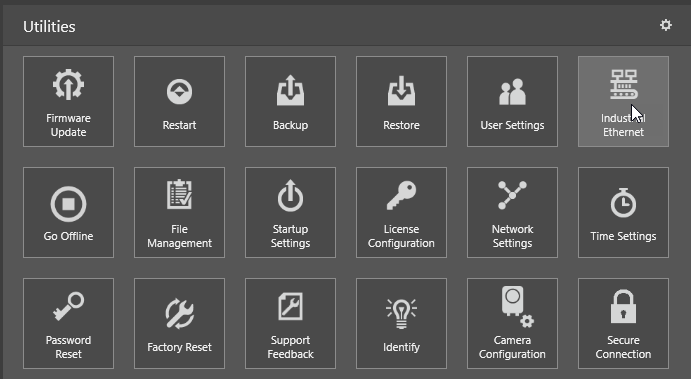
Click on the Industrial Ethernet utility (marked below). The window of the Industrial Ethernet configuration utility opens.
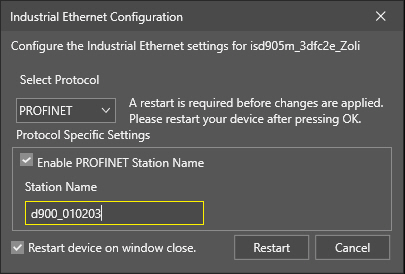
- Select the PROFINET protocol from the drop-down list. Once selected, additional options appear in the window.
-
Tick the Enable PROFINET Station Name option, then specify a name in the Station Name textbox.
-
Once finished, click OK or Restart.
Note: If the In-Sight vision system has been using a different Industrial Ethernet configuration prior to this change, you must restart the vision system. In such cases, the OK button is replaced with a Restart button.