Alignment is Slow
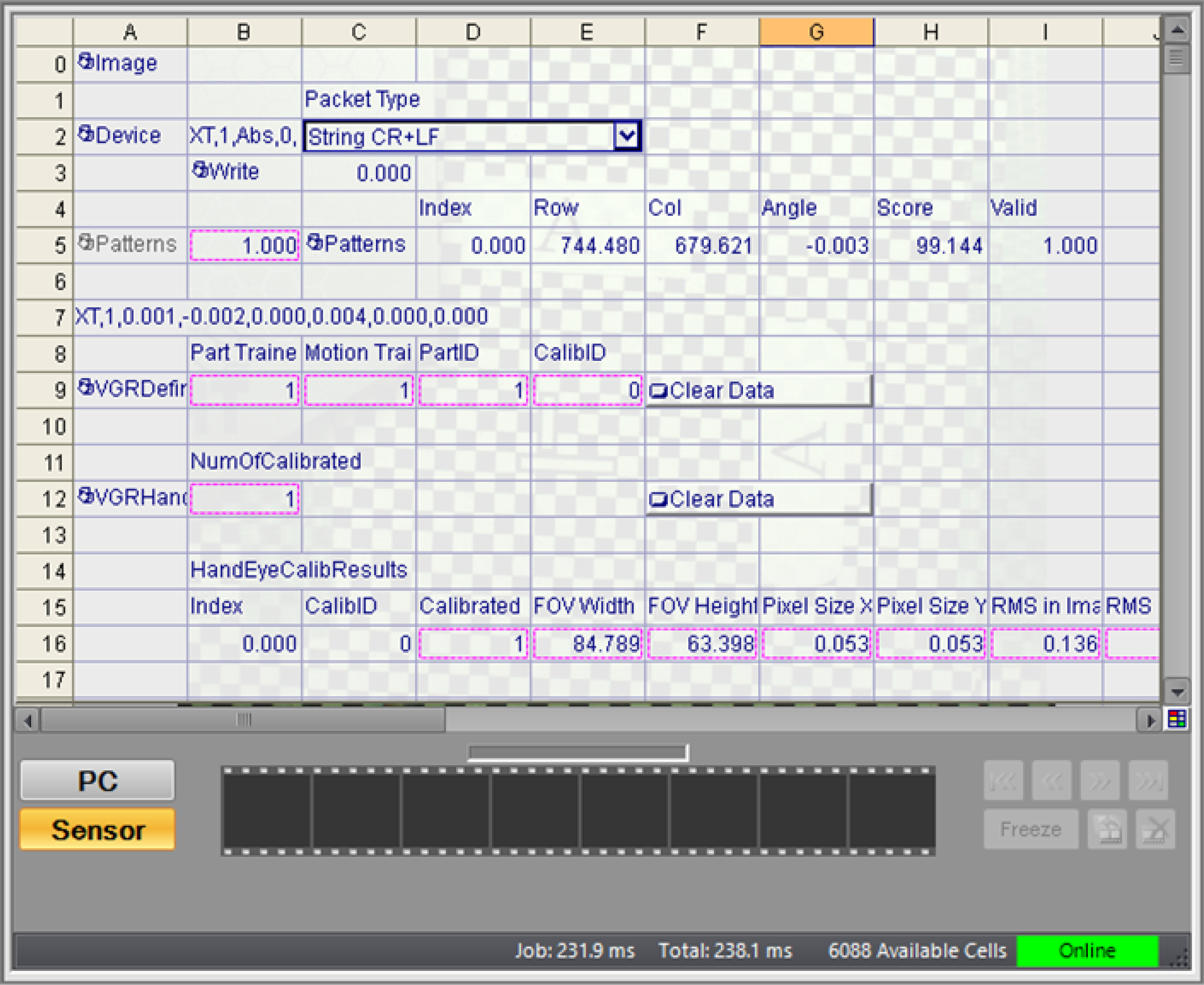
Alignment using VGR commands execute the spreadsheet several times after receiving the command. Therefore the execution time of the alignment process is different from the Job/Total processing time displayed in the status bar of In-Sight Explorer.
The vision system resets the Job/Total processing time when it executes cell A0. VGR commands start with the ReadDevice function that receives the command string. Some commands execute an additional spreadsheet from cell A0 to capture the image. Finally the VGRProcessCommand function returns the result string and sends that string with the WriteDevice function. Therefore it is difficult to observe the processing time of VGR commands with the In-Sight Explorer only.
 Measure the Processing Speed of VGR Commands
You can measure the processing time of a response to a command using TCPDevice.
Use Wireshark to measure the time of a command and the response.
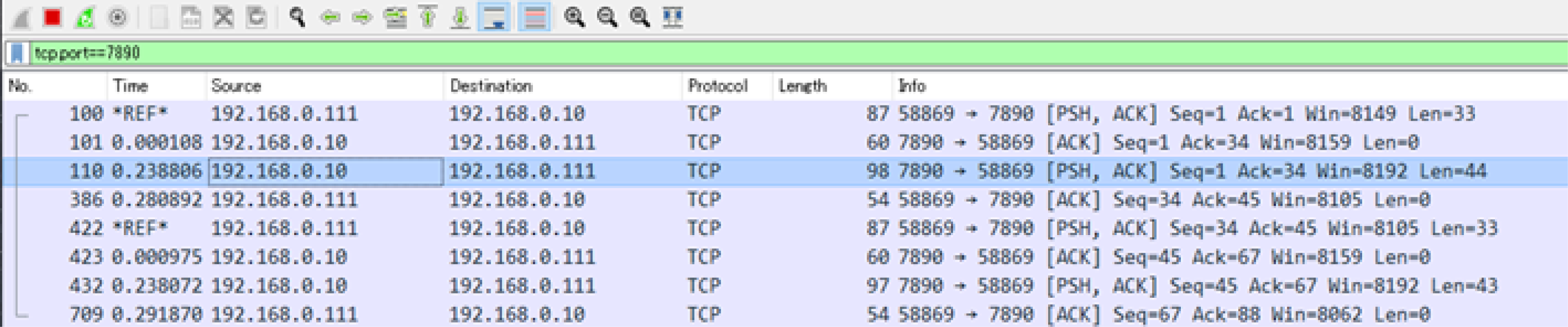
The figure below shows the result of executing the XT command twice. tcp.port==7890 is set as a filter to hide packets other than VGR command responses.
The first line of No. 100 is the transmission of the XT command, and the third line of No. 100 is the response. The processing time is about 239 ms. Line 4 of No. 386 is a TCP/IP ACK (Acknowledge) packet that you can ignore.
Line 5 of No. 422 is the second XT command. Line 7 of No. 432 is the response. Processing time is 238 ms. When you select a command transmission packet, lines 1 and 5 in this example, and press Ctrl+T, Wireshark displays a *REF* mark and the elapsed time with that line as zero.
Look for Processing Bottlenecks
Use the GetTime function to measure the processing time of various cell on a spreadsheet.
By specifying a range of cells in the GetTime function as shown in the figure below, you can measure the processing time of multiple cells together. You can find bottlenecks quickly by measuring spreadsheet cells divided into several blocks.

Skip Unnecessary Processing
You can use the Cell State dialog to skip the execution of cell functions that you do not need for a particular command.
You can use the VGRCommandInfo function to determine which cells are needed for each command.
For example, if you register four instances of PatMax in the spreadsheet, you can reduce the extra processing time by executing only the PatMax required by the given command.
For more information, see VGRCommandInfo.
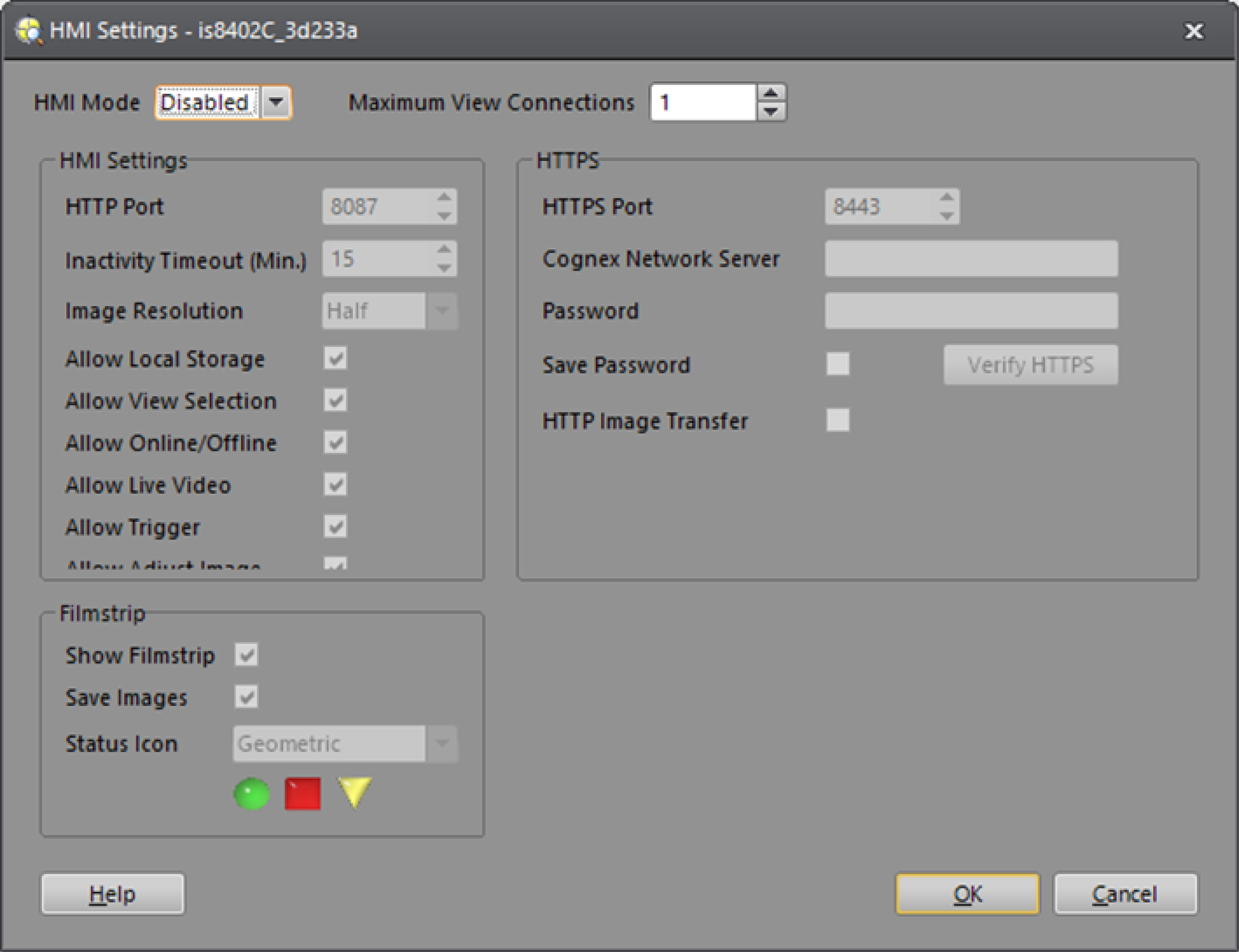
Stop the Web HMI
If your application does not need a Web HMI, you can save processing time by stopping the HMI. Depending on the In-Sight model, you can decrease processing time by several tens of ms.
To stop the Web HMI, open the HMI Settings dialog from the Sensor menu. Select Disable in the HMI Mode dropdown, and set Maximum View Connections to 1.