Snippet for Logger
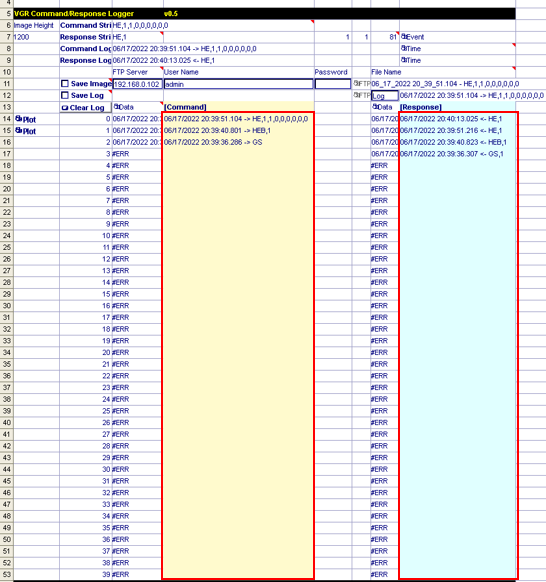
Snippet for Logger - VGRLogger.cxd stores received commands and returned response in the tables with timestamp, respectively. By default the number of each entry is 40 but it can be adjusted by removing or copying cells. It also provides functionality to save the log and image files on a FTP server. In the below image you can find the snippet for Logger, its command log and response log respectively:
To use snippet for Logger:
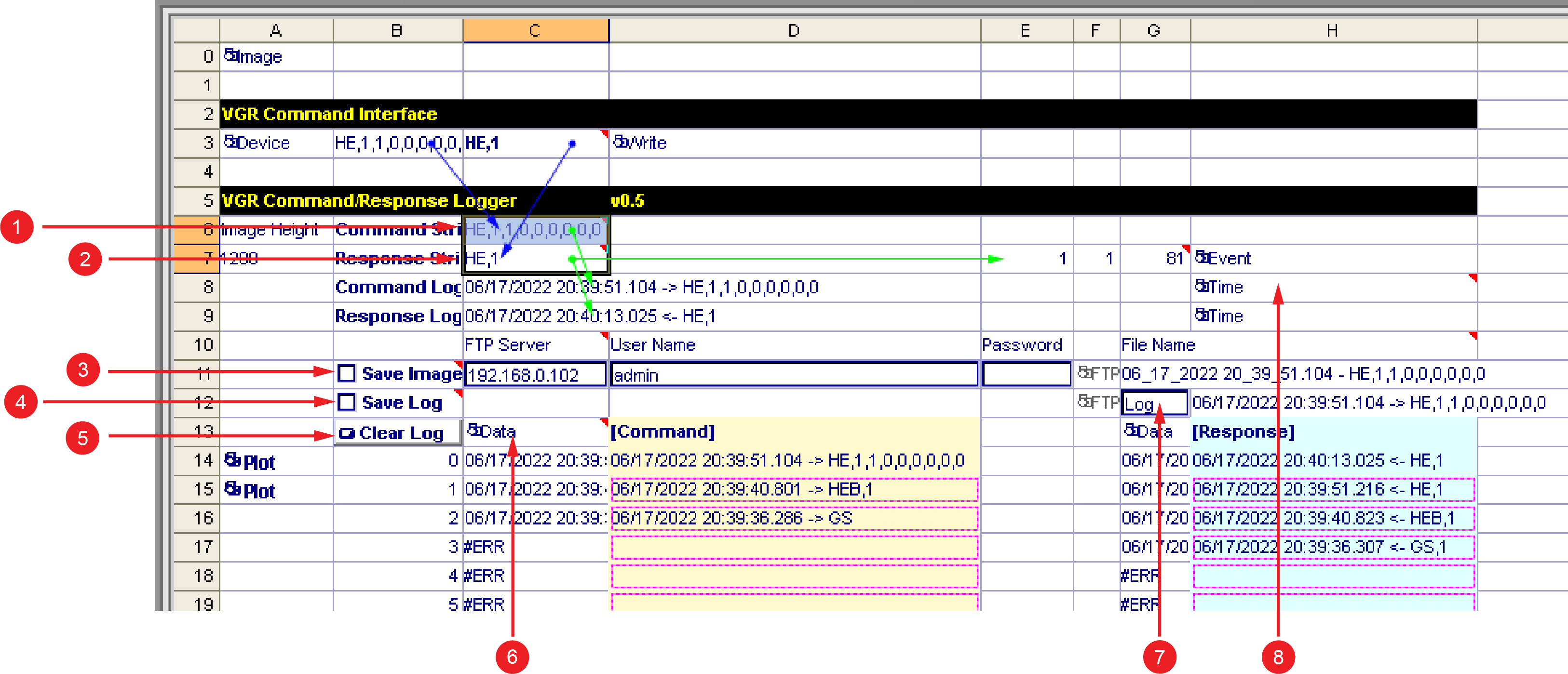
- Cell (5) have to reference ReadDevice to get command string to be sent.
- Cell (4) have to reference response string, for example, VGRProcessCommand, to log it in the response table.
- Event property of Cell (8), StoreData have to reference TCPDevice, so that command table latches the new command string into it.
- Event property of Cell (6), Now have to reference TCPDevice, so that the timestamp is generated at the timing TCPDevice receives a command.
|
|
|
|---|---|
| Number | Definition |
| 1 | The received Command String. This cell references ReadDevice. |
| 2 | This cell references Response String, for example, VGRProcessCommand. |
| 3 | The Save image button saves image on the FTP server at command with an image acquisition. |
| 4 | The Save log button saves log on the FTP server. |
| 5 |
The Clear Log button. |
| 6 |
The StoreData function to store received commands. The Event property has to reference TCPDevice . |
| 7 | The file name of Log. The file extension is .txt. |
| 8 | Now function for generating command timestamp. Event property has to reference TCPDevice. TCPDevice issues an event when it gets a commnad. Then Now function receives the event and outputs timestamp, which indicates the time when command is received. |
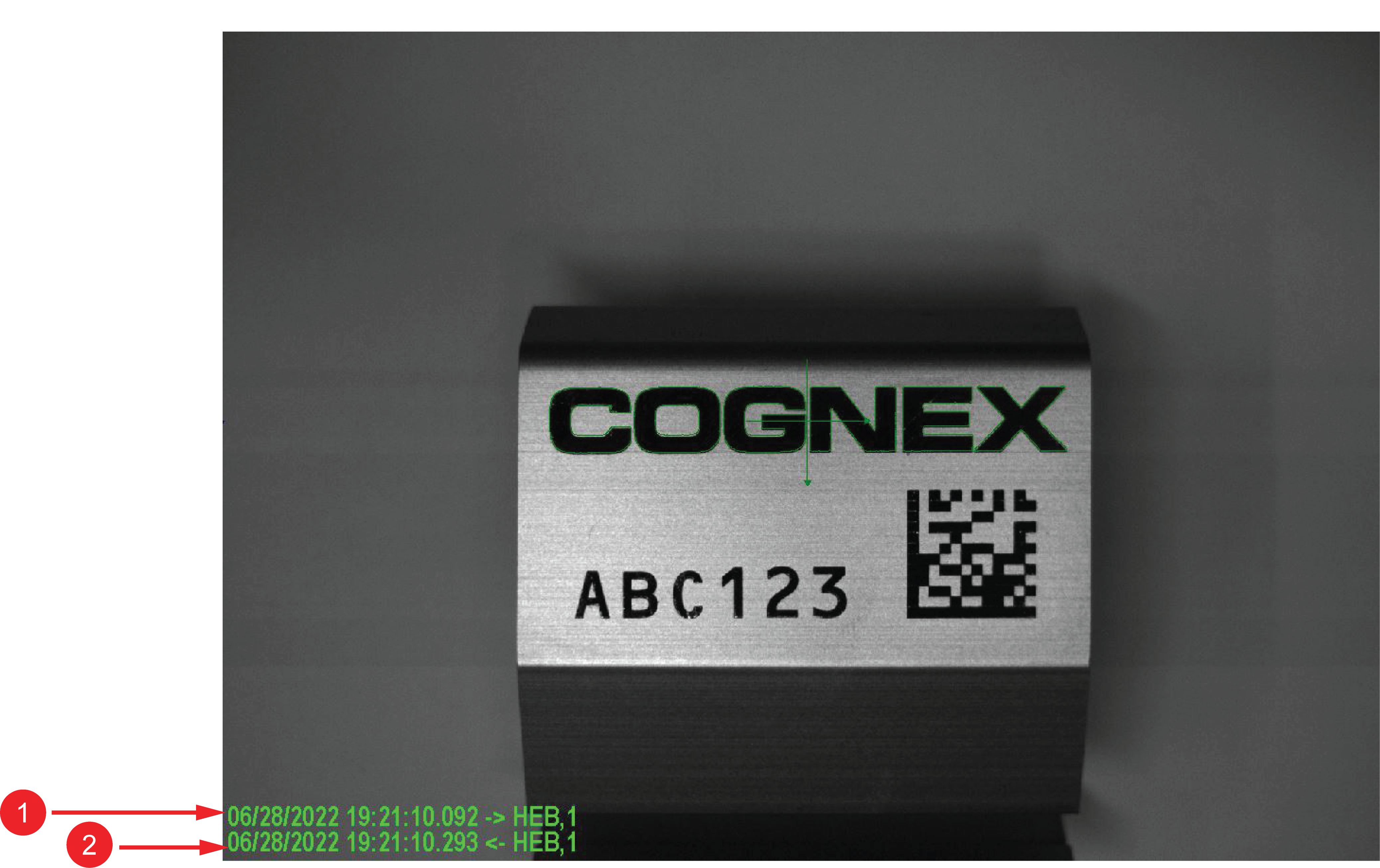
You can find the command (1) and response (2) with timestamp on the below image: