Teach the Robot Tool Center Point (TCP)
The tool center point (TCP) is the part of the robot that contacts the work part. You teach the TCP so that the robot can move to the same position from multiple angles (called "waypoints").
The TCP must be within the field of view of the vision system.
- Launch the PolyScope software.
-
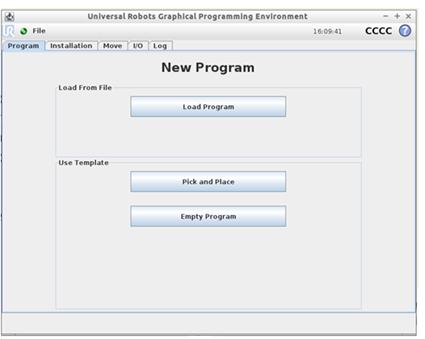
On the main menu, select Program Robot. The New Program window opens.
-
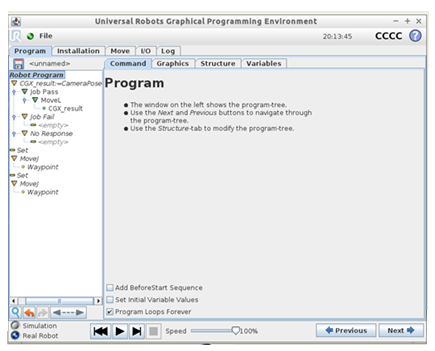
Select Pick and Place.
-
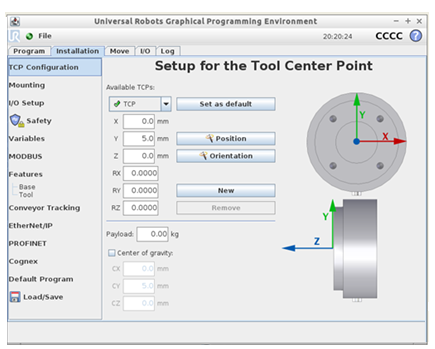
Select Installation > TCP Configuration.
- To teach the TCP, you can measure them manually in one of the following ways:
- If the TCP is located directly on the Z axis, measure the distance between the TCP and the center of the tool flange (in millimeters) for the Z axis. Enter the measurement in the Z field.
- If the TCP is NOT located directly on the Z axis, measure the distance between the TCP and the center of the tool flange (in millimeters) for the X, Y, and Z axes. Enter the measurements in the X, Y, and Z fields, respectively.
Refer to the PolyScope Manual for additional instructions. You can download this manual from the Universal Robots web site.