Set a Reference Pose for the Robot
Note: This task is required only if the vision system is mounted to the robot arm (optional if the vision system is not mounted to the robot arm).
You can set a reference pose for the robot, so that the robot gripper is aligned with the trained part.
-
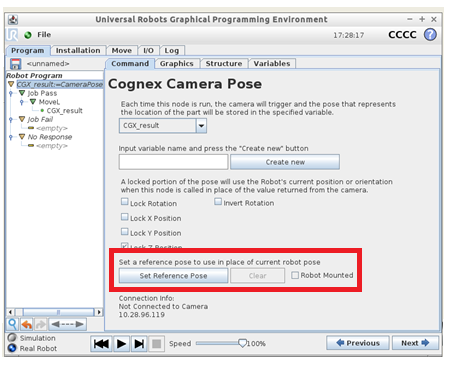
In the Robot Program tree of PolyScope, select the CGX_result;=CameraPose node. The Cognex Camera Pose window displays.
-
Select Set Reference Pose. The Move Tool displays.
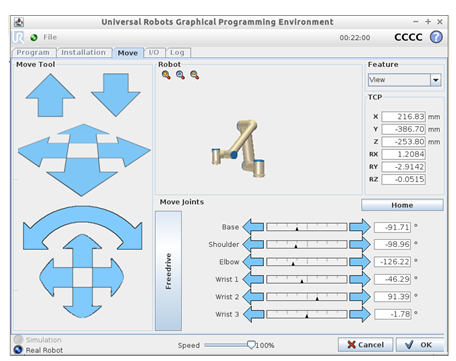
- Use this tool to move the gripper so that it is aligned with the trained part.
- When finished, select OK.
-
If the vision system is mounted to the robot arm, mark the Robot Mounted check box.
If the vision system is not mounted to the robot arm, leave this check box unmarked.
- To save the reference pose, save your program.