Program the Universal Robot
After you set up the robot calibration and In-Sight jobs, you can then program the robot for your pick and place application using MoveL and other robot commands. You can also determine the action to take when a job passes, fails, or if there is no response from the vision system. The Cognex In-Sight 2D Robot Guidance plugin provides the following framework to start:
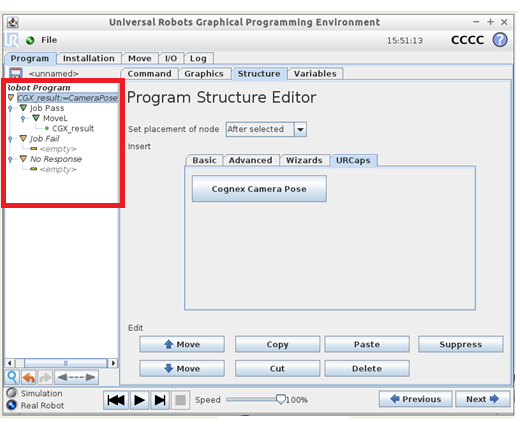
When you finish programming and run the application, when the program reaches the CGX_result:=CameraPose node, the following occurs:
- The robot communicates to the camera for location of the trained part.
- The vision system triggers and returns the pose that represents the location of the part.
- The pose is stored in the CGX_result variable in the Program Structure Editor in PolyScope.
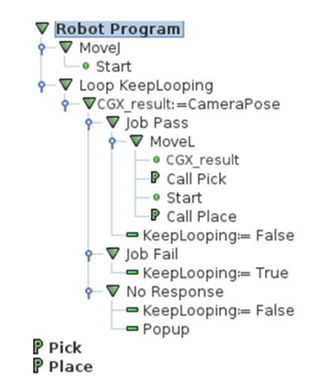
The following is a sample program structure: