Troubleshooting VGR Error Codes
For an overview of which command can return which error code, see VGR Command Error Codes.
| Error Code | Description | Troubleshooting | Example |
|---|---|---|---|
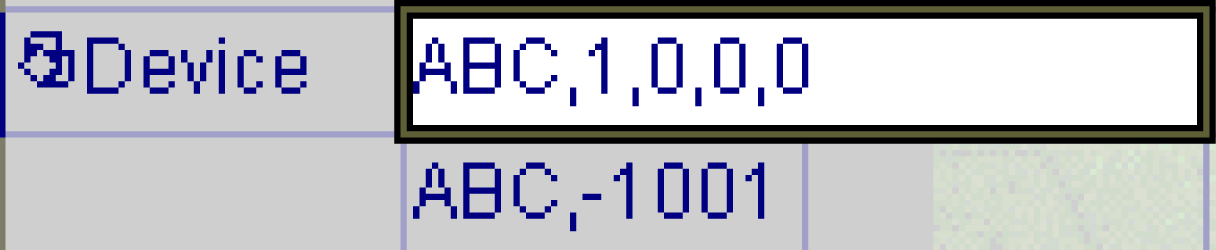
| -1001 | Unknown command | A string not defined as a VGR command is used as a command. Check the command part at the beginning of the character string passed to the VGRProcessCommand function. |
The figure uses the wrong command string ABC. |
| -1002 | Index out of range | The vision system returns this error code when the value of the PartID and StepID arguments are less than 1. Make sure that the ID of the argument is not 0 or a negative number. |
N/A |
| -1003 | Too few arguments | Insufficient number of arguments. A VGR command does not raise an error if there are too many arguments. Make sure that the number of arguments is correct. | N/A |
| -1005 | Invalid argument |
A VGR command can have two types of command arguments:
The vision system returns this error code if these types are incorrect. |
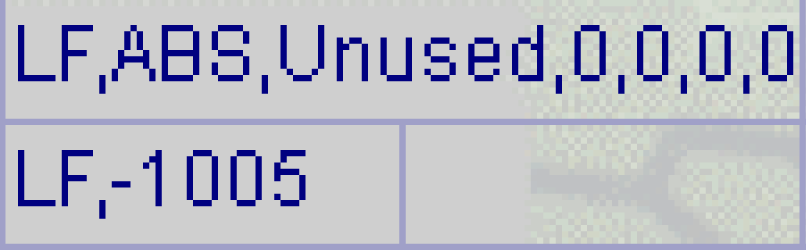
In the figure, the first argument specifies the StepID with the string ABS. The correct value of StepID is a number. |
| -1010 | Not supported | The commands and arguments have the correct configuration. However, the vision system returns this error code due to an unsupported usage of the specified command. Some commands have restrictions on the functions that can be used. Check the description of each command in Robot API for VGR. |
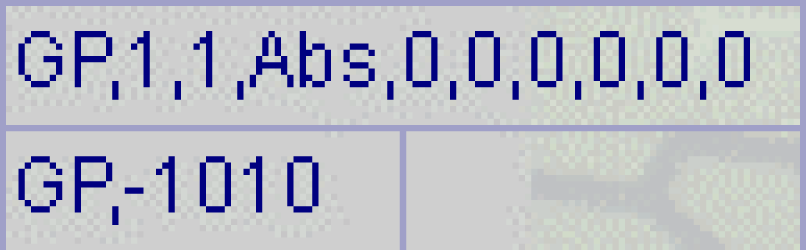
In the figure, the GP command returns this error code. The second argument is AlignMode. The GP command currently only supports AlignMode=2. In the example, the vision system returns this error code because AlignMode=1 is currently not supported. |
| -1012 | Invalid camera ID | The value of camera ID currently can only be set to 1. If you specify 0, a negative number, or a number greater than or equal to 2, the vision system returns this error code. |
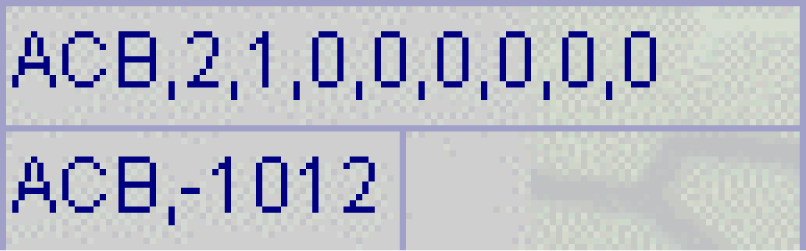
In the figure, the CameraID of the first argument of the ACB command is 2. |
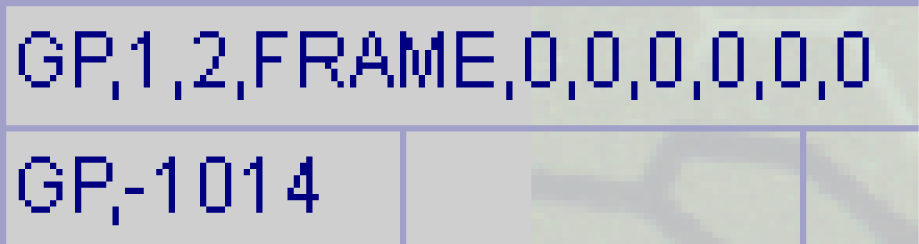
| -1014 | Invalid resultMode | The vision system returns this error code if you specify an unsupported ResultMode. Currently, two types, ABS and OFF, are supported. The vision system returns this error code if you specify any other ResultMode. |
In the figure, FRAME is specified as the ResultMode of the GP command. The vision system returns this error code because FRAME is not supported. |
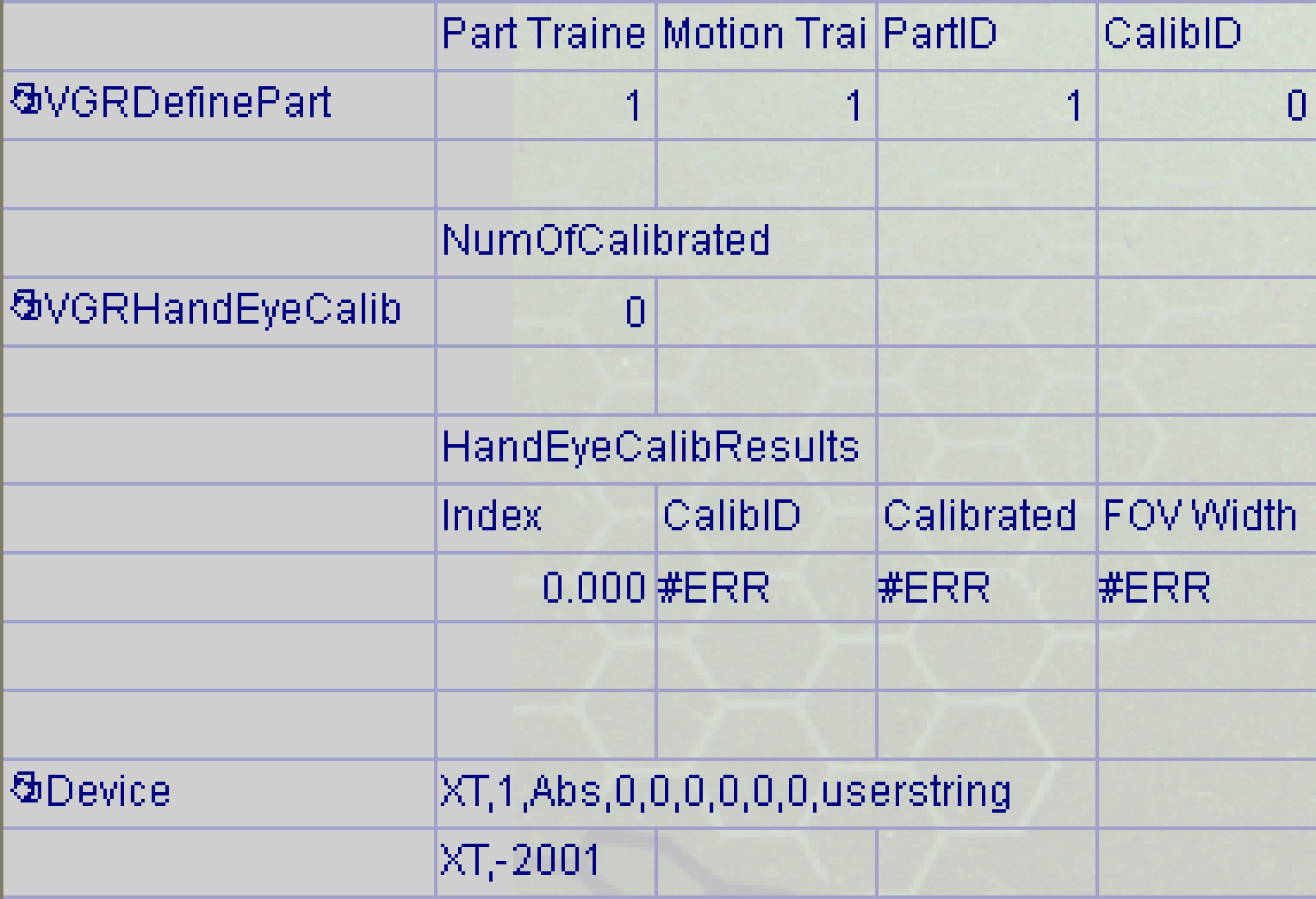
| -2001 | Not calibrated | The vision system needs the calibration to calculate the alignment with commands such as XT and GP, and to convert the current position to the motion coordinate system with the GCP command. The vision system returns this error code if the required calibration result does not exist. |
In the figure, PartID=1 is specified as the first argument of the XT command. CalibID=0 is specified in VGRDefinePart, which defines PartID=1. The NumOfCalibrated of the VGRHandEyeCalib function is 0. This means that there are no calibration results. In other words, the calibration result of CalibID=0, which is required when the XT command calculates the alignment using the detection result of PartID=1, does not exist. Therefore, it is not possible to calculate the alignment. |
| -2002 | Calibration failed | In the final step of hand-eye calibration, the vision system calculates the calibration result from each moved coordinate value. The vision system returns this error code when this calculation fails. See Troubleshooting VGR Hand-Eye Calibration Issues for a solution. | N/A |
| -2004 | Given calibration pose not reached |
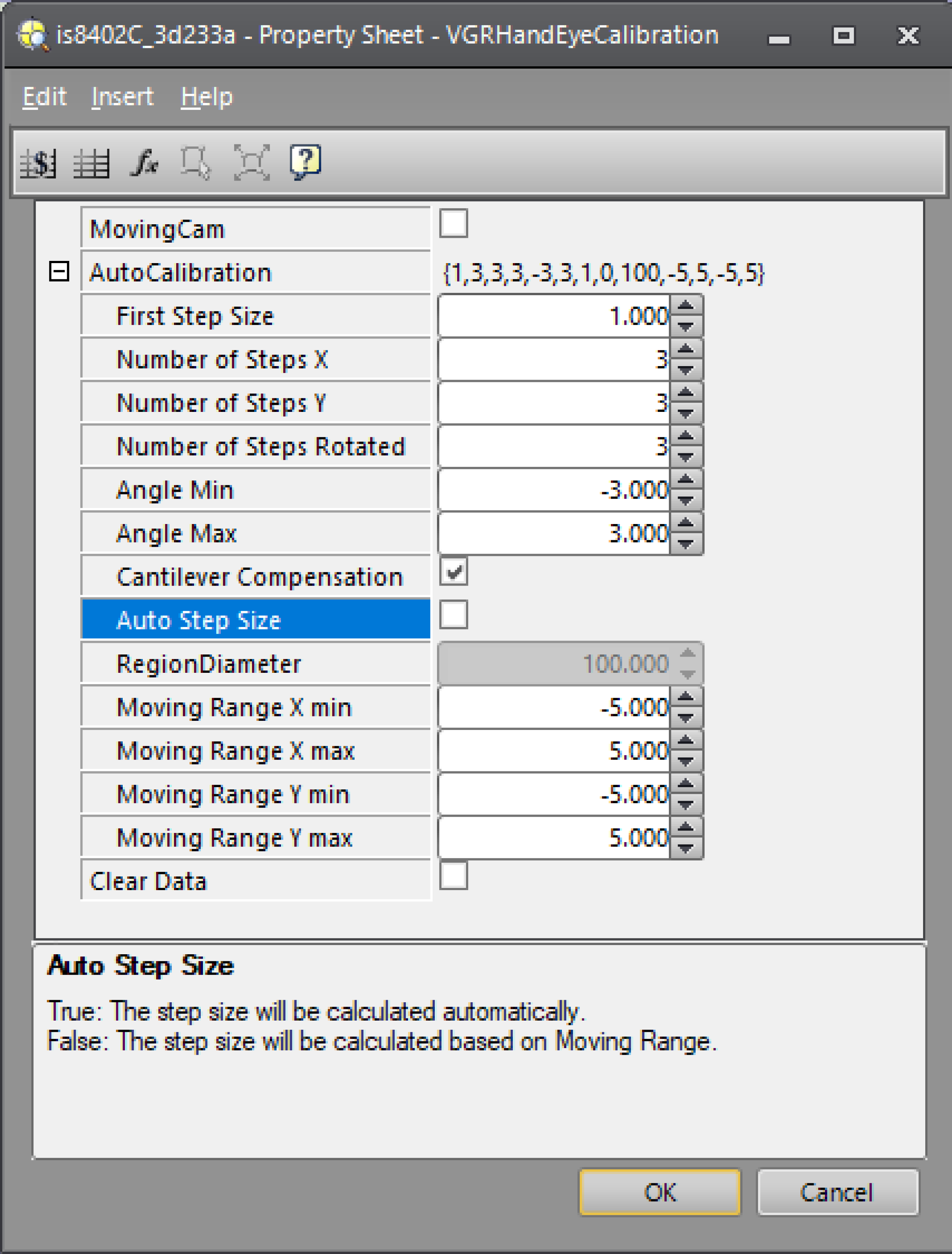
During automatic calibration, the vision system returns the coordinate values of the next motion as the response of the AC command. The motion system sends the next AC command after moving to the indicated coordinates. The vision system returns this error code if there is a large discrepancy between the current coordinate value of the motion system and the specified coordinate value. For example, this error is returned when it is not possible to move to the specified coordinate value due to the limit of the movement range of the motion system. If the motion range is the cause of the limit, disable Auto Step Size of the VGRHandEyeCalibration function. Then try adjusting the values of Moving range X min, Moving range X max, Moving range Y min, and Moving range Y max so that it fits within the motion range. When you enable Cantilever Compensation, there is a possibility that the motion system moves significantly in the X- and Y-axis direction for correction. If the motion range exceeds the limit at that time, try disabling Cantilever Compensation. If you exceed the limit of the rotation range, adjust the values of Angle Min and Angle Max so that they are within the rotation range. For details on each parameter of the VGRHandEyeCalibration function, see VGRHandEyeCalibration. |
|
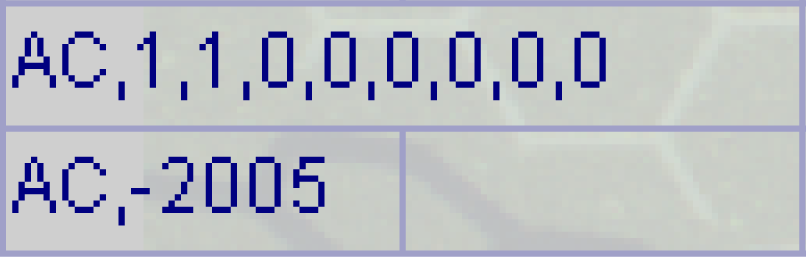
| -2005 | No calibration begin command | Hand-eye calibration is performed by combining multiple commands. To start hand-eye calibration, use the ACB command for automatic calibration. For manual calibration, use the HEB command. If you send an AC or HE command without sending one of these commands first, the vision system returns this error code. |
In the figure you are about to perform an automatic calibration. The vision system returns this error code because you first sent the AC command. The correct method is to send the ACB command first. For the detailed procedure of hand-eye calibration, see Hand-Eye Calibration. |
| -3002 | Feature not found | Use PatMax and other vision tools to find the coordinates used for alignment and calibration. Configure the VGRDefinePart or VGRDefinePartAdvanced functions to use the coordinates for alignment and calibration. These functions have a Valid parameter to determine if the coordinate values are reliable. If value of the Valid parameter is True (1), the coordinate values can be used for alignment and calibration. If the parameter is False (0), the coordinate values are unreliable and not used for alignment or calibration, and the vision system returns this error code. | N/A |
| -3004 | Part pose not trained |
It is necessary to register the target position for the calculating alignment. There are two types of target positions, which must be registered individually:
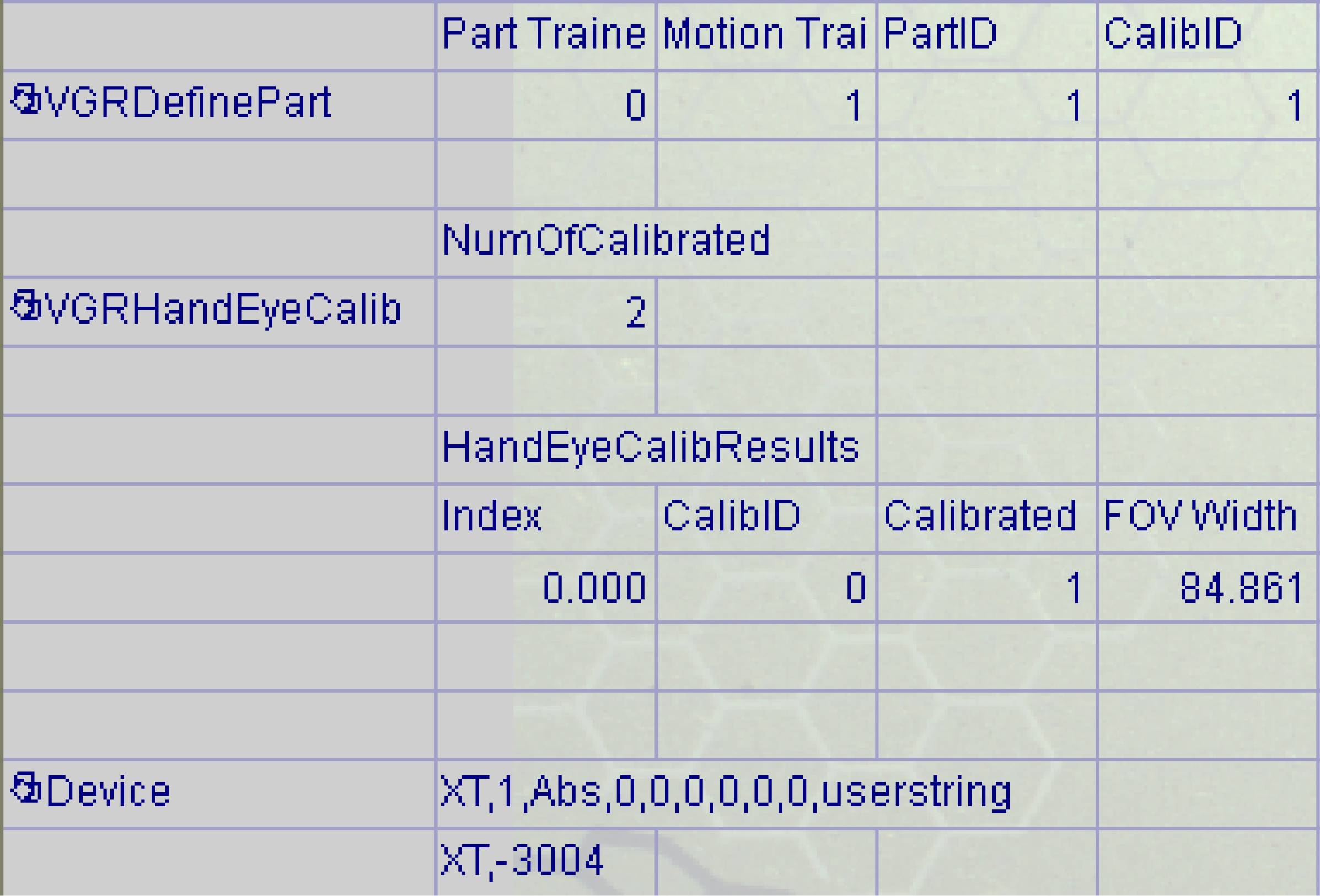
For the target position on the image, use the coordinate values detected by PatMax and other vision tools using the VGRDefinePart function. This target position is registered by the TT command. You can check the registration status of the target position on the image with the GetPartTrained function. When executing an alignment command such as XT or GP, the vision system returns this error code if the target position on the image of the specified PartID is not registered. |
In the figure, the XT command is sent. The first argument is PartID. That is, the alignment of PartID=1 is executed. Part Trained in the cell to the right of VGRDefinePart is 0. This means that the target position on the image is unregistered, resulting in this error code. You can resolve this error by running the TT command for PartID=1 and registering the target position on the image. |
| -3005 | Robot pose not trained |
It is necessary to register the target position for the calculating alignment. There are two types of target positions, which must be registered individually:
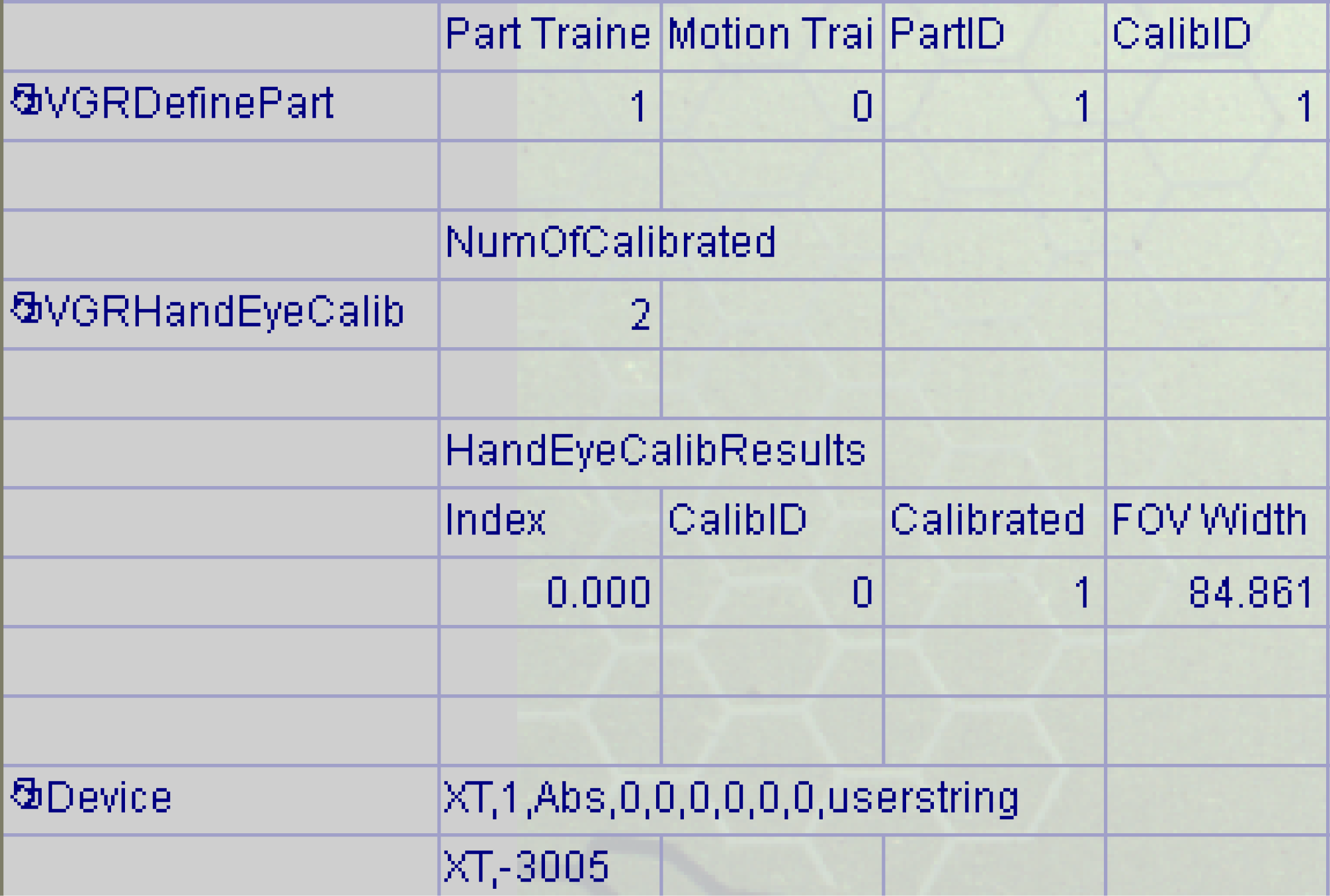
The target position of the motion uses the motion coordinate value passed as an argument of the TTR command. You can check the registration status of the motion target position with the GetMotionTrained function. When executing an alignment command such as XT or GP, the vision system returns this error code if the target position of the specified PartID is not registered. |
In the figure, the XT command is sent. The first argument is PartID. That is, the alignment of PartID=1 is executed. Motion Trained in the second cell to the right of VGRDefinePart is 0. This means that the target position of the motion system is not registered, resulting in this error code. You can resolve this error by running the TTR command for PartID=1 and registering the target position of the motion system. |
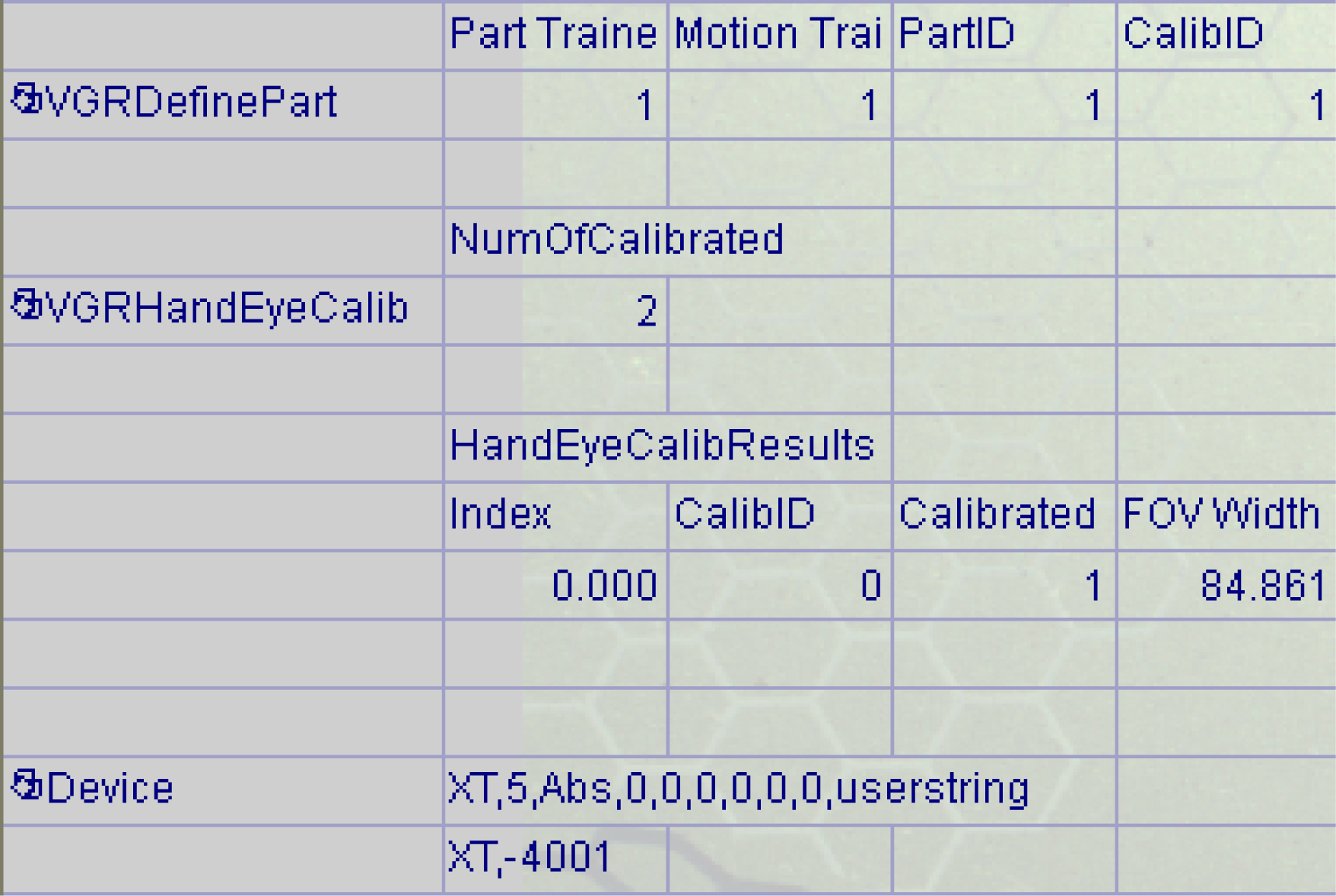
| -4001 | Undefined PartID | If you specify a PartID that is not registered in a VGRDefinePart function for a command that uses PartID as an argument, the vision system returns this error code. You can resolve the error by using a registered PartID, or by registering the required PartID with a VGRDefinePart function. |
In the figure, PartID=5 is specified in the first argument of the XT command. However, the PartID registered in the VGRDefinePart function is 1, resulting in this error code. You can resolve the error by executing the command with PartID=1, for example XT, 1, Abs, 0,0,0,0,0,0, UserString. Alternatively, you can solve the error by adding a VGRDefinePart function and registering PartID=5. |
| -4005 | Undefined StepID |
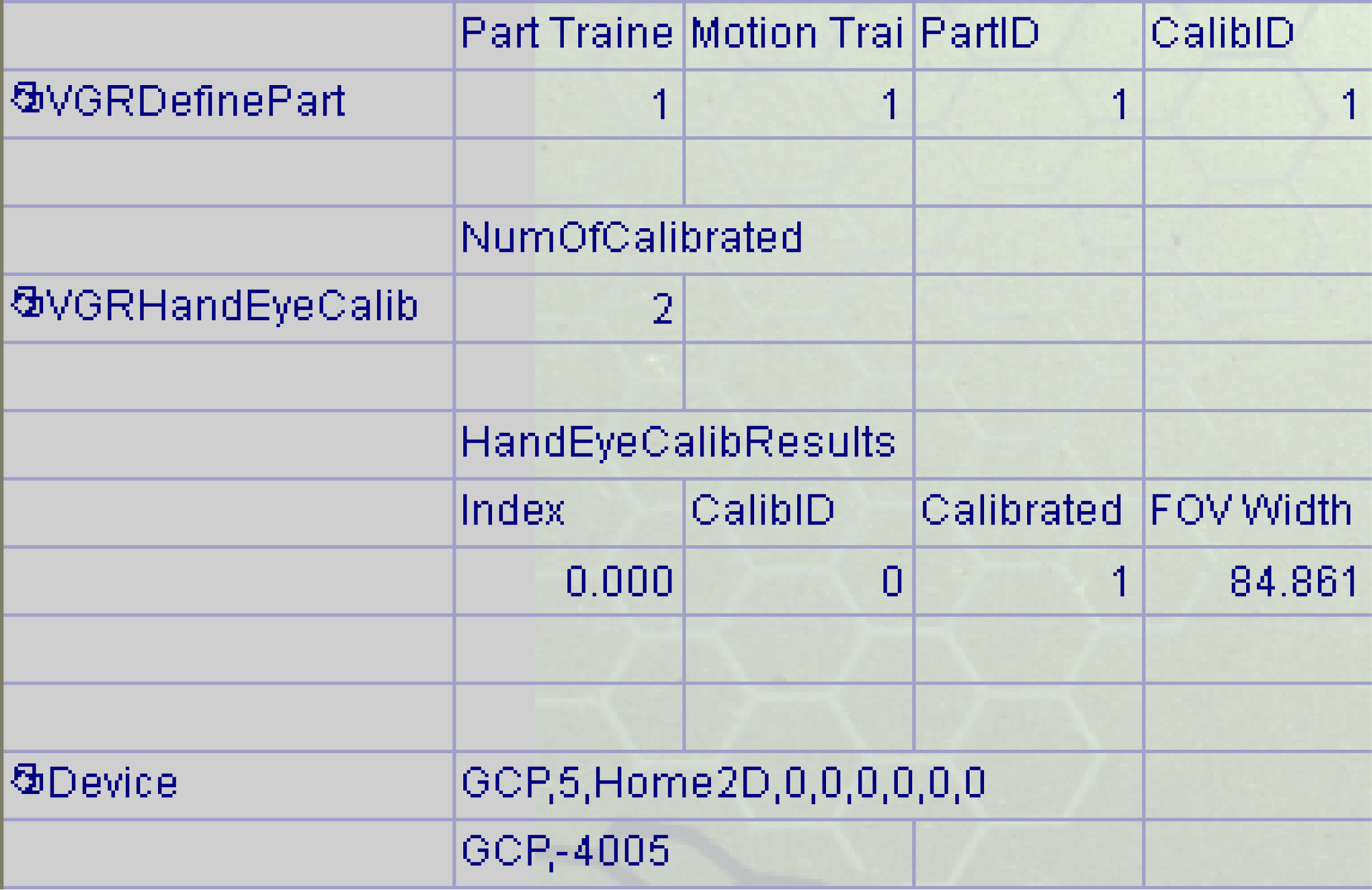
If you specify a StepID that is not registered in a VGRDefinePart function for a command that uses StepID as an argument, the vision system returns this error code. You can resolve the error by using the registered StepID or by registering the required StepID in a VGRDefinePart function. Note: A VGRDefinePart function does not explicitly register the StepID. It automatically registers the same StepID as the specified PartID.
|
In the figure, StepID=5 is specified in the first argument of the GCP command. However, the PartID registered in the VGRDefinePart function is 1. In other words, StepID is also 1, resulting in this error. You can resolve the error by executing the command with StepID=1, for example GCP, 1, Home2D, 0,0,0,0,0,0. Alternatively, you can solve the error by adding a VGRDefinePart function and registering PartID=5, that is, StepID=5. |
| -5001 | Not Online | The vision system returns this error code if you execute a VGR command while the sensor is offline. VGR commands only support online operation. | N/A |
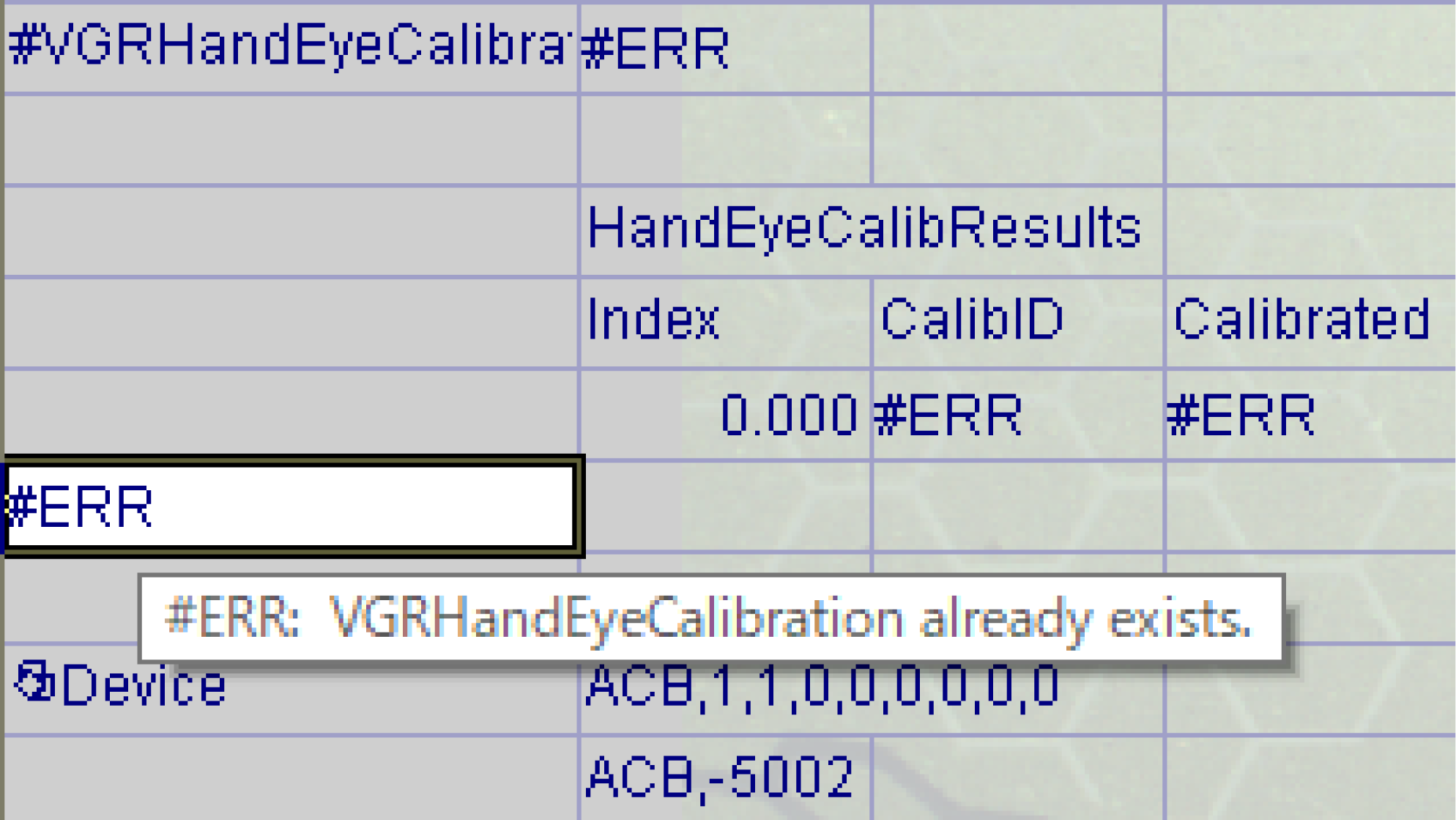
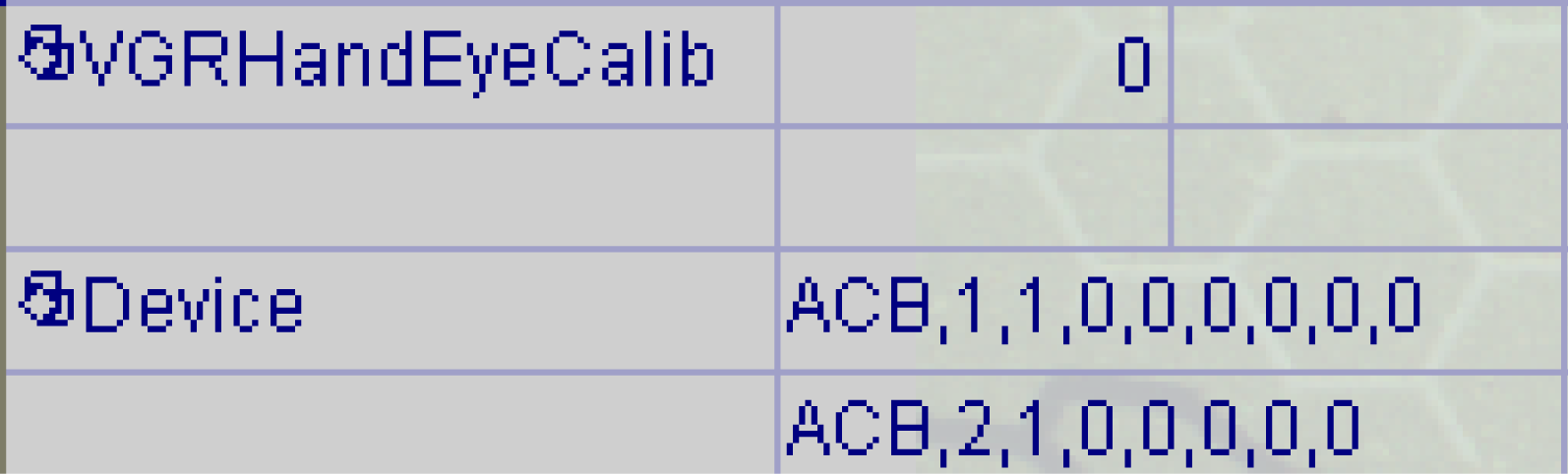
| -5002 | Job has no valid VGRHandEyeCalibration | The vision system returns this error code when you run a VGR command without the VGRHandEyeCalibration function on the spreadsheet. |
In the figure, another VGRHandEyeCalibration function was added while a VGRHandEyeCalibration function already existed. Since the added VGRHandEyeCalibration function is the second one, an error occurs and #ERR is displayed. Delete the originally created VGRHandEyeCalibration function (#VGRHandEyeCalibration). Only the second VGR HandEyeCalibration added later can remain on the spreadsheet.
If you send an ACB command in this state, the vision system returns this error code, because the second VGRHandEyeCalibration cell is still in the #ERR state. Resolve the error by deleting this cell and adding the VGRHandEyeCalibration function again. |