Greyscale and Color PatMax RedLine™ Functions
Edge Finding
The TrainPatMaxRedLine and FindPatMaxRedLine functions operate on greyscale images only. When these functions perform the pattern extraction, the image is converted to a greyscale image. This process may result in losing some edge features because many combinations of RBG values can convert to the same greyscale level. On the other hand, the TrainPatMaxRedLineColor and FindPatMaxRedLineColor functions directly process color images without any conversion, and find the edge features better in many cases.
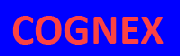
| Original Image (Blue Background with Red Text) | |
|
|

|
|
|
TrainPatMaxRedLine |
TrainPatMaxRedLineColor |

|
|
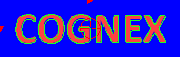
The above images show an extreme example where the edge features become completely undetectable after converting the color image to greyscale (the grey box is what PatMax RedLine sees when training). In this case, the TrainPatMaxRedLine function fails to train because no edges can be detected in the greyscale image. On the other hand, the TrainPatMaxRedLineColor function finds the edge features without any issues and trains the feature successfully.
Color Matching
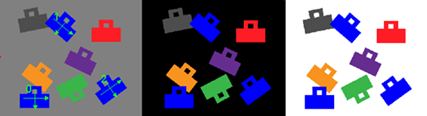
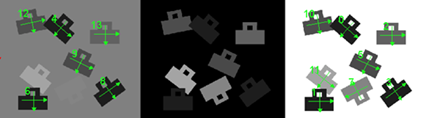
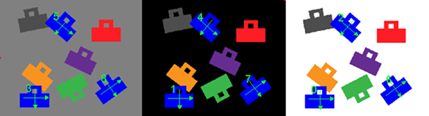
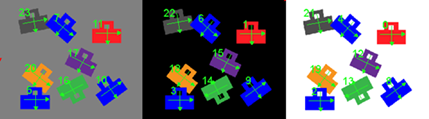
In addition to the PatMax RedLine functions' existing functionality (e.g. tolerances including rotation, scale, and XY overlap), the PatMax RedLine Color functions use colors to find the best match.
| PatMax RedLine Color | PatMax RedLine |
|---|---|
|
|
|
| Find Blue Parts on Grey Background | Find Patterns on Greyscale Image |
|
|
| Find Blue Parts on Any Background | |
|
|
| Find All Matching Shapes of Any Color, on Any Background | |
|