Set Up User Data for Timestamps in the PLC
Setting up user data in your PLC project enables the PLC to determine the appropriate timestamp to send to the vision system. This allows the vision system to trigger at the appropriate time.
Note: You need to know the size and format of the user data.
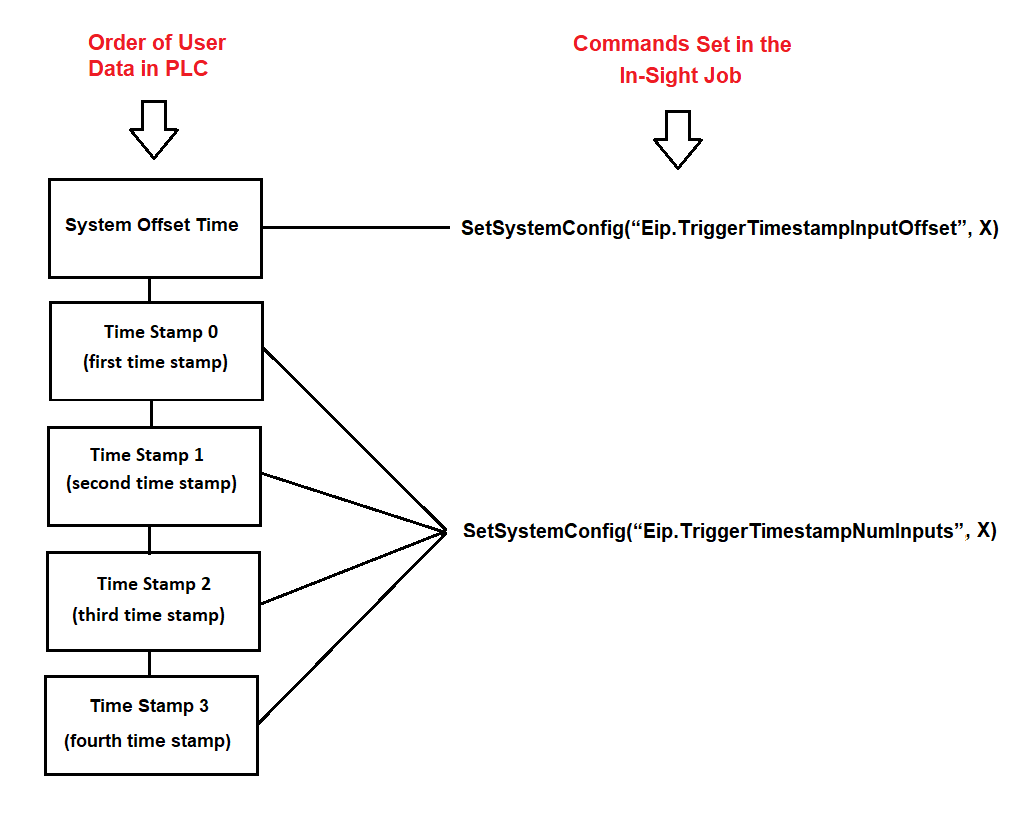
Set up the user data in the following order:
- System time offset value
- Each timestamp in sequential order (for example, timestamp 0, timestamp 1).
Note: The starting byte of the timestamp user data depends on whether there is other user data is included in the data packet that the PLC sent.
The following figure shows the required sequence of the user data and the corresponding In-Sight job Set SystemConfig command: