Connect the Ethernet Cable
The vision system’s ENET connector provides the Ethernet connection for network communications and supplies power to the vision system.
Note: The following steps illustrate how to connect to a third-party PoE injector or a PoE switch to supply power to the vision system. The In-Sight CIO‑MICRO I/O module can also be used to supply power to the In-Sight 8100, 8200 or 8400 series vision system. For more information, see Connect the CIO-MICRO I/O Module (Optional).
CAUTION:
- The Ethernet cable must be shielded. For the In-Sight 8405 vision system, Cognex strongly recommends Cat 6 or Cat 7 Ethernet cables with S/STP shielding.
- The Ethernet cable shield must be grounded at the far end. If using a PoE injector, a ground wire should be connected from the Ethernet shield at the PoE injector to frame ground or Earth ground, and a digital voltmeter used to validate the grounding. If using a PoE switch, it should have a metal case, with the case grounded to frame ground or Earth ground.
-
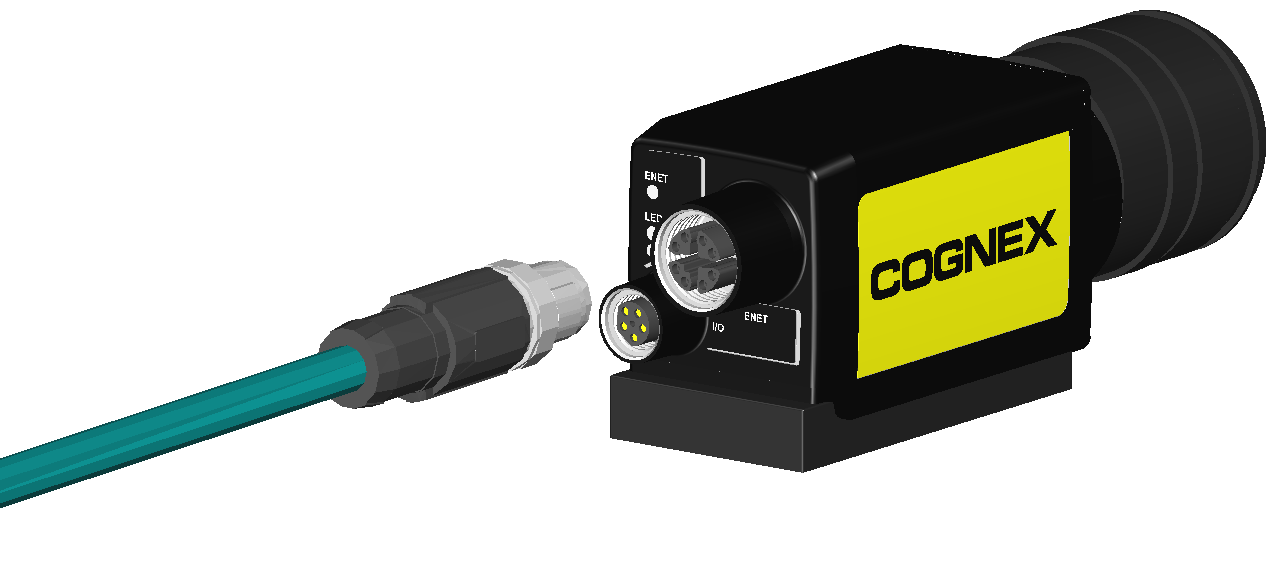
Connect the Ethernet cable's M12 connector to the vision system ENET connector.
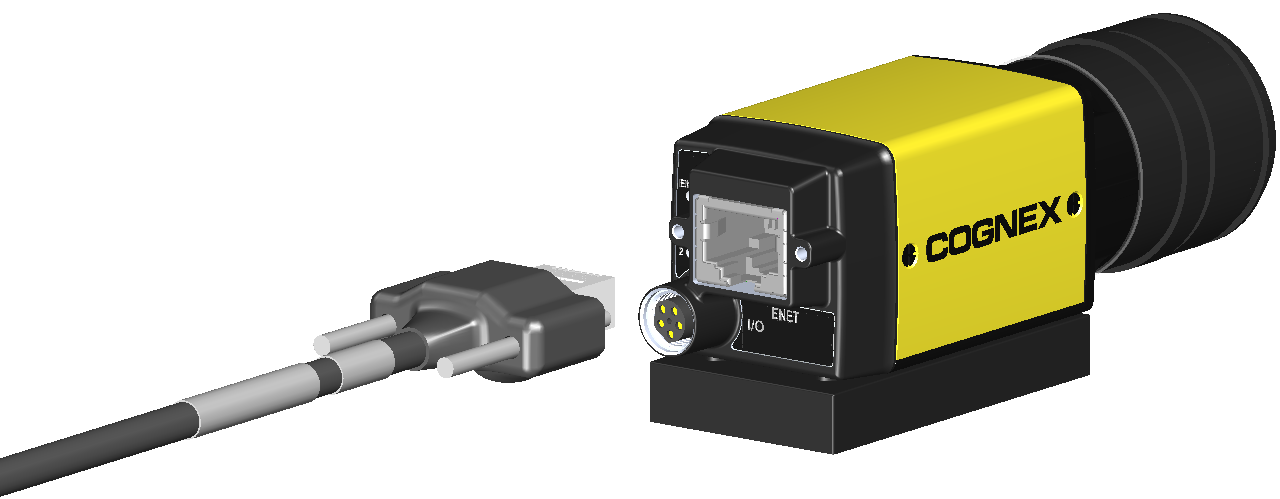
If installing the In-Sight 8405 vision system and using a compatible horizontal screw-locking Ethernet cable, use a screw driver to tighten the connector screws until snug. The screws must be tight to ensure a reliable connection.
-
Connect the other end of the cable to a PoE injector or a PoE switch.
Note:- The In-Sight 8100, 8200 and 8400 series vision system must be connected to a Class 0, 2, 3 or 4 PoE power source, rated for at least 6.49 Watts.
- The In-Sight 8500 series vision system must be connected to a Class 0, 3 or 4 PoE power source, rated for at least 12.95 Watts.
- Restore power to the PoE injector or PoE switch's 24VDC power supply and turn it on if necessary.