Ethernet Cable Specifications
The Ethernet cable provides power1 and Ethernet connection for network communications. The Ethernet cable can be connected to a single device or provide connections to multiple devices via a network switch or router.
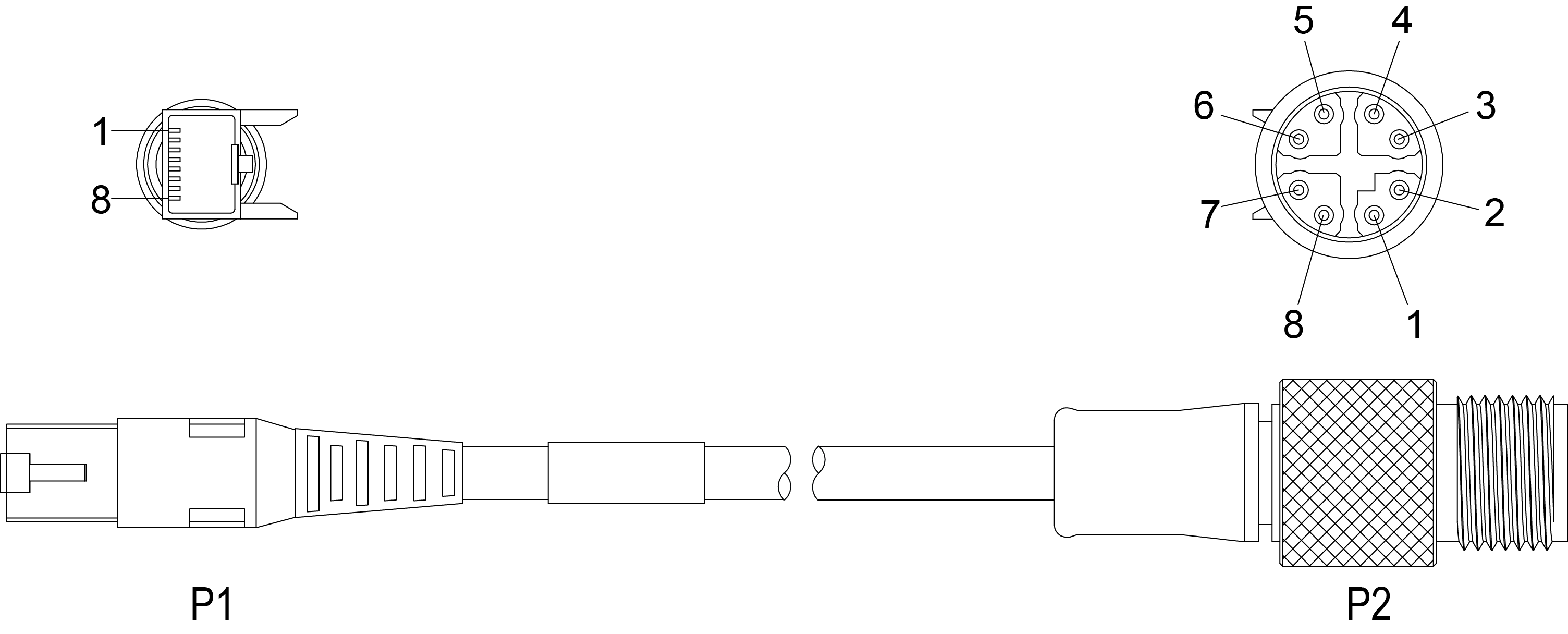
|
|||
|---|---|---|---|
| P1 Pin Number | Wire Color | Signal Name | P2 Pin Number |
| 1 | White/Orange | TxRx A + | 1 |
| 2 | Orange | TxRx A - | 2 |
| 3 | White/Green | TxRx B + | 3 |
| 4 | Blue | TxRx C + | 8 |
| 5 | White/Blue | TxRx C - | 7 |
| 6 | Green | TxRx B - | 4 |
| 7 | White/Brown | TxRx D + | 5 |
| 8 | Brown | TxRx D - | 6 |
Note:
- Ensure that the cable bend radius begins at least six inches from the connector. Cable shielding can be degraded or cables can be damaged or wear out faster if a service loop or bend radius is tighter than 10X the cable diameter.
- Cables are sold separately. The wiring for this cable follows standard industrial Ethernet M12 specifications. It differs from the 568B standard.