 Circle Regions
Circle Regions are used to define circular features. The Circle Region captures everything inside the circle. To define a circular feature while ignoring the center of the circle, use an Annulus Region.
 Circle Region Mouse Actions
|
||
|---|---|---|
| Controls | Description | |
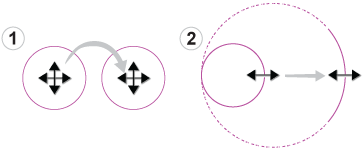
| 1 | Move | By placing the mouse cursor inside the region, the mouse cursor icon will automatically transform, allowing you to drag the region anywhere within the image. |
| 2 | Resize | By placing the mouse cursor over the circular region's boundary, the mouse cursor will automatically transform, allowing you to drag the region to resize it. |
Circular Region Scan Direction
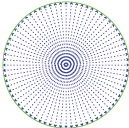
Circular Regions scan for features from the center of the circle to the outer radius.
Circular Region Color Codes
|
|
|---|---|
| Description | |
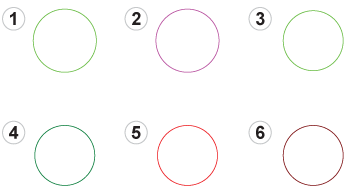
| 1 | A newly added, unselected circular region. |
| 2 | A selected, unconfirmed circular region. |
| 3 | A selected, configured and passing circular region. |
| 4 | An unselected, configured and passing circular region. |
| 5 | A selected, configured and failing circular region. |
| 6 | An unselected, configured and failing circular region. |