In-Sight View Settings
The In-Sight View Settings dialog is used to configure the Web HMI application's layout and the behavior of the filmstrip when the inspection fails.
EasyView
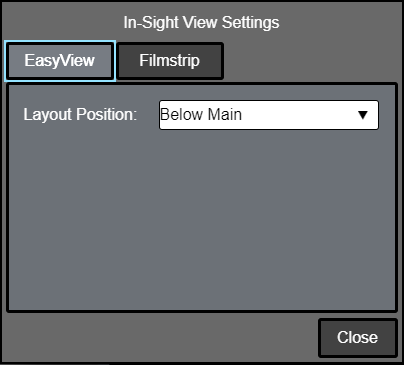
- Layout Position: Specifies where the EasyView is displayed in the Web HMI application (Above Main, Left of Main, Right of Main, or Below Main).
Filmstrip
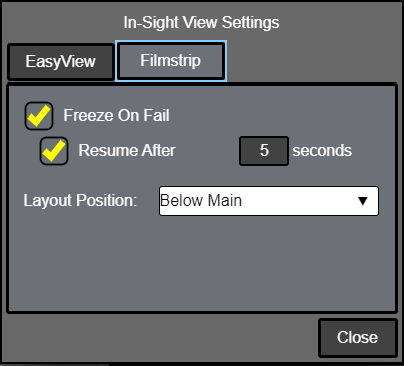
- Freeze On Fail
- Unchecked (default): The filmstrip continues to update regardless of the inspection result.
- Checked: When the inspection fails, the result is added to the filmstrip and the filmstrip stops updating until the Continue button is clicked.
- Resume After: This checkbox is enabled only when Freeze On Fail is checked. By default, it is unchecked.
- Checked: When the inspection fails, the result is added to the filmstrip and the filmstrip pauses for the specified duration (in seconds) before resuming updates. (1 to 120; default = 5)
- Layout Position: Specifies where the filmstrip is displayed in the Web HMI application (Above Main or Below Main).