Ethernet Cable Specifications (8405)
The Ethernet cable provides Ethernet connectivity and supplies power to the vision system.
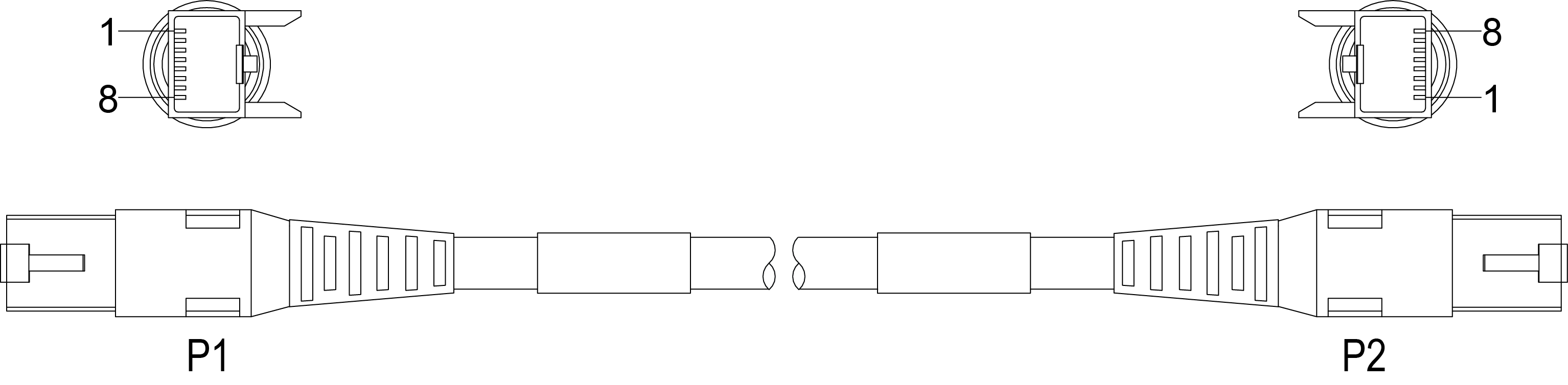
|
|||
|---|---|---|---|
| P1 Pin Number | Wire Color | Signal Name | P2 Pin Number |
| 1 | White/Orange | TxRx A + | 1 |
| 2 | Orange | TxRx A - | 2 |
| 3 | White/Green | TxRx B + | 3 |
| 4 | Blue | TxRx C + | 4 |
| 5 | White/Blue | TxRx C - | 5 |
| 6 | Green | TxRx B - | 6 |
| 7 | White/Brown | TxRx D + | 7 |
| 8 | Brown | TxRx D - | 8 |
Note: Cables are sold separately.
CAUTION:
- The Ethernet cable must be shielded. For the In-Sight 8405 vision system, Cognex strongly recommends Cat 6 or Cat 7 Ethernet cables with S/STP shielding.
- The Ethernet cable shield must be grounded at the far end.