Create a Suitable Pattern Model for TrainPatMaxRedLine
As mentioned, one problem with a circular feature is that it is very ambiguous when considering rotation angle. Similarly, a simple edge feature is ambiguous when considering scale. A robust pattern is one in which the vertical, horizontal, rotation, and scale attributes are unambiguous.
The circular pattern below provides X, Y, and Scale information which is unambiguous, but there is no detectible rotation information.
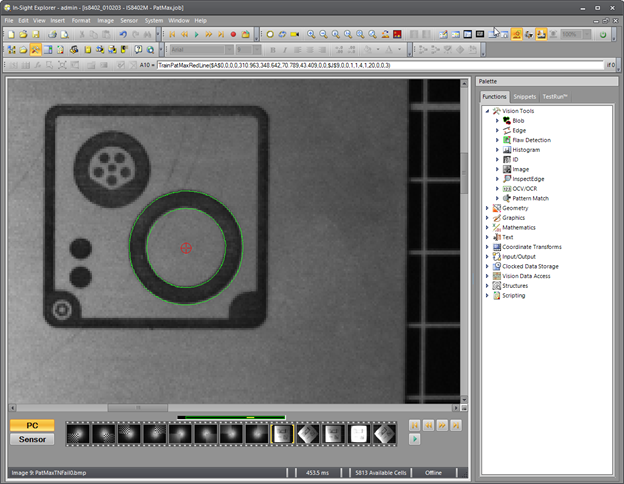
By modifying the pattern as follows, there is no longer any ambiguity in rotation.
The following patterns have good X, Y, and Rotation information, but very little Scale information. There is a 2X difference in scale, but TrainPatMaxRedLine would not be able to reliably detect it. The previous image also serves to illustrate how corner features, when combined with other features, alleviate the scale ambiguity.
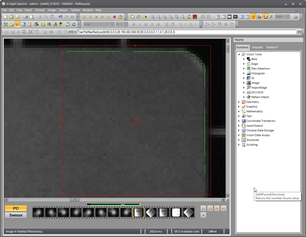
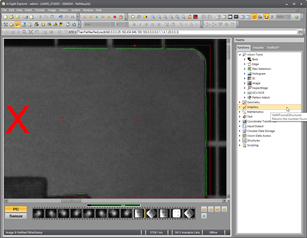
Another attribute of a reliably detectible pattern is that it should not be cluttered with unnecessary or unwanted details. For example, suppose the smaller connector in the first image may have a variable number of pins. If we want to find the angle of the keyed connector fitting regardless of the number or position of pins in the connector, we must train a model consisting of just the connector outline without the pins, as shown in the left image. Note that this could be done by either removing the unwanted clutter features physically, if possible, or by utilizing an EditCompositeRegion function with a Subtract zone to mask the pins.
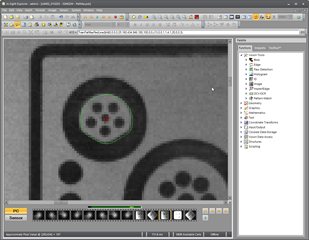
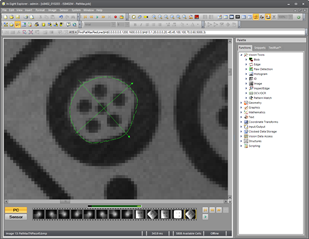
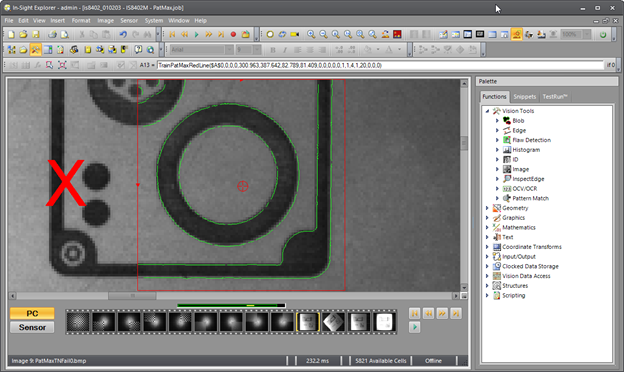
Every feature trained in the model is considered as an equally important part of the model. If the pins in the above example or other unwanted features such as surface texture are included in the model, they are outlined in green. TrainPatMaxRedLine will attempt to match every green feature with equal vigor, so if the unwanted features provide a better "match" than the actual desired features, TrainPatMaxRedLine will return an incorrect result. Consider the following images in which the feature we care about is the group of three dots. The pattern model was created excessively large in the left image for this example so that it includes other features that are of no interest.
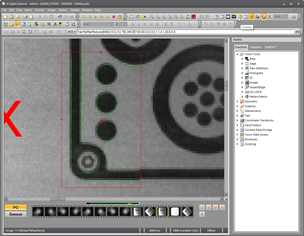
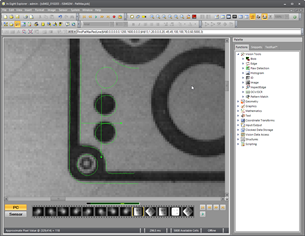
The TrainPatMaxRedLine function returned a successful "Pass" result in the right image even though 1/3 of the desired feature is missing. That is because the missing feature only constitutes a tiny percentage of the total model. Unless the minimum Accept Threshold is set to a very high value this will be considered a good match. As discussed previously, the problem with setting very high Accept Thresholds is that the first step of the TrainPatMaxRedLine algorithm (the initial Coarse search) will be more likely to miss good candidates and cause unnecessary "Fail" results.
Although the Pattern Region and the Find Region parameters can use any of the usual internal or external Region structures, the TrainPatMaxRedLine tool runs faster and consumes the least amount of memory if the regions are simple rectangles and not rotated or curved. In other words, use rectangular regions aligned to the pixel grid unless there is a compelling need to rotate, curve, or use composite shapes.