Configure Discrete Output Details
The Output Details dialog allows you to configure individual output line parameters with the Discrete I/O Settings dialog.
-
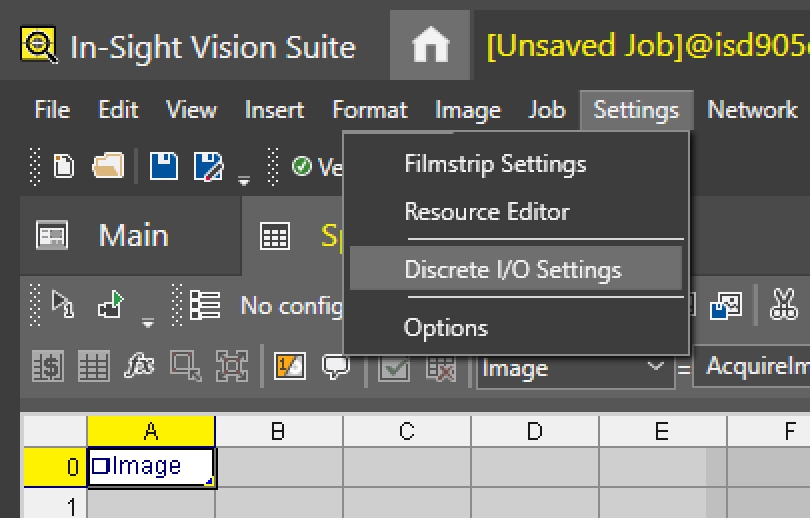
From the Settings menu of the Menu Bar, click Discrete I/O Settings.
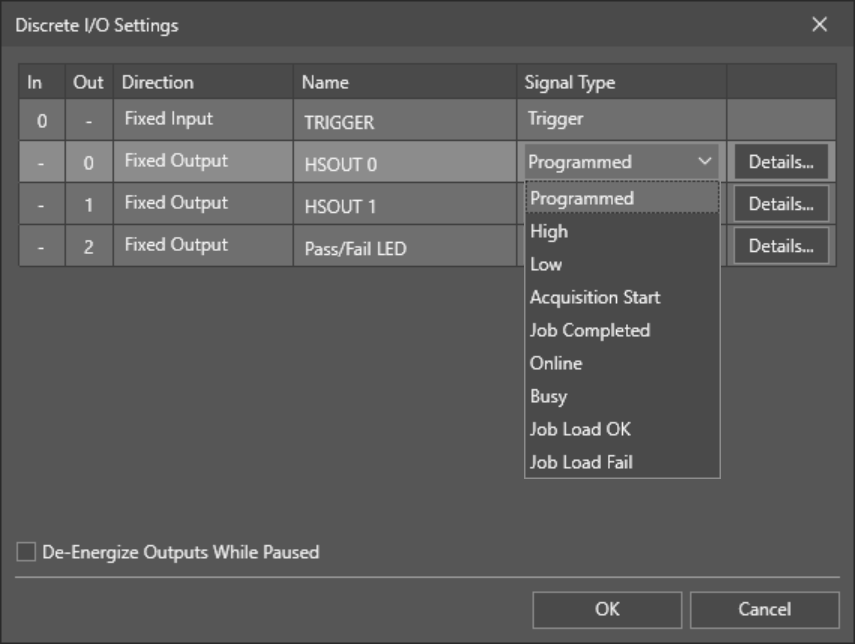
The Discrete I/O settings dialog appears.
-
Choose an output line, and click the corresponding Details... button.
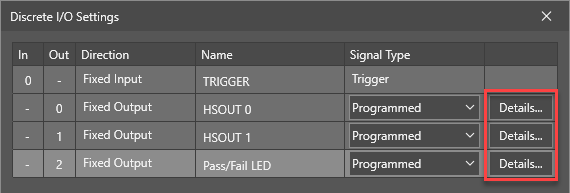 Note: With the exception of the Pass/Fail LED output line, the Details... button is unavailable if the Signal Type of the output line is set to High, Low, Online, or Busy.
The contents of the Output Details dialog vary depending on the output line Signal Type:
Signal Type Output Details Dialog Programmed (Default) 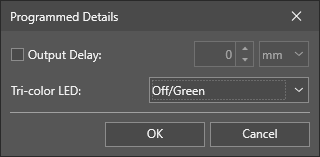
-
Output Delay: Specifies a time- or distance-based delay in the output line signals in milliseconds or millimeters, respectively.
The output delay is relative to the trigger time of the current point cloud. It represents a "target time" (or target encoder position) at which the DIO line state changes requested by WriteDiscrete cells will take place. If a WriteDiscrete function is executed after the target has already passed, the cell returns an error and will not change the line state.
The value range range is 0 – 1000, and the default value is 0 (meaning no signal delay in the output line).
-
Tri-color LED: Configures the behavior of the tri-color LED lines of the vision system for the configured output line signal. The available values are Off/Green, Off/Red, and Red/Green.
Note: The Tri-Color LED setting is only available for the Pass/Fail LED output line.
High
Low
Online
Busy
-
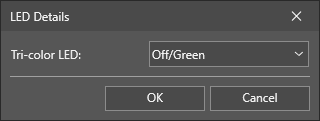
Tri-color LED: Configures the behavior of the tri-color LED lines of the vision system for the configured output line signal. The available values are Off/Green, Off/Red, and Red/Green.
Note: The LED Details dialog is only available for the Pass/Fail LED output line.
Acquisition Start
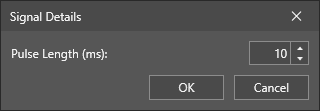
- Pulse Length (ms): Duration of an output pulse (1 - 1000, default = 10).
Job Load OK
Job Load Fail
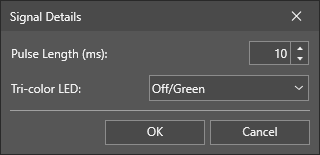
- Pulse Length (ms): Specifies the duration of the output pulse for the output line. The value range is 1 – 1000, and the default value is 10.
-
Tri-color LED: Configures the behavior of the tri-color LED lines of the vision system for the configured output line signal. The available values are Off/Green, Off/Red, and Red/Green.
Note: The Tri-color LED property is only available for the Pass/Fail LED output line.
Job Completed 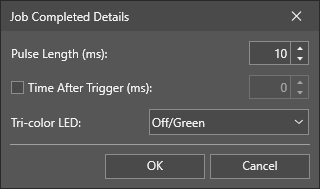
- Pulse Length (ms): Specifies the duration of the output pulse for the output line. The value range is 1 – 1000, and the default value is 10.
-
Time After Trigger (ms): Check the checkbox to ensure that the output will be fired no earlier than the specified amount of time after the actual acquisition starts.
- If the specified time has already expired by the time the job completes, the output is fired immediately.
- If the specified time has not expired by the time the job completes, the output is fired after the specified amount of time.
The value range is 0 – 10000 (in milliseconds), and the default value is 0 (meaning no time delay).
- Tri-color LED: Configures the behavior of the tri-color LED lines of the vision system for the configured output line signal. The available values are Off/Green, Off/Red, and Red/Green.
-
Note: The Tri-color LED property is only available for the Pass/Fail LED output line.
-