Rectangle3D
The Rectangle3D function allows you to create a fixtured 2D rectangle in the point cloud. It returns a Rectangle3D structure containing the settings of the fixtured rectangle.
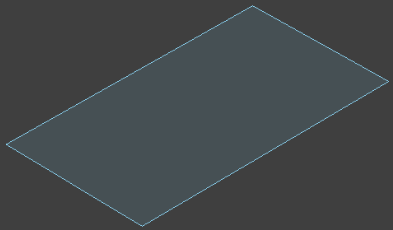
Rectangle3D Inputs
The Rectangle3D function has the following syntax:
Rectangle3D(PointCloud,Fixture3D,ExternalFixture,Rectangle3D,Show)
| Parameter | Description | ||||||||||||||||
|
PointCloud |
Reference to a cell containing a point cloud. The default value is $A$0. |
||||||||||||||||
| Fixture3D |
Specifies the point cloud coordinate system in which the 3D fixture is defined. It is offset from the PointCloud origin in the following format with the following arguments: {X, Y, Z, Rotation, Tilt, TiltDirection}
Note: This parameter is only available if you set External Fixture to 0.
|
||||||||||||||||
| External Fixture |
Specifies a reference to a Fixture3D structure defined in another cell. The function uses the referenced cell as the fixture of the function. Set to 0 (OFF) to use the internal fixture of the function instead. |
||||||||||||||||
|
Rectangle3D |
Specifies the dimensions, offset and angle of the function's 3D rectangle. It is offset from the Fixture3D origin in the following format with the following arguments: {SizeX, SizeY, X, Y, Z, Rotation, Tilt, TiltDirection}
|
||||||||||||||||
| Show |
Selects the type of graphics to overlay on the image.
|
Rectangle3D Outputs
|
Returns |
A Rectangle3D structure containing the parameters of the configured rectangle, or #ERR if any parameter has been configured incorrectly. |
||||||||||||||||||
|
Results |
When initially inserted into a cell, the following functions are automatically inserted into the spreadsheet to create a result table.
|
Rectangle3D Data Access Functions
The following 3D Data Access functions are automatically inserted into the spreadsheet to create the result table:
| Function | Description |
| GetRotation(Rectangle3D) | Returns the rotation of the Z-axis in degrees, also known as the in-plane rotation. |
| GetSizeX(Rectangle3D) | Returns the X-axis size of the rectangle. |
| GetSizeY(Rectangle3D) | Returns the Y-axis size of the rectangle. |
| GetTilt(Rectangle3D) | Returns the tilt angle of the Rectangle3D structure in degrees on the Z-axis. |
| GetTiltDirection(Rectangle3D) | Returns the tilt direction angle of the specified Rectangle3D structure in degrees. The angle is measured in the X-Y plane of the original reference coordinate system, and specifies the direction for the projection of the tilted Z-axis onto that plane. |
| GetX(Rectangle3D) | Returns the X-axis coordinate of the rectangle's center point. |
| GetY(Rectangle3D) | Returns the Y-axis coordinate of the rectangle's center point. |
| GetZ(Rectangle3D) | Returns the Z-axis coordinate of the rectangle's center point. |