Write File
Sends a job to the flash memory on the In-Sight vision system.
Write File Inputs
Syntax: WF<Filename><Size><Data><Checksum>
The command is sent on a separate line, followed by the lines of job data, which needs to be an exact copy of the data received from a Read File command. The lines of job data are:
| Parameter | Description |
|---|---|
| Filename | The name of the job. The command executes with or without the .JOBX extension. |
| Size | The second line contains an integer value for the size of the job in bytes. |
| Data | The actual job data is encoded as ASCII hexadecimal values formatted to 80 characters per line. Each line ends with a sequence of a carriage return and a line feed character. |
| Checksum | The last line contains four ASCII hexadecimal bytes that are a checksum of the job data. The vision system calculates the checksum from the transmitted ASCII values of the hexadecimal encoded data, and not from the byte values of the file contents. For more information, see Native Mode Checksum. |
Write File Outputs
| Status Codes | Description |
|---|---|
| 1 |
The command was executed successfully. |
| 0 |
Unrecognized command. |
| -2 |
The job could not be written, or the job data is invalid. |
| -3 |
The checksum failed. The checksum does not match the job data. |
| -4 |
The In-Sight vision system is out of memory. |
| -6 |
User does not have Full Access to execute the command. |
Write File Example
To write job data to the job text.jobx, issue the following command: WF
After issuing the Write File command:
- The first input is the job name (text.jobx).
- The second input is the size in bytes (22).
- The third input is each ASCII hexadecimal byte of the job file.
- The fourth input is the ASCII hexadecimal checksum bytes (4206).
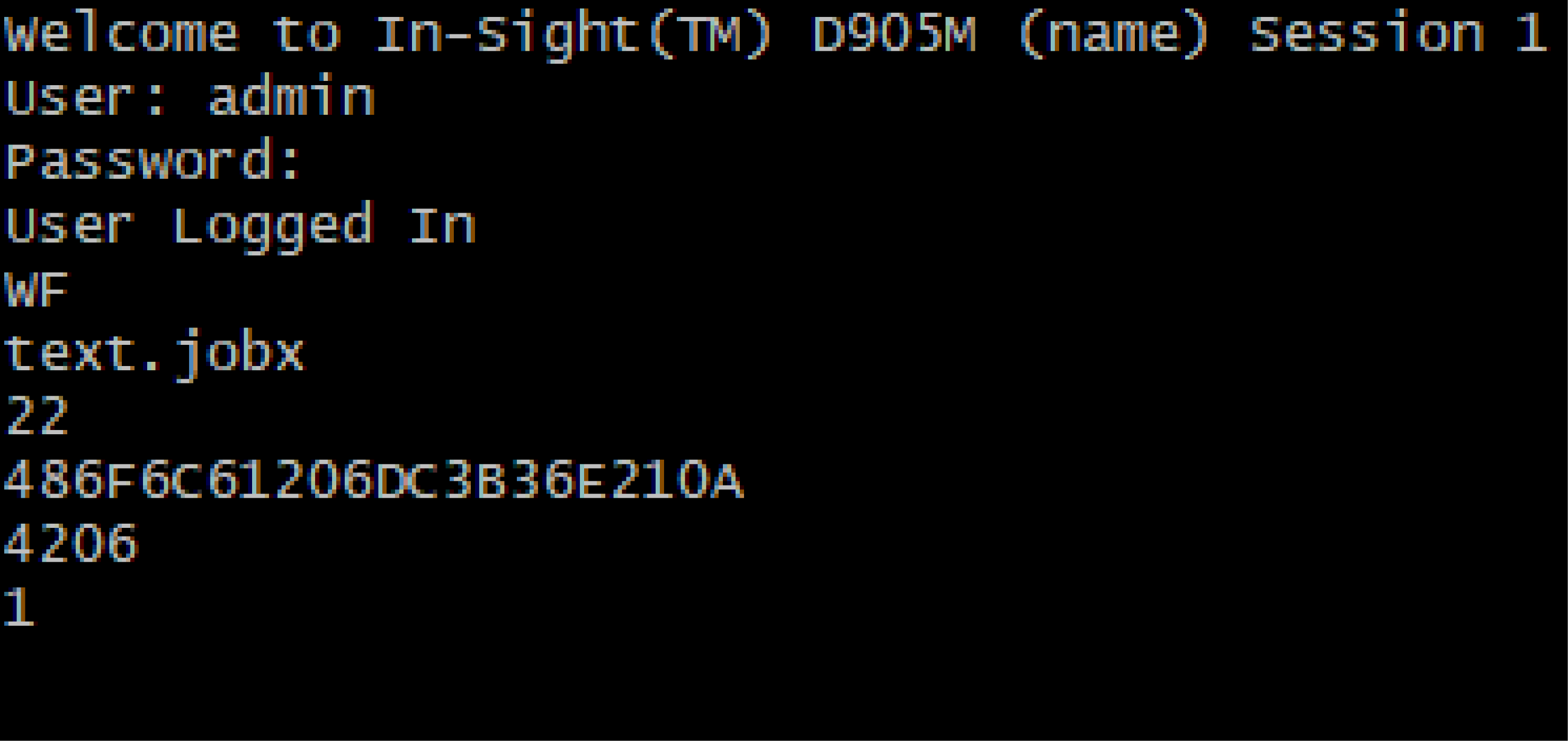
The In-Sight vision system responds with 1, indicating that the job was successfully sent to the flash memory of the vision system.
- If the job file already exists on the vision system, the existing job data is overwritten.
- If the job file does not already exist on the vision system, a new job file is created with the specified name.