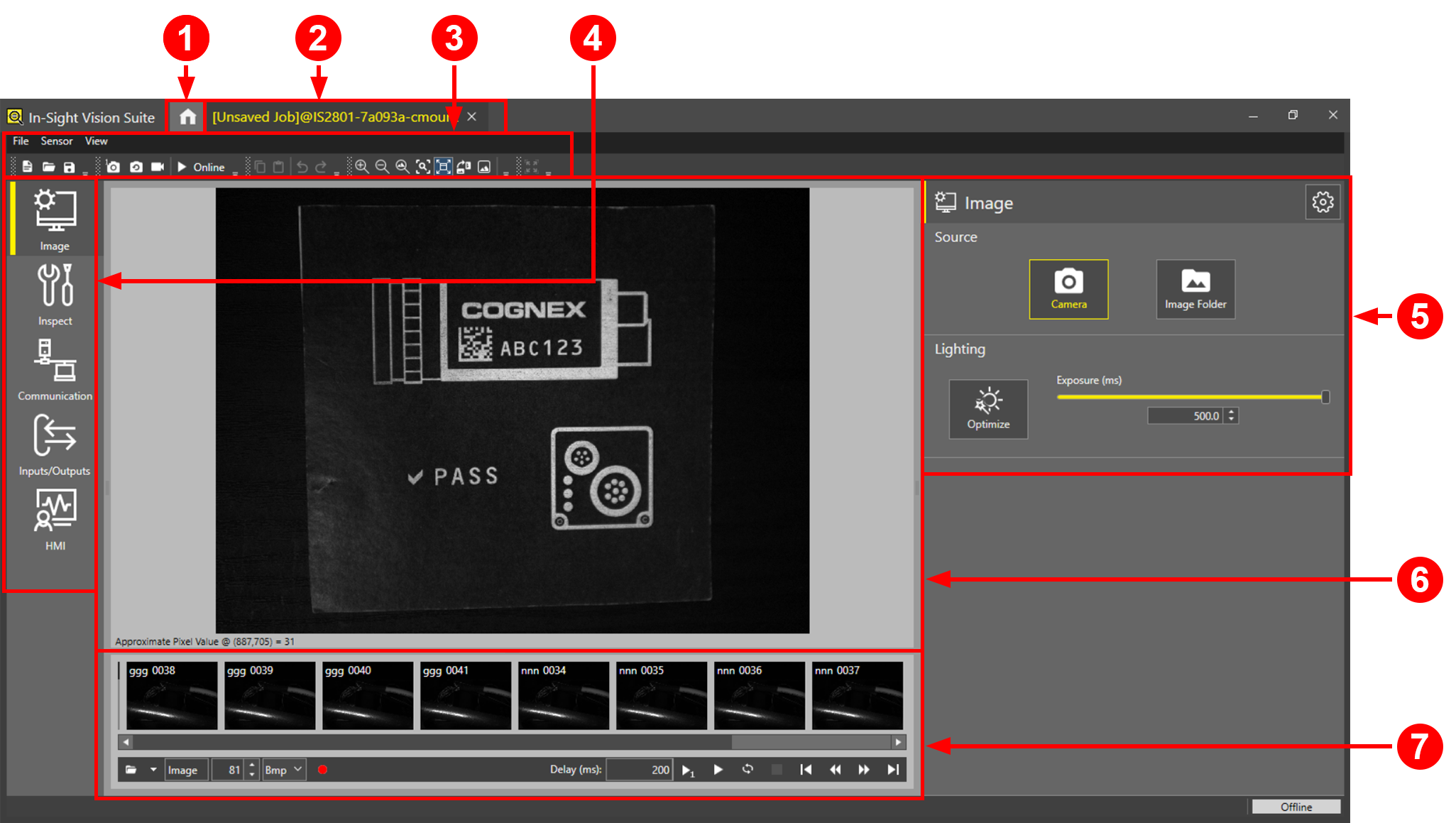
In-Sight® EasyBuilder User Interface
The EasyBuilder user interface provides a set of intuitive and easy-to-use tools for setting up the job parameters for your device.
|
|
|
|---|---|
| UI Element | Description |
| 1 | In-Sight Vision Suite home screen button |
| 2 | Current session |
| 3 | Menu bar and toolbar |
| 4 | Application steps |
| 5 | Application step tools |
| 6 | Acquisition display |
| 7 | Filmstrip controls |