Using Spreadsheet
In-Sight Spreadsheet is an advanced job development tool that allows you to configure complex jobs on your In-Sight vision system. To begin using Spreadsheet, you can import prerecorded test filmstrips using the Filmstrip, or set up your camera acquisitions using the Acquisition Panel. Once you have images loaded into the Filmstrip, double-click on the image you want to use for setting up your vision tools.
Spreadsheet provides you with a wide array of functions and a flexible tabular interface for configuring jobs on your vision system. For a list of functions available in Spreadsheet, see In-Sight Toolbox.
You can add functions to your job in the following ways:
-
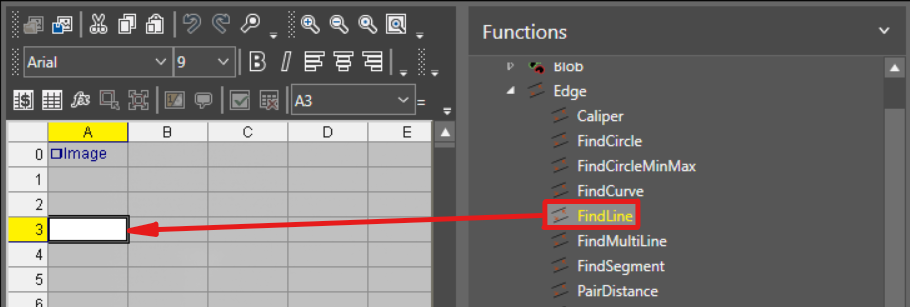
Drag and drop the function from the toolbox on the right side:
-
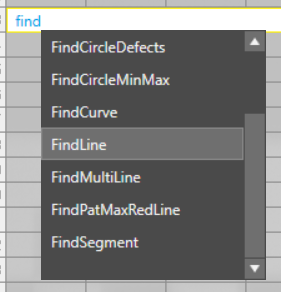
Start typing the function name in the cell, and a selection dropdown appears:
When you first add a function to Spreadsheet, the Property Sheet pop-up dialog appears, where you can configure the function parameters according to your needs.
Once you have configured the function, the cell executes and produces output data in the neighboring cells. You can reference the output cells of functions as input for other functions or in custom formulas. For more information, see Cell References.

The following sections provide more information on Spreadsheet tools and logic.