Put Live
Turns live acquisition mode ON or OFF.
Put Live Inputs
Syntax:[Put Live][Int]
| Parameter | Description |
|---|---|
| Int |
|
Put Live Outputs
Returns a status code. The status codes are:
| Status Codes | Description |
|---|---|
| 1 |
The command was executed successfully. |
| 0 |
Unrecognized command. |
| -1 |
The input is invalid or has exceeded 15 bytes in length. |
| -2 |
The command could not be executed, or the vision system is Online. |
| -6 |
User does not have Full Access to execute the command. |
Put Live Examples
To place the vision system into live acquisition mode, issue the following command: Put Live 1
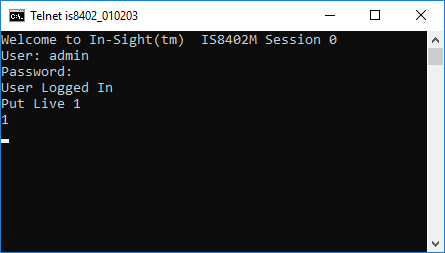
The In-Sight vision system responded with a status code of 1, indicating that the vision system was successfully placed into live acquisition mode.
To take the vision system out of live acquisition mode, issue the command: Put Live 0
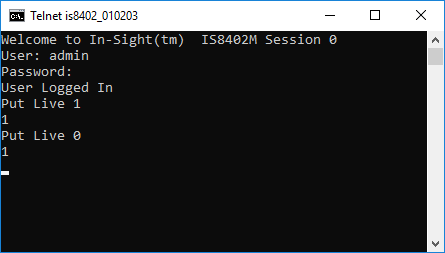
The vision system responded with a status code of 1, indicating that the vision system was successfully taken out of live acquisition mode.