Communication
The Communication application step allows you to configure your connection and file writing settings.
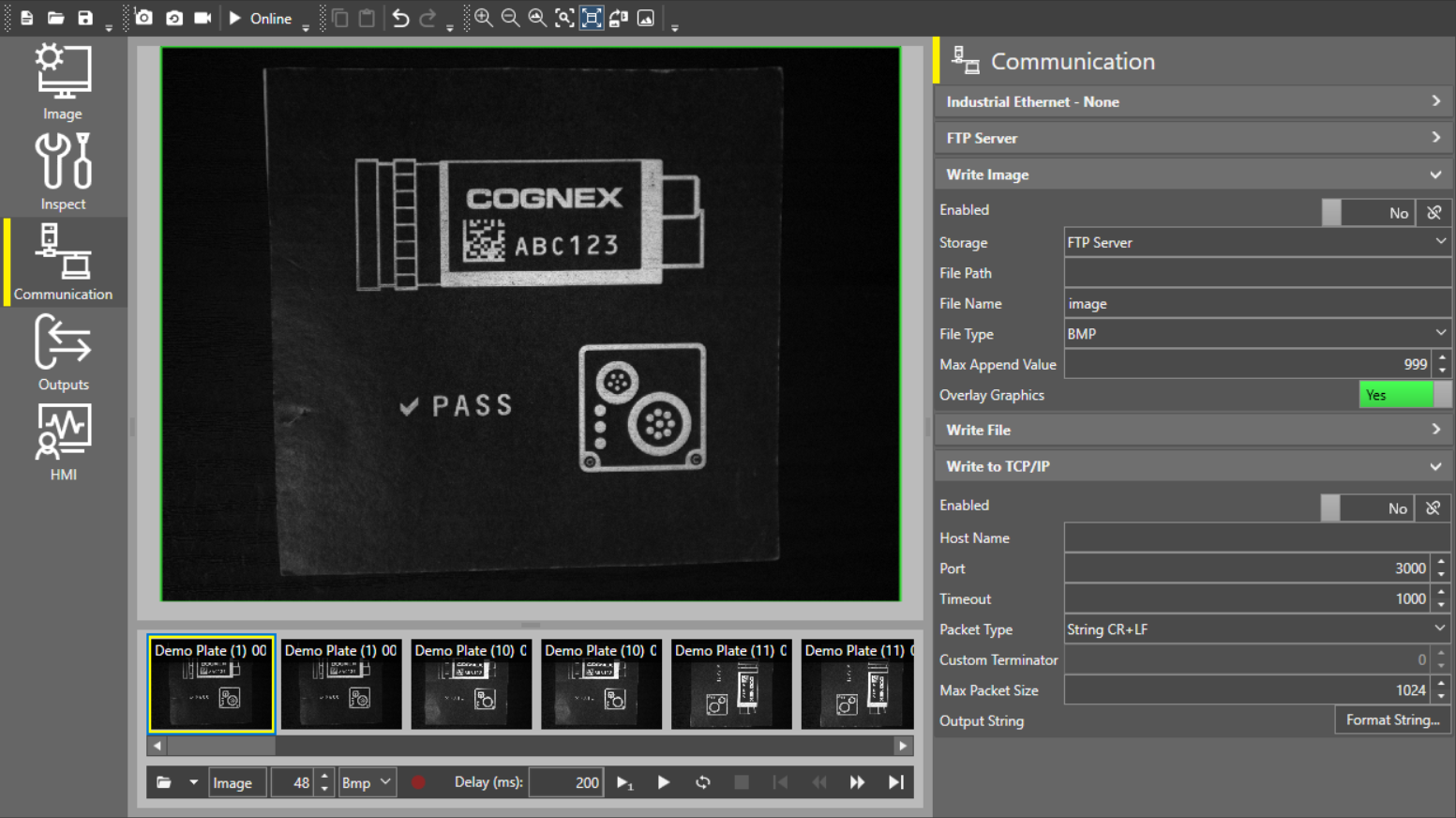
The following settings are available in the Communication app step:
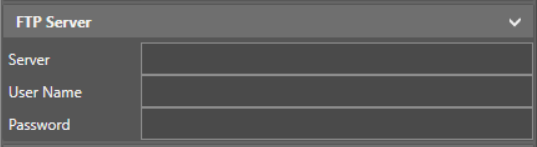
- FTP Server settings allow you to connect your device to an FTP server.
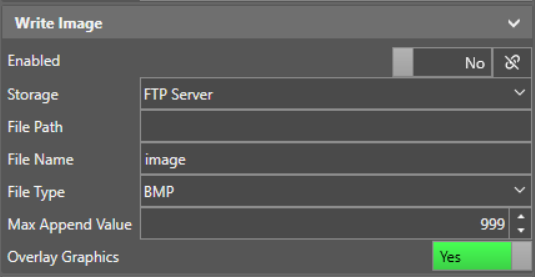
- Write Image settings allow you to define the conditions and properties for writing images to file.
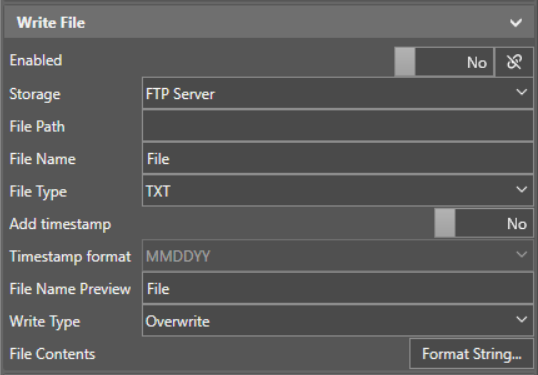
- Write File settings allow you to define the conditions and properties for writing job reports to file.
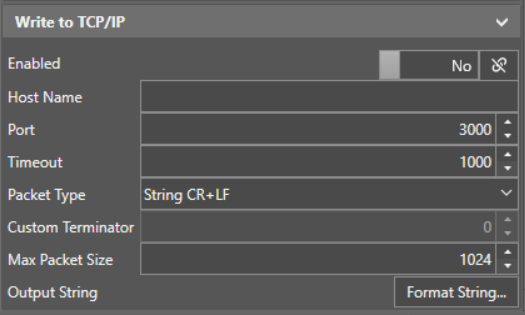
- Write TCP/IP settings allow you to define the conditions and properties for writing files over a TCP/IP connection.
- Industrial Ethernet settings allow you to set up an input and output stream over Ethernet/IP, PROFINET, or SLMP.
 Configure FTP Server settings:
|
|
|
|---|---|
| Setting | Description |
| Server | The FTP address for the server you want to connect your device to. |
| User Name | A valid user name for the FTP server. |
| Password | The password for the given user name. |
 Configure Write Image settings:
|
|
|
|---|---|
| Setting | Description |
| Enabled |
Enable or disable image writing. You can also use the link icon next to the toggle to link a boolean tool property, which makes image writing conditional on that tool property value. |
| Storage |
Select which storage drive you want your device to write images to. The available options are:
|
| File Path | Define the file path for image writing on the selected storage drive. |
| File Name | Define the file name you want your device to use when writing images. |
| File Type |
Select the file type you want your device to use when writing images. The available options are:
|
| Max Append Value | Define the maximum value of the suffix that the device adds to the file name for each image. |
| Overlay Graphics | When you enable Overlay Graphics, the vision system saves the image and a SVG file that includes the graphics. Open the SVG file in your browser to see the image with overlay graphics. |
 Configure Write File settings:
|
|
|||||||||||||
|---|---|---|---|---|---|---|---|---|---|---|---|---|---|
| Setting | Description | ||||||||||||
| Enabled |
Enable or disable file writing. You can also use the link icon next to the toggle to link a boolean tool property, which makes file writing conditional on that tool property value. |
||||||||||||
| Storage |
Select which storage drive you want your device to write files to. The available options are:
|
||||||||||||
| File Path | Define the file path for file writing on the selected storage drive. | ||||||||||||
| File Name | Define the file name you want your device to use when writing files. | ||||||||||||
| File Type |
Select the file type you want your device to use when writing files. The available options are:
|
||||||||||||
| Add timestamp | Enable or disable the addition of a timestamp for each file. | ||||||||||||
| Timestamp format | Define the timestamp format using a combination of MM, DD, and YY in your order of preference. | ||||||||||||
| File Name Preview | Displays a preview of the file name based on your file name and timestamp settings. | ||||||||||||
| Write Type |
Define what to do when a file by the same name already exists:
|
||||||||||||
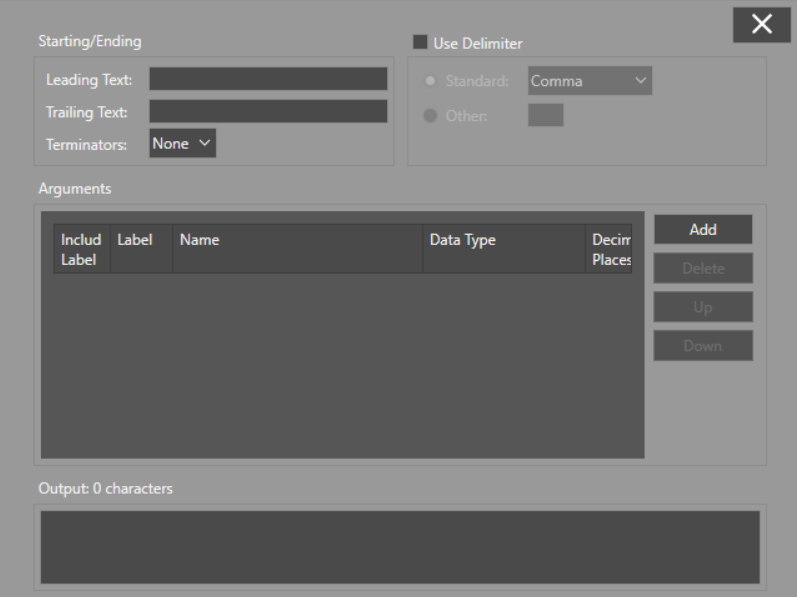
| File Contents |
Click Format String... to open a dialog in the center of the screen, where you can configure the contents of the files:
|
||||||||||||
 Configure Write TCP/IP settings:
|
|
|||||||||||||
|---|---|---|---|---|---|---|---|---|---|---|---|---|---|
| Enabled |
Enable or disable file writing. You can also use the link icon next to the toggle to link a boolean tool property, which makes file writing conditional on that tool property value. |
||||||||||||
| Host Name | Specify the host name for your device. | ||||||||||||
| Port | Specify the port number you want the device to use. | ||||||||||||
| Timeout | Specify the length of time in seconds that the device can be idle before the connection is terminated. | ||||||||||||
| Packet Type |
Select the packet type according to string terminators:
|
||||||||||||
| Custom Terminator |
Define a custom numerical string terminator (0-255). To enable this setting, set the Packet Type parameter to String with Custom Terminator. |
||||||||||||
| Max Packet Size | Define the maximum packet size. | ||||||||||||
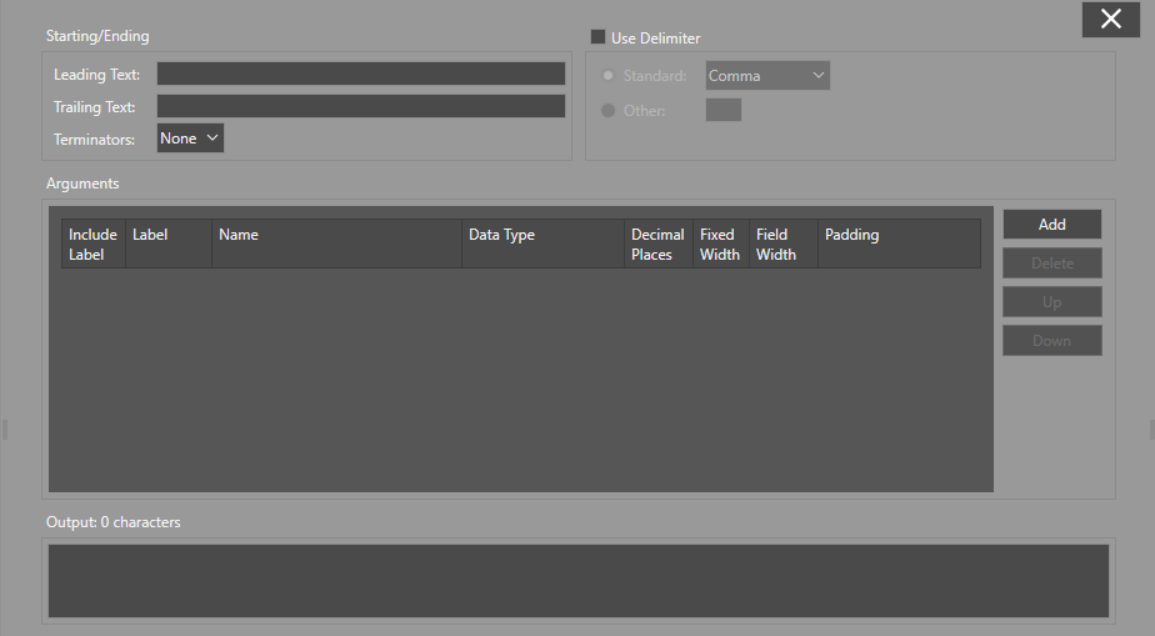
| Output String |
Click Format String... to open a dialog in the center of the screen, where you can configure the contents of the files:
|
||||||||||||
 Configure Industrial Ethernet settings:
|
|
|||||||||||
|---|---|---|---|---|---|---|---|---|---|---|---|
| Setting | Description | ||||||||||
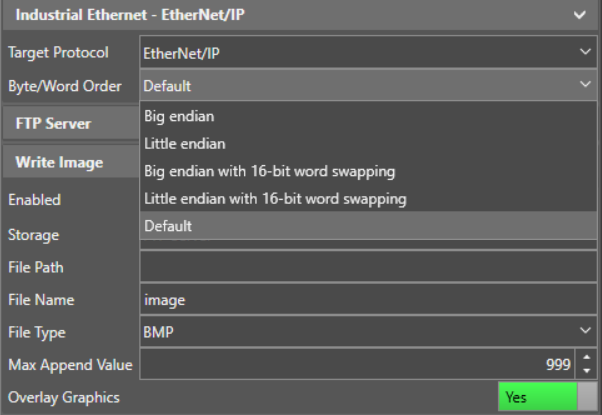
| Byte/Word Order |
Specifies the bit order for words and bytes read by the system.
|
||||||||||
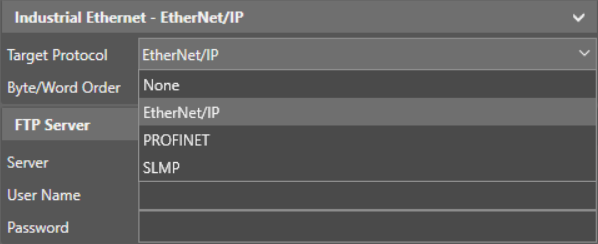
| Target Protocol |
Select the Industrial Ethernet protocol that you would like to use:
|
||||||||||
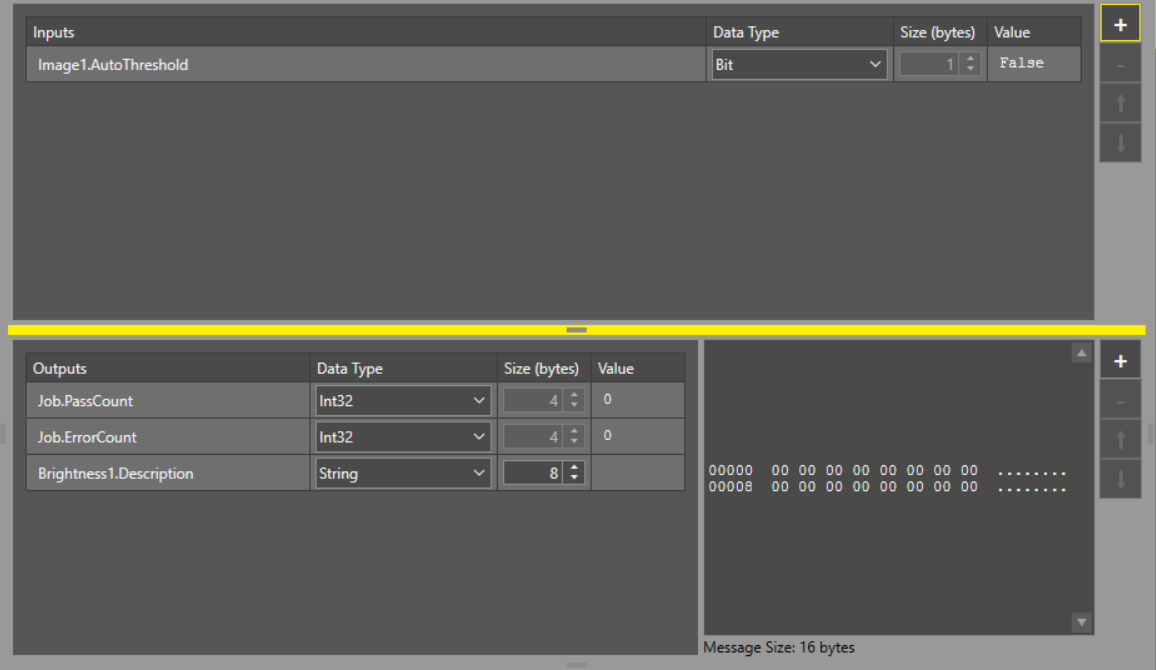
| Input/Output Data Contents |
Click Format Data to open a dialog in the center of the screen, where you can configure the contents of the input and output buffer:
|
||||||||||