HMI
The HMI application step provides you with an HMI editor interface where you can configure the HMI setup that vision system operators see when viewing the results for the loaded job.
|
|
|
|---|---|
| Item | Description |
| 1 | HMI preview |
| 2 | Tool property selection |
| 3 | Tool property display configuration |
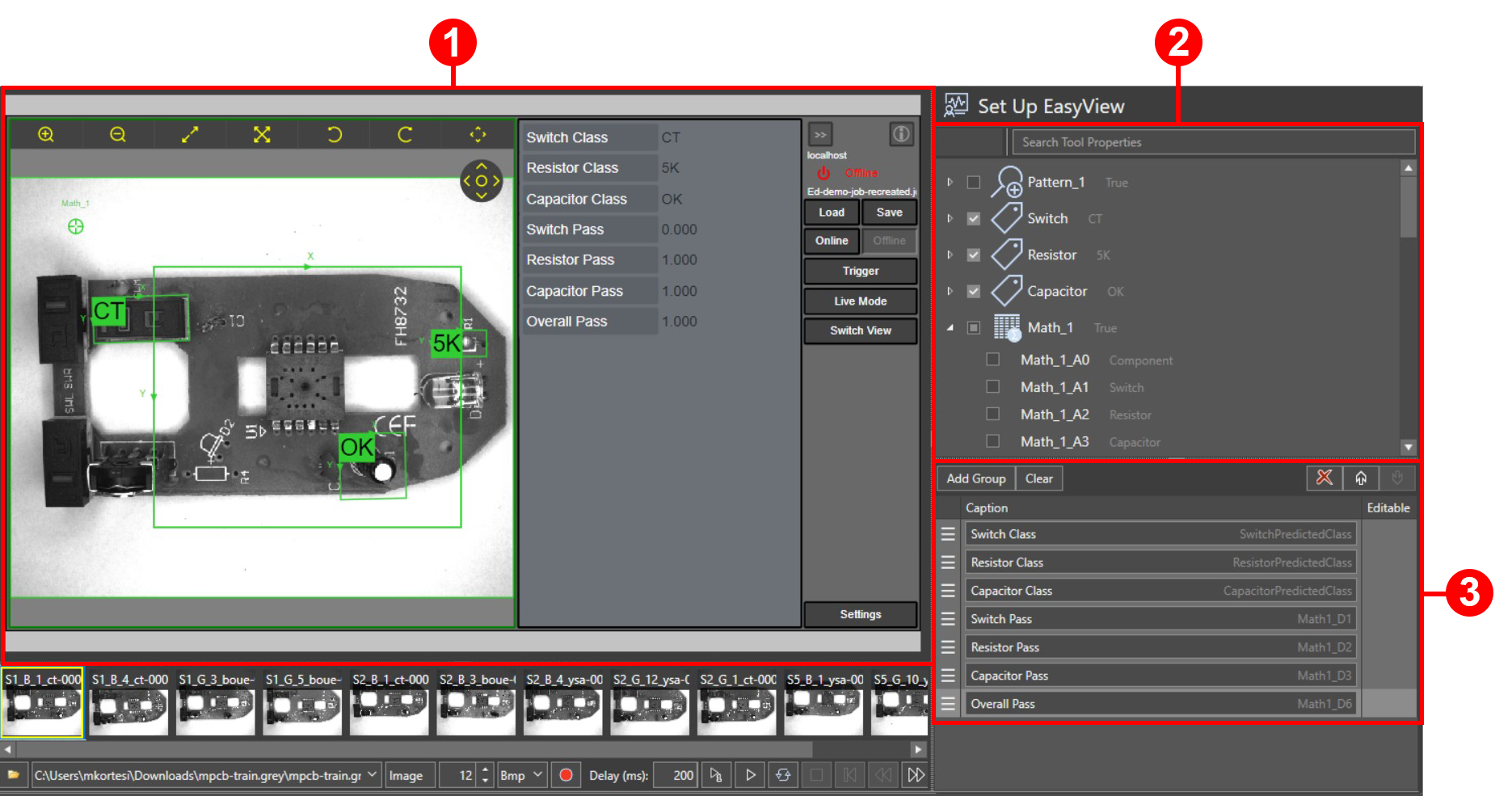
In the tool property selection pane, the HMI editor displays a list of the tools that you have configured for the job. You can expand each tool in the list to display all the corresponding tool properties, and you can select which tool properties you want the HMI to display. Every tool has a default display property that is added to the HMI display configuration automatically when you add the tool to the job.
In the tool property display configuration pane, you can change the display name of the tool properties, create groups to organize tool properties under, and change the order of the tool properties and groups.
The HMI preview pane displays your configuration changes in real time using a fully functional HMI. The HMI preview displays the configured tool properties and their calculated values for the current image. The HMI controls on the right side of the preview allow you to perform all operator tasks. For more information, see HMI Controls in In-Sight® Vision Suite Help document.
 Configure HMI Display
-
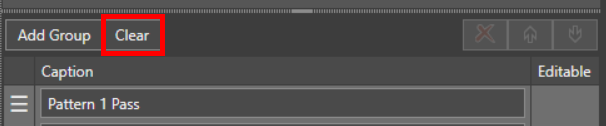
To remove the default or any previously configured tool properties from the display configuration, click Clear.
-
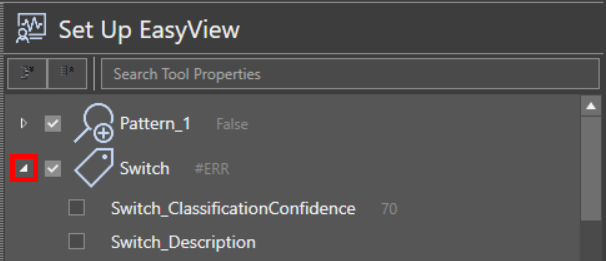
In the tool property selection pane, expand the tools for which you want to add tool properties to the display configuration.
-
Check the checkbox for the tool properties that you want to add. You can add cell values from the Math tool to the HMI elements, as cell values are tool properties of the Math tool.
Note: The Math tool functions EditInt(), EditFloat(), and EditString() allow you to enter values that can then be used in expressions in other cells. If you expose these cells with EditInt() or EditFloat() or EditString() function in the HMI, then the operator can enter values that affect the running job. For example, you can use an EditString() function to allow you to enter the expected class name for a new part.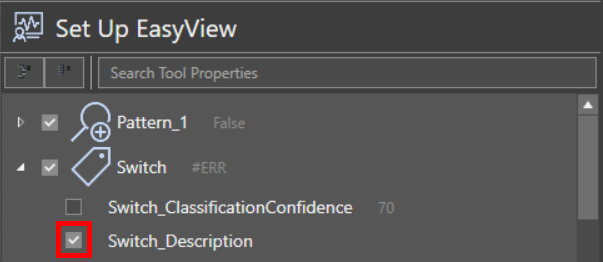
-
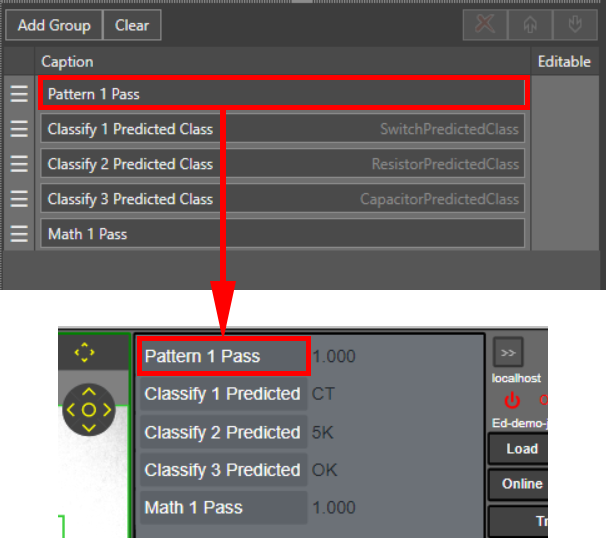
To change the display names of the added tool properties, edit the captions in the tool property display configuration pane.
-
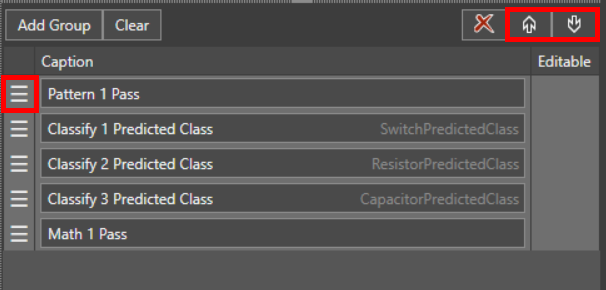
Reorder the added tool properties using the click-and-drag handlebars on the left, or by using the Up and Down buttons in the top right corner of the pane.
-
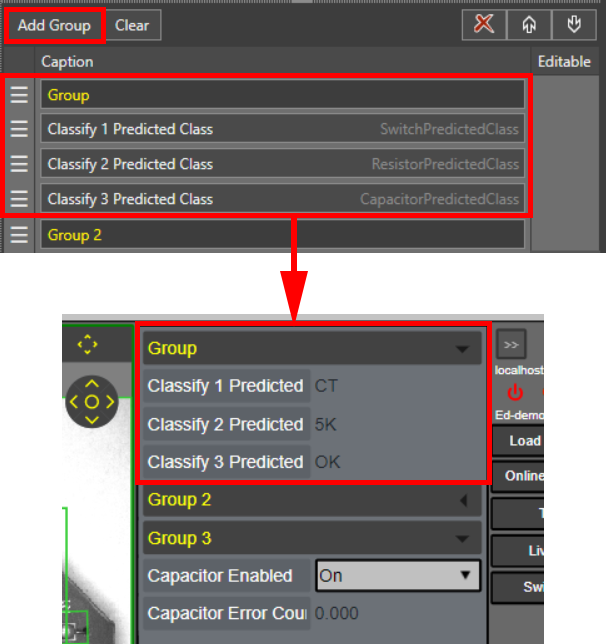
Click Add Group to create a tool property group that you can collapse or expand on the HMI. A group contains all tool properties below the group in the display configuration pane until the next group.
-
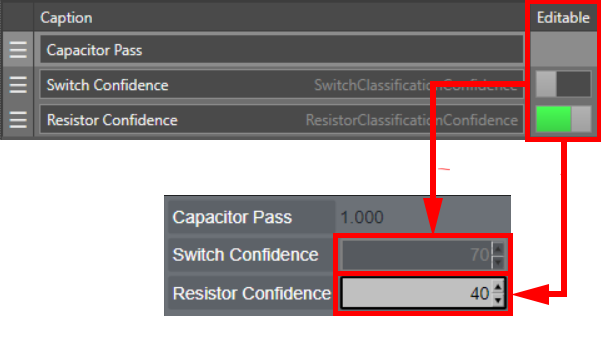
You can configure some tool properties to be editable by HMI operators .To disable or enable the editing function for a property, click on the Editable toggle next to the tool property caption. If there is no toggle next to a property, that property is not editable.