Importing the GSD File into the Catalog
The In-Sight vision system appears in the Catalog only if its GSD file is installed. This must be performed only once, when the vision system is configured on the PLC A Programmable Logic Controller is a ruggedized computer that you can use for automating processes or even an entire production line. the first time.
To install the GSD file for the In-Sight vision system, follow the below steps:
-
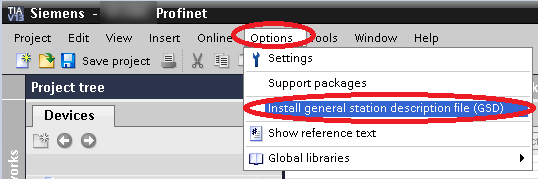
Click the Options menu, and then the Install general station description file (GSD) option.
-
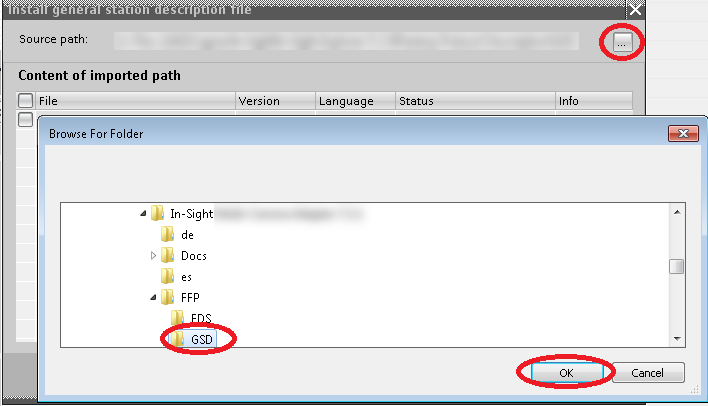
Browse the folder containing the GSD file:
C:\Program Files\Cognex\In-Sight\In-Sight Vision Suite Editors\In-Sight\In-Sight 25.2.0\FFP\GSD\ GSDML-V2.42-Cognex-IS2800ClassB-20211119.xml
-
Check the checkbox in front of the GSDML file, then click Install.