SortBlobs
SortBlobs is used to sort the blobs referenced in a Blobs data structure in relation to a fixture A fixture is a coordinate location on the image that keeps the tool in the place determined by the fixture..
SortBlobs Overview
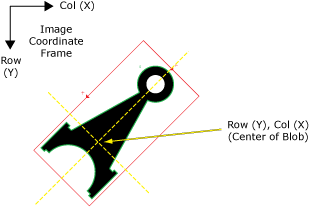
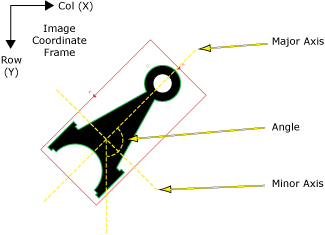
By computing the position of the referenced blob A blob is a group of pixels on the image that form a distinct pattern, typically used to represent objects, features, or areas of interest in object detection and segmentation tasks.'s center of mass (centroid) relative to the specified image fixture coordinate system, SortBlobs sorts the referenced blobs based upon one of their measurement characteristics, such as the distance along the x or y-axis, from a fixture origin or a grid, or the angle or angular distance of the blob.
Each blob in the referenced Blobs data structure is examined, and depending upon the Sort By parameter setting, the blob is identified and its position is calculated by measuring either the distance or angular relationship of the blob to a fixed location.
Once SortBlobs has sorted the referenced blobs, a new Blobs data structure and accompanying result table will be automatically inserted into the spreadsheet. The result table is sorted by how close the blob is to the chosen fixture, in descending order (the closest blob is listed first, the next closest second, and so on).
SortBlobs is an extremely helpful function Functions are tools that are available in Spreadsheet for processing and analyzing acquisitions or other results. You can add functions to your Spreadsheet job to create tool chains and produce results for specific applications. in instances where there are multiple blobs and the position of each blob in relation to the other blobs needs to be determined.
 Inputs
| Parameter | Description | ||||||||||||||||||
|
Blobs |
This parameter uses Cell References to a spreadsheet cell containing the Blobs data structure that is to be sorted. |
||||||||||||||||||
|
Number to Sort |
Specifies the maximum number of blobs (1 to 4096; default = 3) to return. Note: If the value of this parameter is greater than zero, SortBlobs will automatically insert a result table containing a maximum of 10 entries that correspond to the first 10 blobs in the Blobs data structure. If you wish to display more entries, you can expand the table by copying the last row and pasting additional rows at the end. Make sure to increment the index number of any newly-pasted row so that the proper blob is indexed.
|
||||||||||||||||||
|
Sort By |
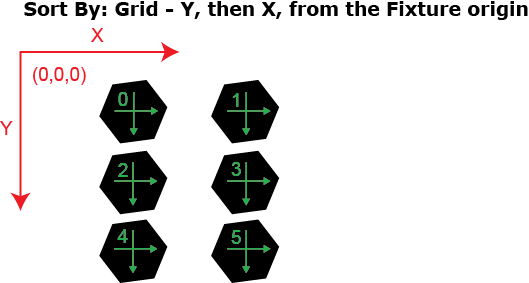
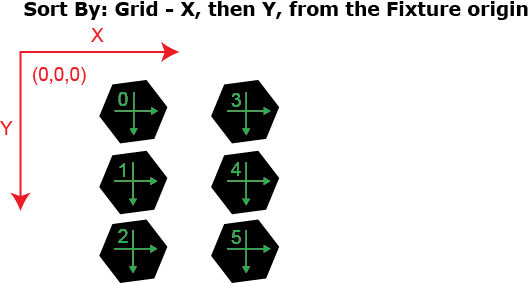
Specifies how the referenced blobs will be measured and sorted.
|
||||||||||||||||||
|
Fixture |
Defines the center of mass (centroid) of the referenced blob relative to a Fixture input or the output of the image coordinate system of a Vision Tools function. Setting the center of mass of the referenced blob relative to a Fixture ensures that if the Fixture is rotated or translated, the referenced blob will be rotated or translated in relation to the Fixture. The default setting is (0,0,0), the top leftmost corner of the image.
|
||||||||||||||||||
|
Show |
Specifies the display mode for SortBlobs graphical overlays on top of the image.
|
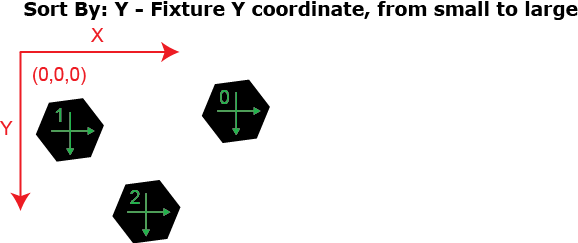
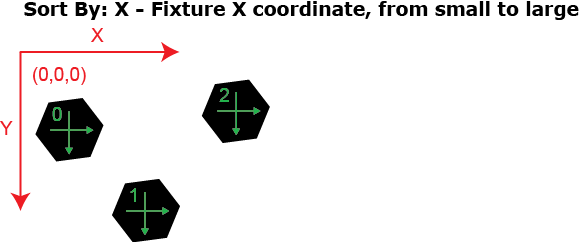

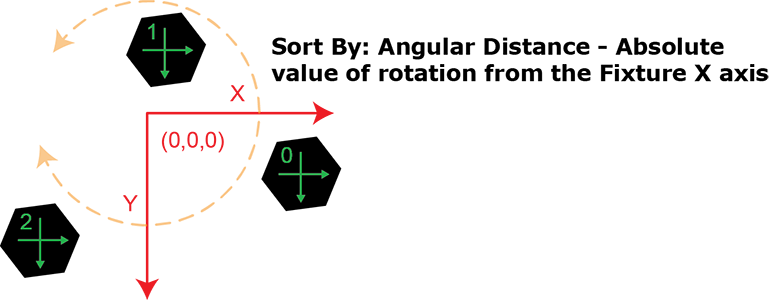
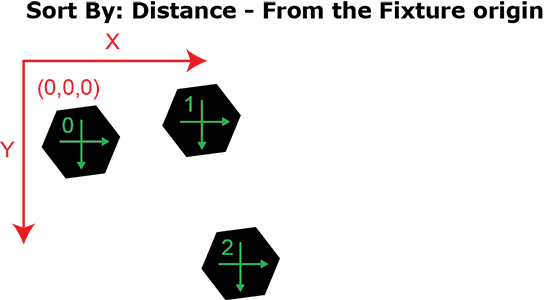
 Outputs
|
Returns |
A Blobs data structure containing the sorted blobs, or #ERR if any of the input parameters are invalid. |
||||||||||||||||||||||||||||||||||||
|
Results |
When SortBlobs is initially inserted into a cell, a results table is created in the spreadsheet. Note: If the value of the Number to Sortparameter is greater than zero, SortBlobs automatically inserts a result table containing a maximum of 10 entries that correspond to the first 10 blobs in the Blobs data structure. If you wish to display more entries, you can expand the table by copying
the last row and pasting additional rows at the end. Make sure to increment the index number of any newly-pasted row so that the proper blob is indexed.
The following Blobs Vision Data Access functions are automatically inserted into the spreadsheet to create the SortBlobs data structure result table:
|
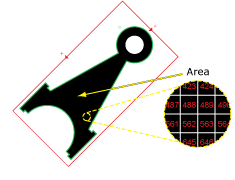
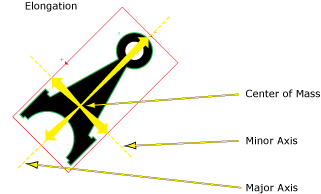
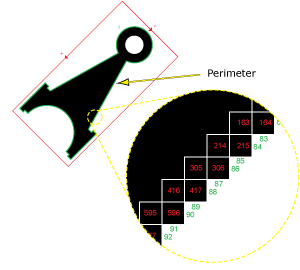
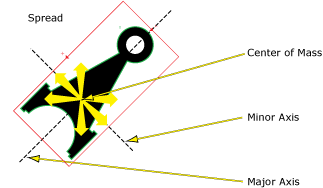
See the Blobs Vision Data Access functions for details on the result table.