Button
Inserts a labeled push button control into the spreadsheet.
Note:
- To access the Property Sheet for a Button, right-click the button and select Edit Function Functions are tools that are available in Spreadsheet for processing and analyzing acquisitions or other results. You can add functions to your Spreadsheet job to create tool chains and produce results for specific applications..
- A button click generates two events. The state of the button changes from 0 to 1 when pressing the button down, then from 1 to 0 when releasing the button..
 Inputs
| Parameter | Description |
|
Name |
Specifies a text string or reference to a text string. This name appears on the button itself. |
Outputs
|
Returns |
A value of 1 when the button is pressed. Otherwise, the return value is 0. |
|
Results |
A labeled Button control. |
Button Example
-
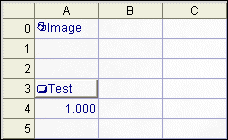
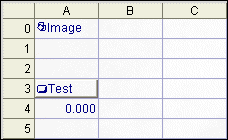
Assume cells A3 and A4 are configured as follows:
A3=Button("Test")
A4=Count(A3,9999999,0,0)
The spreadsheet looks like this:
-
Press the button in cell A3. Cell A4 references cell A3 to count the number of times the Test button is pressed. The value in cell A4 is now 1.000.