TransWorldToPixel
Converts a point from real-world units (mm) to pixel coordinates.
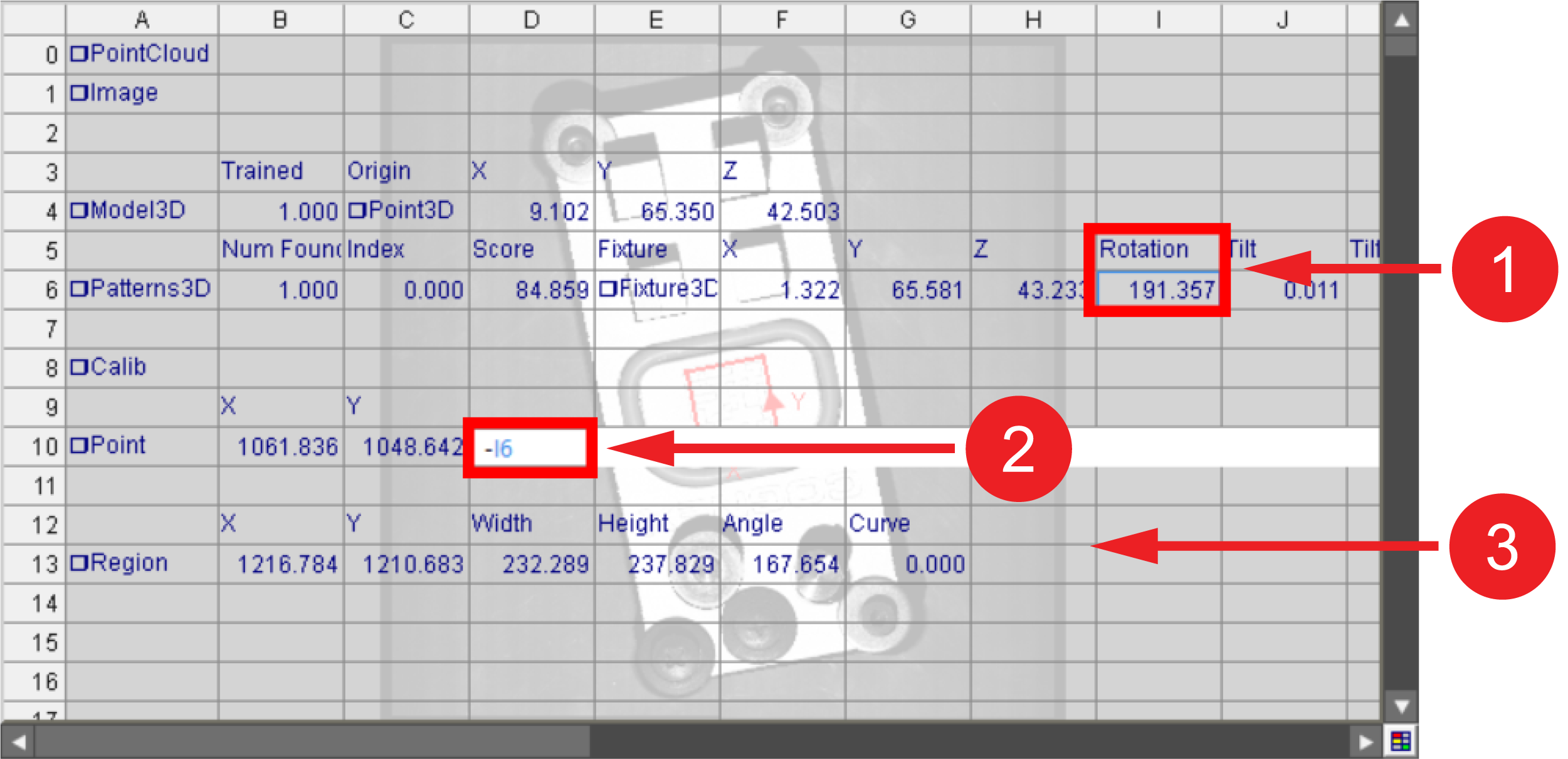
The Y-axis in 2D is the inverse of the Y-axis in 3D. When converting a fixture with the TransWorldToPixel function, add a third getter that references the angle or rotation of the 3D tool, then add a negative sign (-) to the reference. Use this getter with 2D functions to ensure that the orientation of the fixture is correct.
|
|
|---|---|
| Number | Meaning |
| 1 | Original 3D rotation value. |
| 2 | New getter added to the TransWorldtoPixel function, referencing the additive inverse of the original rotation value. |
| 3 | 2D function using the newly created getter. |
 Inputs
| Parameter | Description | ||||
| Image |
Reference to a cell containing an Image structure. Default = $A$0. |
||||
|
Calib |
A reference to a spreadsheet cell containing a valid Calib data structure. |
||||
|
Point |
Specifies the coordinates of the point.
|
||||
|
Show |
Specifies the display mode for the TransWorldToPixel graphic overlay on the image.
|
Outputs
|
Returns |
A Point data structure containing the transformed point, or #ERR if any of the input parameters are invalid. |
|||||||||
|
Results |
When the function is initially inserted into a cell, a result table is created in the spreadsheet using the following Structures Vision Data Access functions:
|