Setting Up the Industrial Communications
The following steps outline the general process of configuring communications between the In-Sight vision system and a compatible networked PLC:
-
Install and connect the In-Sight vision system to your network. See the hardware reference manual of your device for more information.
- Install and launch In-Sight Vision Suite.
-
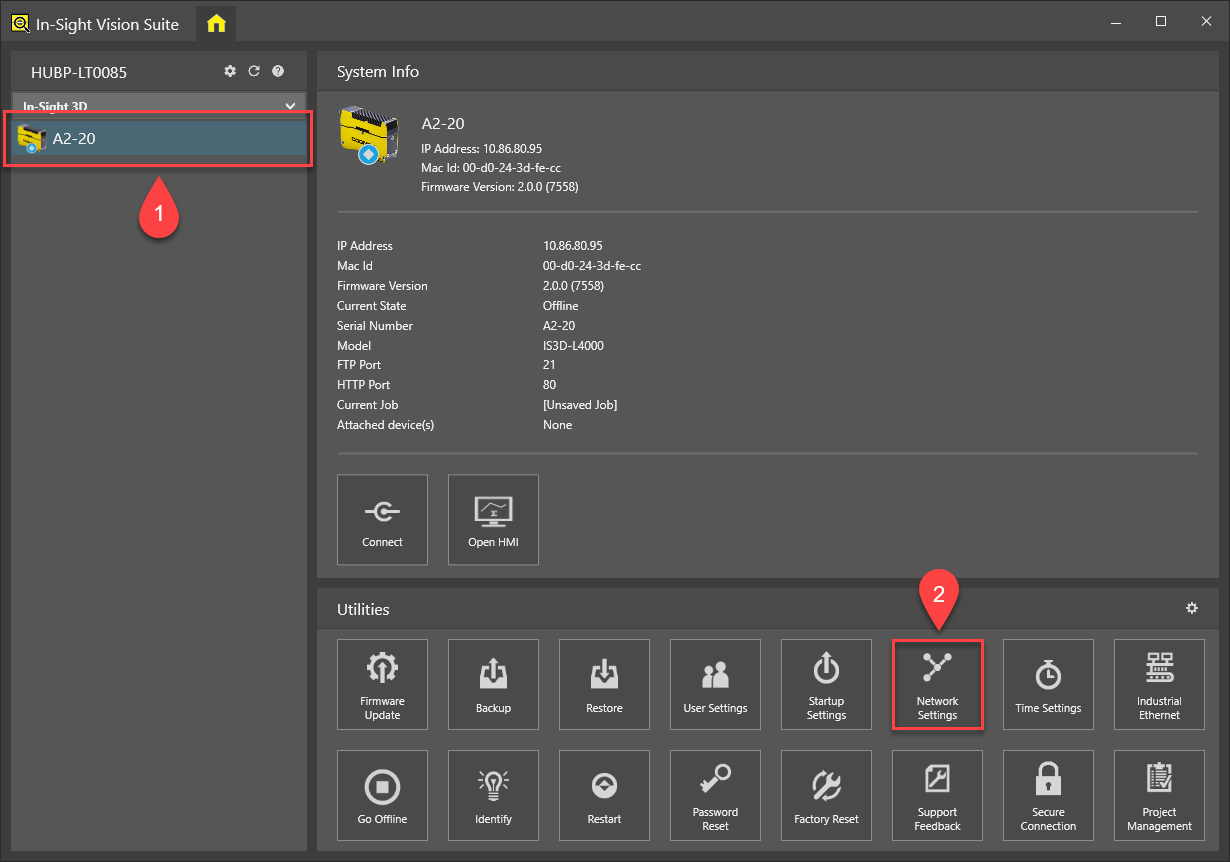
Select your vision system in the Device Pane on the left (1), then click the Network Settings button in the Utilities tab at the bottom of the application window (2).
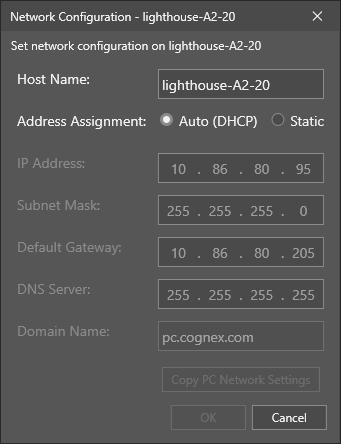
The Network Settings utility then appears.
 Note:
Note:- If you are already connected to a vision system, and have the In-Sight Spreadsheet adapter open, click the Home button at the top left corner of the application window to switch to the In-Sight Vision Suite interface. After that, select the vision system you want to configure and open the Network Settings dialog as described above.
- You cannot configure vision systems that you are already connected to (in other words, for which the In-Sight Spreadsheet adapter window is already open). The available utilities (including the Network Settings utility) are enabled only if you are not connected to that device.
- Configure the network settings of the vision system, ensuring that they are compatible with the network of the PLC. The vision system can be connected directly to the PLC or to a network switch. When you are done, close the utility.
-
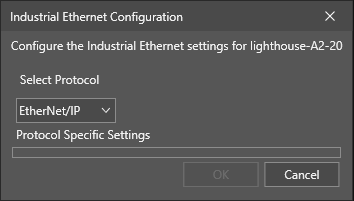
Click the Industrial Ethernet button in the Utilities tab of In-Sight Vision Suite to launch the Industrial Ethernet Configuration utility.
-
From the Select Protocol drop-down menu, select the appropriate option: None, EtherNet/IP, PROFINET. Click OK to apply the change.
Note: If you change an already configured protocol type to another protocol type, you may need to restart the utility. In that case, the OK button is replaced with a Restart button. -
Install and configure the PLC-specific files and software on the PC running In-Sight Vision Suite. See the EtherNet/IP PLC Configuration, PROFINET PLC Configuration topics for more information about installing the protocol-specific configuration files.
- Place the vision system online and verify that the vision system appears in the software used to configure the PLC.
-
Place the vision system offline and configure your job to exchange information between the vision system and the PLC.
- See the Network Settings topic in the In-Sight Vision Suite Help for more information about configuring the network settings.
- Only one protocol, EtherNet/IP,