Set Box
The Set Box command sets values on a Box3D structure and works only with a cell with an EditBox3D function.
Set Box Inputs
Syntax: SB<
| Parameter | Description |
|---|---|
|
|
The name of the Box3D. |
| sizeX | Size parameters of the Box3D. |
| sizeY | |
| sizeZ | |
| posX | Position parameters of the Box3D. |
| posY | |
| posZ | |
| rotation | Orientation parameters of the Box3D. |
| tilt | |
| tiltDirection |
Set Box Outputs
| Error codes | Description |
|---|---|
| 0 | Unrecognized command. |
| -1 | Invalid |
| -2 | Command cannot be executed. |
| -4 |
Wrong number of arguments, or they are not from the expected type. |
Set Box Example
To change the location and dimensions of a Box3D structure, issue the command with the corresponding values: SB<
In the example, the command is: SBBox3D 90 90 50 10 20 30 0 0 0.
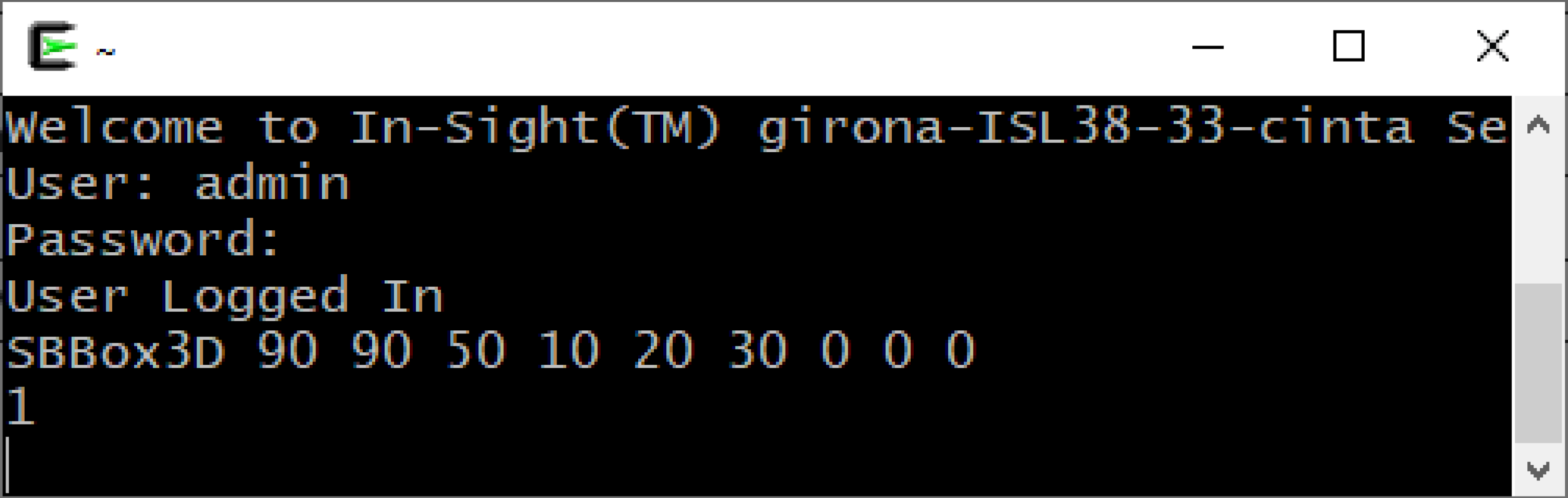
The In-Sight vision system responds with 1, indicating that editing the Box3D structure was successful.