Set Region
Sets an edit region control contained in a cell. The edit region control is always an EditRegion function.
Set Region Inputs
Syntax: SR<
| Parameter | Description |
|---|---|
|
|
The published name of the cell. |
| Space |
A blank space to separate the value from the next value. |
| Row | The X-offset of the origin, in image coordinates. |
| Space |
A blank space to separate the value from the next value. |
| Col | The Y-offset of the origin, in image coordinates. |
| Space |
A blank space to separate the value from the next value. |
| High |
The dimension along the X-axis of the region. |
| Space |
A blank space to separate the value from the next value. |
| Wide |
The dimension along the Y-axis of the region. |
| Space |
A blank space to separate the value from the next value. |
| Angle |
The orientation in image coordinates. |
| Space |
A blank space to separate the value from the next value. |
|
Curve |
The curvature of the region. |
Set Region Outputs
Returns a status code. The status codes are:
| Status Codes | Description |
|---|---|
| 1 |
The command was executed successfully. |
| 0 |
Unrecognized command. |
| -1 |
The ID is invalid. |
| -2 |
The command could not be executed because the specified cell does not contain an edit region control, or the edit region control was not created by the EditRegion function. |
| -4 |
Wrong argument type. |
| -6 |
User does not have Full Access to execute the command. |
Set Region Example
The command to set an edit region contained in cell A2 to a new location and dimensions.
-
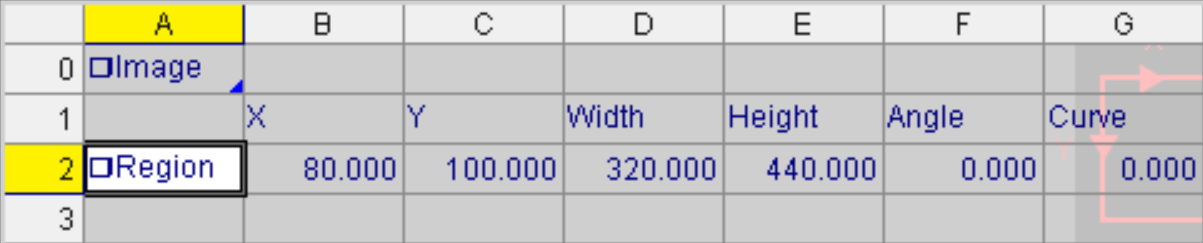
Assume cell A2 is populated as follows: A2 = EditRegion($A$0,0,0,0,1,1,1,1,"Region",0)
The spreadsheet looks like this:
-
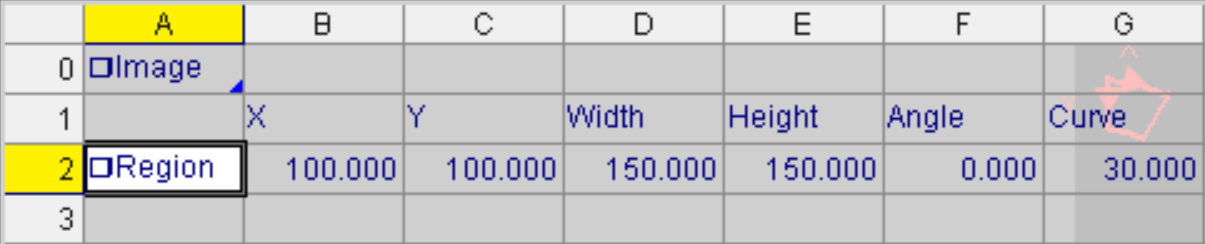
To change the location of the region and dimensions using the Set Region Native Mode command, issue the command SRRegion 100 100 150 150 0 30 as shown in the following telnet client window. Region stands for the

The In-Sight vision system responds with 1, indicating that the command was successfully executed: